How to Learn Artificial Intelligence – Step-by-Step Plan
Published: 26 Dec 2025
Artificial Intelligence (AI) is changing our world fast. It powers smart chatbots, self-driving cars, and voice helpers like Siri or Alexa. But do you know you can also learn AI easily, even if you are a beginner? This guide will teach you how to learn artificial intelligence step by step, in simple words and clear actions.
Let’s start your journey to becoming an AI learner.
Why Should You Learn AI?
Learning AI helps you understand the future of technology. It can also open doors to good jobs, smart projects, and creative ideas. Even if you are not from a science background, you can still learn it step by step.

Here are simple reasons why learning AI is useful:
- It builds logical and problem-solving skills
- It helps you make smart apps
- It improves your career options
- It lets you join the digital future
AI is not hard if you follow the right path.
What Do You Need Before You Start?
Before you start learning AI, make sure you have:
- A computer with internet
- A little patience and curiosity
- Basic math knowledge (addition, subtraction, percentages)
- Willingness to practice daily
You do not need to be a genius. AI becomes easy when you take small steps every day. In the next parts, I will explain the steps in detail on how you can learn AI.
Step 1 – Learn the Basics of Math
Math is the language of AI. You don’t need to learn everything, only a few simple parts.
Learn These Topics:
- Algebra: for simple equations
- Statistics: for data understanding
- Probability: for predicting outcomes
- Graphs: to show data visually
Spend one week learning these topics. Watch simple YouTube lessons for school-level math. This base will help you in all next steps.
Step 2 – Learn Python Programming
Python is the easiest language for AI. It has simple words and many AI libraries.
What to Do:
- Learn basic syntax (print, if-else, loops)
- Learn lists and functions
- Practice daily on free sites like W3Schools or Codecademy
- Try to write small programs yourself
Example: Make a small program that asks your name and prints a greeting. This will make you confident.
Step 3 – Learn About Data
AI learns from data. So you must understand what data is and how it works.
Simple Things to Learn:
- What is a dataset (rows and columns)
- How to clean and arrange data
- What is an average and median
- How to draw graphs and charts
Use Excel or Google Sheets first. Then try using Python’s pandas library later.
Mini Project: Take data of 10 students’ marks and find who scored highest and lowest.
Step 4 – Learn Machine Learning
Machine Learning (ML) is a small part of AI that helps computers learn from examples.
Three Types of Machine Learning:
- Supervised Learning – teach the computer with correct answers
- Unsupervised Learning – computer finds patterns by itself
- Reinforcement Learning – computer learns from trial and error
Start with supervised learning because it is easiest.
Tools You Can Use:
- Scikit-learn (beginner friendly)
- Google Colab (free online notebook)
Try small exercises like predicting house prices or sorting images.
Step 5 – Learn Deep Learning
Deep Learning uses special networks called neural networks. These networks work like a tiny brain. They can read images, listen to voices, and understand text.
Learn These Basics:
- What is a neuron and a layer
- What is training and testing
- What is accuracy and loss
Use free tutorials on TensorFlow or PyTorch. Do not worry if it looks hard at first. Practice slowly.
Step 6 – Do Real AI Projects for Beginners
Doing projects helps you learn faster. You can start with small ones.
Simple AI Project Ideas:
- Chatbot that answers basic questions
- Image recognizer (cat or dog)
- Spam email detector
- Simple voice command app
Start with one project only. Follow free YouTube tutorials and build step by step. Even if it looks simple, it will give you real practice.
Step 7 – Join AI Communities
Learning with others keeps you active and motivated. You can join free groups online to ask questions, share your projects, and get advice.
Join These:
- Reddit AI communities
- Discord or Facebook AI groups
- Kaggle (free site for AI projects and data)
When you share your work, you improve faster and get ideas from others.
Step 8 – Learn AI Tools
Many ready-made tools make AI learning easy.
Free and Simple AI Tools:
- Google Teachable Machine: make simple image or sound models
- ChatGPT: learn how AI talks and writes
- Google Colab: run your code online
- Kaggle: download free datasets
These tools help you learn without installing anything.
Step 9 – Build a Small Portfolio
Keep all your projects in one place. You can make a free GitHub account or even use Google Drive.
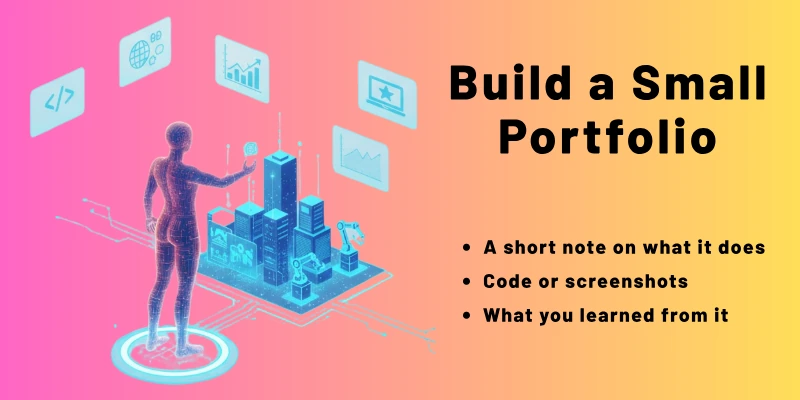
When you finish a project, add:
- A short note on what it does
- Code or screenshots
- What you learned from it
This portfolio helps you show your skills to others later.
Step 10 – Keep Learning and Stay Updated
AI changes very fast. New tools come every month. So keep learning a little every day.
Simple Ways to Stay Updated:
- Read AI news sites like Google AI Blog
- Watch YouTube channels about AI
- Take new short online courses
- Follow AI teachers on LinkedIn
Remember, AI is not learned in one week. It grows with your practice.
Week Step-by-Step Learning Schedule: How to Learn Artificial Intelligence
This plan is for beginners. Each week has small, clear steps, daily tasks, and resources you can use. Spend 30 to 60 minutes daily. Do not rush. Practice matters more than speed.
Week 1 – Basics of Math and Python
Goal: Learn simple math for AI and start Python programming.
| Day | Task | Resource |
| 1 | Learn addition, subtraction, multiplication, division refresh | Khan Academy Math Basics |
| 2 | Learn averages, median, mode | YouTube: Math for Beginners |
| 3 | Learn probability and simple graphs | Khan Academy Probability Basics |
| 4 | Install Python or open Google Colab | Python.org or Google Colab |
| 5 | Learn Python print, input, variables | W3Schools Python Tutorial |
| 6 | Practice if-else and loops | Codecademy Free Python Course |
| 7 | Mini project: Make a program that asks name and age and prints greeting | Google Colab / W3Schools |
Tip: Don’t move to next week until you are confident with basic math and Python.
Week 2 – Working With Data
Goal: Understand what data is, how to clean it, and make simple charts.
| Day | Task | Resource |
| 1 | Learn what is a dataset | Kaggle Learn – Intro to Data |
| 2 | Learn rows, columns, and simple tables | Google Sheets or Excel Tutorial |
| 3 | Learn to calculate average, median, min, max | YouTube: Statistics for Beginners |
| 4 | Learn to draw simple bar and line charts | Google Sheets / Excel |
| 5 | Learn Python pandas basics: creating tables | Kaggle Learn – Python Pandas |
| 6 | Practice: Make a table of your daily activities | Google Colab |
| 7 | Mini project: Find average marks of 10 students | Google Colab or Excel |
Tip: Make charts by hand first, then try in Python. Visual understanding helps AI learning.
Week 3 – Introduction to Machine Learning
Goal: Learn the basics of machine learning and make your first small model.
| Day | Task | Resource |
| 1 | Learn what is Machine Learning | YouTube: Machine Learning for Beginners |
| 2 | Learn supervised learning concept | Google AI – ML Basics |
| 3 | Learn classification and regression | Kaggle – ML Beginners |
| 4 | Install scikit-learn and explore dataset | Google Colab |
| 5 | Create first ML model (predict simple number) | Google Colab Tutorial |
| 6 | Practice with small dataset (flowers, fruits) | Kaggle Datasets |
| 7 | Mini project: Build model to predict student pass/fail | Google Colab |
Tip: Focus on understanding the steps: load data, train model, test model. Results can be simple numbers.
Week 4 – Introduction to Deep Learning and AI Projects
Goal: Learn neural networks basics and complete a small AI project.
| Day | Task | Resource |
| 1 | Learn what is Deep Learning and neural networks | YouTube: Deep Learning for Beginners |
| 2 | Learn about neurons, layers, and activation functions | Google AI Blog |
| 3 | Install TensorFlow or PyTorch | TensorFlow.org / PyTorch.org |
| 4 | Train a small neural network to recognize handwritten numbers | Google Colab Tutorial |
| 5 | Learn how to check accuracy and loss | YouTube: Beginner Deep Learning Tutorial |
| 6 | Mini project: Make simple image classifier (cat vs dog) | Kaggle Datasets |
| 7 | Review all projects from week 1–4 | Google Colab / GitHub |
Tip: Save all projects in Google Drive or GitHub. Share with friends or online communities to get feedback.
Extra Tips for Beginners
- Practice every day, even 30 minutes counts.
- Start small projects and finish them fully.
- Ask questions in forums if you are stuck: Reddit AI beginner community, Kaggle forums,Stack Overflow.
- Keep notes for formulas, commands, and Python tricks.
- Slowly add complexity: do not rush to big projects too early.
Important Tools in This Schedule
- Python – main programming language
- Google Colab – run Python code online
- Kaggle – free datasets and beginner tutorials
- W3Schools / Codecademy – learn Python basics
- TensorFlow / PyTorch – for deep learning projects
- Google Sheets / Excel – for data handling
End of 4 Weeks – Where You Stand
After this 4-week schedule, you will be able to:
- Understand AI and its use
- Code basic Python programs
- Work with data and simple statistics
- Build basic machine learning and deep learning models
- Complete 3–4 mini AI projects
- Be ready for more advanced AI learning
At this stage, you have practically followed the answer to “How to Learn Artificial Intelligence Step by Step”.
Final Note
How to Learn Artificial Intelligence, in this guide, we have covered everything a beginner needs to start learning AI step by step. We started with simple math and Python, then moved to data handling, basic machine learning, and even an introduction to deep learning.
We also shared small projects, free tools, and a detailed 4-week study plan so you can practice every day. By following this guide, you can build your first AI models, complete beginner-friendly projects, and gradually improve your skills.
Remember, AI learning is about practice, patience, and curiosity. Start small, finish your mini projects, and keep learning every day. This step-by-step approach will make AI easy and fun, even for complete beginners.
By following this guide, you are now ready to take your first steps toward becoming an AI learner and create simple, smart projects on your own.
FAQs: AI Learning
Here are some of the most commonly asked questions related to the how to learn artificial intelligence:
Yes, you can start learning AI without coding. First, learn the basic ideas of AI. Later, you will learn simple Python code. Small projects will help you practice and understand AI.
If you study 30–60 minutes daily, you can learn AI basics in a few months. Step by step learning makes it easier. Advanced topics take longer. Practice every day to improve faster.
Python is the easiest language for beginners. It has simple words and many AI libraries. You can make small projects with Python. Later, you can use it for machine learning and deep learning.
No, you only need basic math like algebra, averages, and percentages. You will learn more math later if needed. Start small and practice slowly. Understanding basic math is enough for beginners.
Machine learning is a part of AI. It helps computers learn from examples instead of following rules. AI is the big idea, and machine learning is one way to make AI work. Beginners usually start with simple ML projects.
Start with small projects like chatbots, image recognizers, or predicting numbers from data. Follow online tutorials step by step. Completing small projects helps you learn AI faster.
Do more projects and try different datasets. Join online communities and ask questions. Keep practicing Python and AI tools. Continuous learning makes you better every day.




- Be Respectful
- Stay Relevant
- Stay Positive
- True Feedback
- Encourage Discussion
- Avoid Spamming
- No Fake News
- Don't Copy-Paste
- No Personal Attacks
- Be Respectful
- Stay Relevant
- Stay Positive
- True Feedback
- Encourage Discussion
- Avoid Spamming
- No Fake News
- Don't Copy-Paste
- No Personal Attacks
