Best AI Tools for Teachers and Educators: Smart Options
Published: 18 Mar 2026
Being a teacher is hard. Lesson planning, grading, creating activities, and helping students can take hours every day. The best AI tools for teachers and educators can save time, make lessons engaging, and help students learn better.
I have tested and explored many tools and in this guide, I will share the ones that really work. By the end, you will know which tools fit your classroom and teaching style best.
Top AI Tools for Teachers and Educators
Here are some of the most powerful and helpful tools for educators right now:
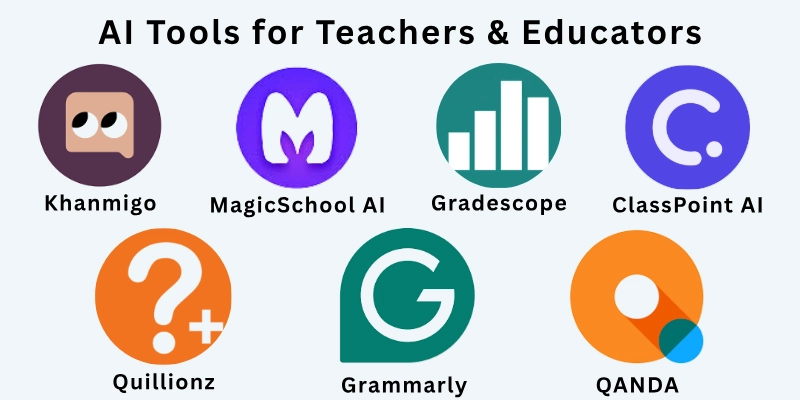
- Khanmigo
- MagicSchool AI
- Gradescope
- Canva for Education
- ClassPoint AI
- Quillionz
- Eduaide.AI
- QANDA
- Grammarly / GrammarlyGO
- Diffit
Let us learn about each in detail.
1. Khanmigo
Khanmigo is a teaching assistant made by Khan Academy. I have used it to explain concepts to students and it gives step-by-step guidance automatically. It also helps brainstorm lesson ideas and create questions quickly. This tool makes it easier to give students real-time support.
- Pros: Great for student guidance, reduces repetitive teaching, easy to use
- Cons: Needs internet, not all subjects fully supported
2. MagicSchool AI
MagicSchool AI is designed for teachers. I have used it to create lesson plans, emails to parents, and student activities. It adapts lessons to different student levels and helps with grading tasks. It is very helpful when you are busy and need fast solutions.
- Pros: Saves time, many tools in one platform, beginner-friendly
- Cons: Free plan has limits, premium needed for full access
3. Gradescope
Gradescope helps with grading faster. I have used it for multiple-choice and written responses. It groups similar answers and gives suggested grades, which makes checking homework much faster. Analytics help me see which topics students struggle with.
- Pros: Saves grading time, works for multiple formats, provides analytics
- Cons: Paid plan needed for full features, some learning curve
4. Canva for Education
Canva for Education helps create presentations, worksheets, and visuals. I have used it to make colorful slides and handouts that engage students. The interface is simple and I can collaborate with other teachers or students easily. It makes teaching materials look professional in minutes.
- Pros: Free for teachers, easy to design visuals, collaboration friendly
- Cons: Some premium images require payment, limited offline use
5. ClassPoint AI
ClassPoint AI adds quizzes, polls, and interactive elements to PowerPoint slides. I used it to check understanding during lessons and students loved it. It generates questions automatically based on my slides. This makes live teaching more engaging and interactive.
- Pros: Engaging for students, quick question generation, works with PowerPoint
- Cons: Only works in PowerPoint, some features need subscription
6. Quillionz
Quillionz helps make questions from any text or lesson. I used it to create quizzes and discussion questions in minutes. It saves me time on assessments and ensures questions match the lesson content.
- Pros: Fast question generation, works with text input, easy to use
- Cons: Limited free use, needs premium for more complex tasks
7. Eduaide.AI
Eduaide.AI is an all-in-one tool for teachers. I have used it to make lesson plans, graphic organizers, and student activities. It can adjust materials for different student levels. The tool saves time switching between apps.
- Pros: Many tools in one, adapts to student level, user-friendly
- Cons: Some features need paid plan, learning curve for new users
8. QANDA
QANDA helps with math problem-solving. I used it to help students understand difficult problems. They can take pictures of problems and get step-by-step explanations. It is very helpful for homework and class exercises.
- Pros: Step-by-step math help, easy to use, mobile friendly
- Cons: Mostly focused on math, limited subjects
9. Grammarly / GrammarlyGO
Grammarly helps improve writing. I use it to proofread my lesson plans and students use it for essays. It gives grammar, tone, and clarity suggestions. It also helps students learn better writing habits.
- Pros: Improves writing, easy suggestions, teaches students
- Cons: Free plan has limits, advanced features need paid plan
10. Diffit
Diffit adjusts reading material to student levels. I have used it to make texts easier or more challenging. It also creates comprehension questions automatically. It is great for mixed-level classrooms.
- Pros: Differentiates content, saves prep time, supports comprehension
- Cons: Limited advanced editing, paid plan needed for full features
Comparison Table of Best AI Tools for Teachers and Educators
Here is the quick comparison table of all the best AI tools for teachers and educators:
| Tool | Free / Paid | Best For | Key Features |
| Khanmigo | Paid | Student guidance | Step-by-step help, lesson ideas, questions |
| MagicSchool AI | Free + Paid | Lesson planning | Lesson adaptation, parent emails, grading |
| Gradescope | Paid | Grading efficiency | Auto-grading, analytics, multiple formats |
| Canva for Education | Free | Visual lesson materials | Slides, worksheets, collaboration |
| ClassPoint AI | Paid | Interactive lessons | Quizzes, polls, live questions |
| Quillionz | Free + Paid | Quick assessment | Question generation from text |
| Eduaide.AI | Free + Paid | Multi-purpose teaching | Lesson plans, activities, organizers |
| QANDA | Free + Paid | Math support | Problem-solving, step-by-step solutions |
| Grammarly / GrammarlyGO | Free + Paid | Writing support | Grammar, clarity, tone suggestions |
| Diffit | Free + Paid | Differentiated reading | Level adjustment, comprehension questions |
Factors to Consider When Choosing a Tool
Choosing the right tool can make a big difference in your teaching. Here are some key things to think about:
- Student Privacy: Make sure the tool keeps student data safe and follows school rules.
- Ease of Use: Pick a tool that you and your students can use easily without frustration.
- Cost: Look at free and paid plans and choose what fits your budget.
- Integration: Check if the tool works with platforms like Google Classroom or Canvas.
- Impact on Teaching: Will this tool save you time on planning, grading, or other tasks?
- Accessibility: Make sure it works for students with different learning needs.
My Recommendations
Based on my experience using these tools, here are my suggestions for different types of teachers:
- Grading-heavy teachers: Use Gradescope or Quillionz to save hours on assessments.
- Lesson planning and activity creation: MagicSchool AI and Eduaide.AI help make lessons fast and efficient.
- Visual content and slides: Canva for Education is perfect for creating engaging presentations and worksheets.
- Math teachers: QANDA supports problem-solving and homework help.
- Writing support: Grammarly helps improve both teacher and student writing.
- Interactive lessons: ClassPoint AI makes your slides more engaging with quizzes and polls.
- Differentiated reading: Diffit adjusts content for students at different reading levels.
Final Note
In this guide, we have covered the best AI tools for teachers and educators that save time, improve lessons, and make teaching easier. I have tried and tested each tool, and they all bring something different to the classroom.
Most offer free plans, so you can try them before subscribing. Using these tools wisely will help you focus on teaching and students, not repetitive tasks.
FAQs: Best AI Tools for Teachers and Educators
Here are some of the most commonly asked questions related to the best AI tools for teachers and educators:
Tools like MagicSchool AI and Eduaide.AI help create lessons, activities, and emails quickly. They reduce hours spent planning and let you focus on students.
Gradescope allows fast grading of assignments, multiple choice, or written answers. It groups similar responses and provides analytics for student understanding.
ClassPoint AI turns PowerPoint slides into quizzes, polls, and discussion prompts. You can generate questions automatically from your slides.
Yes, Diffit rewrites texts to match student reading levels and creates comprehension questions. This is helpful for mixed-level classrooms.
Grammarly checks grammar, clarity, and tone. Both teachers and students can use it for essays, lesson content, and assignments.
QANDA provides step-by-step solutions when students take pictures of problems. It is perfect for math classes or tutoring.
Yes, Canva for Education allows slides, worksheets, and infographics that look professional. It also supports collaboration with students.
Yes, Canva for Education, MagicSchool AI, and Eduaide.AI offer free plans. This allows you to try them without cost.
Quillionz generates multiple-choice or short-answer questions from your text or lesson content. It saves time and keeps questions aligned with the lesson.
Yes, Khanmigo and MagicSchool AI provide feedback, adjust lessons, and create differentiated content. They help meet individual student needs effectively.




- Be Respectful
- Stay Relevant
- Stay Positive
- True Feedback
- Encourage Discussion
- Avoid Spamming
- No Fake News
- Don't Copy-Paste
- No Personal Attacks
- Be Respectful
- Stay Relevant
- Stay Positive
- True Feedback
- Encourage Discussion
- Avoid Spamming
- No Fake News
- Don't Copy-Paste
- No Personal Attacks
