How to Use AI to Improve UX – Key Tips and Strategies
Published: 8 Mar 2026
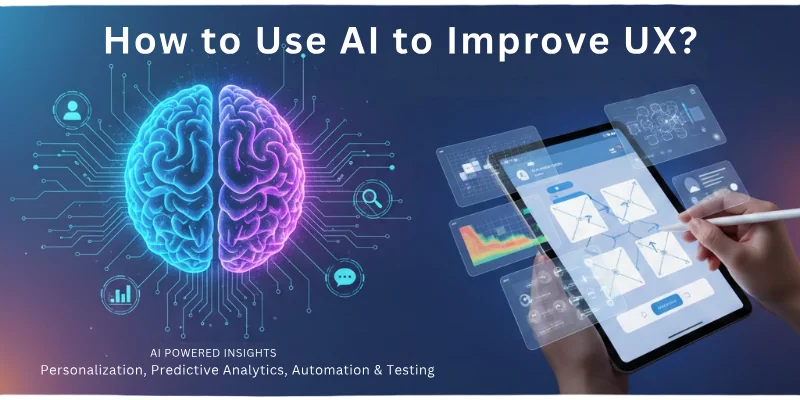
Creating a smooth and satisfying digital experience is no longer optional, it is necessary. Today, AI plays a major role in shaping modern UX (user experience) by understanding users better, predicting their needs, and guiding them through a more personalized and effortless journey.
So, here is how to use AI to improve UX in a practical and powerful way.
How to Use AI to Improve UX (User Experience)
Here are the main roles of artificial intelligence in user experience (UX)
- Personalized Content & Recommendations
- User Behavior Analysis
- Intelligent Search & Navigation
- Predictive UX
- AI Customer Support
- Voice & Chat Interaction
- Automated UX Testing
- Adaptive UI Customization
- Sentiment & Emotion Analysis
- Accessibility Enhancements
Let us learn about each in detail.
1. Personalized Content & Recommendations
AI studies what users click, like, save, and ignore. It uses these signals to show content, products, and offers that match each user’s personal taste.
This reduces confusion and increases engagement because users feel the platform “understands” them. It also keeps the journey smooth by showing the right thing at the right time.
How this improves UX:
- Personalized product suggestions
- Tailored blog or video recommendations
- Content prioritized based on user interest
- Higher user satisfaction and reduced bounce rate
2. User Behavior Analysis
AI observes how users interact with pages, where they pause, what they skip, and what frustrates them. It highlights weak areas in design so you can fix them before users leave. It reduces friction and helps you design experiences that match user expectations. AI-driven insights make the journey more natural and intuitive.
What it helps you understand:
- Click and scroll behavior
- High-exit areas
- UI sections causing confusion
- Areas needing redesign or improvement
3. Intelligent Search & Navigation
AI improves search results by understanding user intent, even when keywords are incomplete or unclear.
This makes users feel supported because they find what they want faster. It also reduces manual effort with smart suggestions and filters. AI creates a navigation flow that feels simple and predictable.
Search experience benefits:
- Autocomplete and search suggestions
- Faster and more accurate results
- Voice search for convenience
- Intent-based filtering
4. Predictive UX
AI predicts what a user might want next based on past behavior. It places buttons, suggestions, and offers exactly where they make sense. This makes the interface feel more human-like and responsive. Predictive UX reduces steps and makes decision-making faster.
Practical uses:
- Predictive product listings
- Smart reminders and nudges
- Exit-intent triggers
- Personalized onboarding paths
5. AI Customer Support
AI-powered chatbots offer instant answers, removing waiting time and frustration. They guide users through common problems and help them reach the right information quickly. Support becomes friendly, consistent, and always available. This makes users feel heard and valued.
Why AI support improves UX:
- Fast responses
- 24/7 assistance
- Clear step-by-step solutions
- Smooth switch to human agents
6. Voice & Chat Interaction
AI allows voice commands and conversational interactions that feel natural and effortless. This helps users who prefer talking instead of typing. It also improves accessibility and makes the interface more modern. Users can complete tasks faster with fewer clicks.
Key advantages:
- Hands-free browsing
- Natural chat-based guidance
- When typing feels difficult, voice helps
- Great for mobile and senior users
7. Automated UX Testing
AI performs A/B testing, analyzes design performance, and finds which version users like most. It also tracks heatmaps to show attention patterns. This removes guesswork and ensures every design change is backed by real user behavior. The result is a cleaner, smoother interface.
Testing improvements:
- Real-time heatmaps
- Automated A/B test cycles
- Faster redesign decisions
- UI improvements based on data, not assumptions
8. Adaptive UI Customization
AI changes layouts, colors, and text size based on user behavior or preferences. It adapts the interface for comfort, making the experience feel personal. Users feel more in control when the platform adjusts to them instead of forcing them to adjust to the platform.
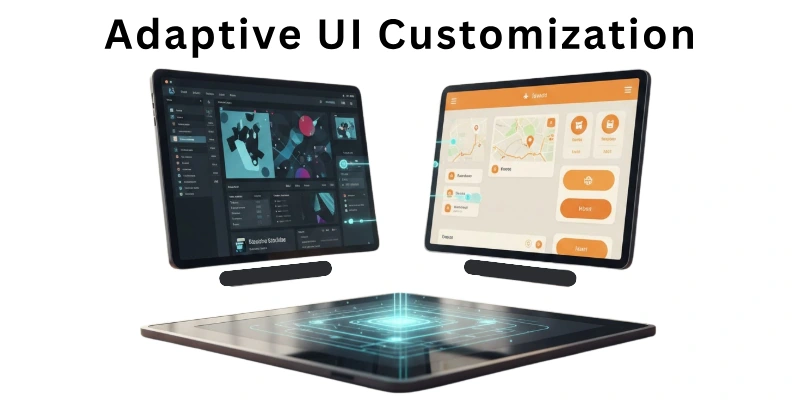
Customization options:
- Dynamic theme adjustment
- Text size or spacing changes
- Layout shifts based on engagement
- Personalized home screens
9. Sentiment & Emotion Analysis
AI detects user emotions through text, feedback, and interaction patterns. It helps you understand when users feel confused, annoyed, or happy. It gives early signals so you can fix problems before they turn into complaints. Emotion-aware UX builds trust and long-term loyalty.
Emotion insights help with:
- Improving tone of responses
- Fixing confusing user flows
- Understanding negative reviews
- Increasing overall satisfaction
10. Accessibility Enhancements
AI improves accessibility for users with disabilities by offering voice navigation, automatic image text, and smart readability adjustments. It ensures everyone can enjoy the platform equally. Inclusive UX makes the brand more trusted and respected.
Accessibility boosts:
- Auto alt text for images
- Text-to-speech or voice commands
- Improved contrast for clarity
- Screen reader compatibility
Why AI Is Becoming Essential for Modern UX
User expectations are rising every year. People want instant loading, zero friction, and personalized journeys. AI helps meet these expectations with precision by understanding behaviors, predicting needs, and creating a guided experience.
Businesses using AI in UX already report a 25% increase in user engagement and better loyalty. This is why using AI to improve user experience (UX) is no longer optional, it’s what helps you stay ahead, deliver value, and keep users coming back with trust and comfort.
Future of AI in UX
The future of UX will change faster than we expect. AI will soon read user emotions in real time, customize full interface flows for every individual, and remove 80% of manual design work. According to recent UX studies, over 86% of businesses plan to integrate AI-driven design tools by 2027, proving how rapidly this shift is happening.
With AI improving decision-making speed by up to 40%, the user experience will feel smoother, more intuitive, and almost human-like. As AI becomes smarter, UX will no longer be one-size-fits-all, every user will see a version of the interface made just for them.
Final Note
In this guide, we covered how to use AI to improve user experience (UX) from every angle, personalization, smart testing, voice interactions, accessibility, predictive UX, and many more practical uses. You now understand exactly how AI transforms the user journey and why AI-driven UX is becoming essential in the digital world.
My Personal Recommendation:
Start with one AI feature, such as predictive UX or AI-driven behavior analysis. These give fast results and help you understand your users better without overwhelming your system. Then slowly add more AI layers as you grow. This approach gives you stability and long-term UX improvement .
Thank you for reading! To explore more insights and clear your remaining questions, see the FAQs below on how to use AI to improve user experience (UX).
FAQs: AI and User Experience (UX)
Here are some of the most commonly asked questions related to the how to use AI to improve ux:
AI studies user behavior and shows content that matches their needs. It makes navigation faster and reduces confusion. This helps you deliver a smoother and more personalized UX.
Yes, AI uses data to personalize pages, recommendations, and product lists. It gives each user a unique experience based on their actions. This boosts engagement and supports conversion-focused UX.
AI tools analyze heatmaps, clicks, scrolls, and interactions. They highlight weak areas and guide designers toward better layout choices. This creates a cleaner, user-friendly interface.
AI predicts mobile user behavior and adjusts layouts for smaller screens. It reduces extra steps and makes every action faster. This creates a more seamless mobile UX.
AI chatbots answer questions instantly and reduce waiting time. They guide users through common tasks and remove frustration. This makes the support experience faster and more helpful.
AI offers voice navigation, auto alt-text, readability checks, and screen reader support. It helps users with different abilities use your website easily. This makes UX more inclusive and comfortable.
Predictive AI guesses what users want next based on past actions. It guides them with smart suggestions and reduces unnecessary steps. This makes the user journey faster and more intuitive.




- Be Respectful
- Stay Relevant
- Stay Positive
- True Feedback
- Encourage Discussion
- Avoid Spamming
- No Fake News
- Don't Copy-Paste
- No Personal Attacks
- Be Respectful
- Stay Relevant
- Stay Positive
- True Feedback
- Encourage Discussion
- Avoid Spamming
- No Fake News
- Don't Copy-Paste
- No Personal Attacks
