Top Free AI Tools for Students: Learn Smarter Today
Published: 13 Mar 2026
Today, students use top free AI tools for students to make learning faster and easier. These tools help them write essays, solve math problems, research topics, create presentations, and even practice coding.
Students save a lot of time because these tools give instant answers and suggestions. They also boost learning by explaining complex ideas in a simple way. Using these tools improves productivity by keeping work organized and helping students focus on important tasks.
Why this guide is useful: This guide is researched carefully to include only the most reliable and updated free tools for students in this year. Each tool mentioned here is tested for ease of use, learning value, and practical benefits for students in school, college, or university.
Top Free AI Tools for Students
Here are the top free AI tools for students, organized by categories to make it easier to find the right tool for your needs.

- AI Tools for Study & Learning: Help you understand lessons and practice concepts.
- AI Tools for Writing & Assignments: Improve your essays, reports, and creative writing.
- AI Tools for Research & Notes: Organize information, take notes, and manage references.
- AI Tools for Presentations & Projects: Design slides, visuals, and class projects quickly.
- AI Tools for Coding Students: Write, test, and debug code for programming practice.
- AI Tools for Math & Science Students: Solve problems, create graphs, and understand formulas.
Let us cover all these categories in detail so you can see how each tool works and how it can help you in your studies.
AI Tools for Study & Learning
Students need tools that make learning easier and faster. These tools can explain tough topics, organize study notes, and provide examples. They save time and help you focus on understanding. Using the right tool can make studying more productive and less stressful.
Top Free Tools:
- ChatGPT Free
- Google Gemini Free
- Perplexity
- Khan Academy Khanmigo Lite
- Socratic by Google
ChatGPT Free
ChatGPT Free helps students ask questions and get clear answers. It explains concepts step by step. You can use it for homework, summaries, or brainstorming ideas. It works like a personal study helper. It saves time and makes learning easier.
Key Highlights:
- Answers questions quickly
- Explains topics step by step
- Helps with homework easily
- Provides examples for clarity
- Suggests ideas for writing
Google Gemini Free
Google Gemini Free helps students summarize content and learn faster. It can suggest topics to focus on. It simplifies difficult subjects. Students can use it to plan their learning. It keeps study sessions organized and effective.
Key Highlights:
- Summarizes content clearly
- Suggests learning paths
- Simplifies complex topics
- Helps with focused study
- Organizes study material
Perplexity
Perplexity helps students get quick and accurate answers. It can find reliable sources for research. It explains topics in simple language. Students can use it for notes and revision. It reduces time spent searching online.
Key Highlights:
- Finds answers fast
- Uses trusted sources
- Explains topics simply
- Supports research work
- Saves time on searches
Khan Academy Khanmigo Lite
Khanmigo Lite provides interactive lessons and exercises. Students can practice questions and get instant feedback. It works for math, science, and other subjects. It makes learning step by step. It helps build confidence in solving problems.
Key Highlights:
- Offers interactive lessons
- Provides instant feedback
- Covers multiple subjects
- Teaches step by step
- Builds problem-solving skills
Socratic by Google
Socratic helps students solve questions and understand answers. It explains solutions in simple steps. Students can scan or type questions. It gives visual examples for better understanding. It is useful for homework and studying difficult topics.
Key Highlights:
- Solves questions quickly
- Explains step by step
- Offers visual examples
- Works for multiple subjects
- Helps with homework
AI Tools for Writing & Assignments
Writing assignments can take a lot of time and effort. These tools help students improve grammar, style, and clarity. They also make editing easier and faster. Using these tools can boost confidence and improve grades. They are helpful for essays, reports, summaries, and creative writing.
Top Free Tools:
- Grammarly
- QuillBot
- Hemingway Editor
- Ideogram Free
Grammarly
Grammarly helps students write correct and clear text. It checks grammar, punctuation, and spelling. Students can improve sentence structure and word choice. It works for essays, emails, and assignments. It gives suggestions that make writing better.
Key Highlights:
- Corrects grammar and spelling
- Improves sentence structure
- Suggests better words
- Checks punctuation errors
- Enhances writing clarity
QuillBot
QuillBot helps rewrite sentences and paragraphs. Students can paraphrase their work easily. It improves readability and flow. It also helps summarize long texts. Using it makes writing faster and more organized.
Key Highlights:
- Paraphrases sentences quickly
- Improves readability
- Summarizes long texts
- Enhances writing flow
- Saves editing time
Hemingway Editor
Hemingway Editor highlights difficult sentences. It shows where writing can be simpler. Students can make text easier to read. It focuses on clarity and conciseness. It is useful for essays, reports, and projects.
Key Highlights:
- Highlights complex sentences
- Suggests simpler writing
- Improves clarity
- Focuses on conciseness
- Enhances overall readability
Ideogram Free
Ideogram Free helps with creative writing and visual projects. Students can create posters, graphics, and visuals. It works for presentations, assignments, and project ideas. It encourages creativity and innovation. It is easy to use and fast.
Key Highlights:
- Creates visuals for projects
- Supports creative writing
- Helps with presentations
- Encourages creativity
- Easy and fast to use
AI Tools for Research & Notes
Research and note-taking are important for learning. These tools help students collect information quickly and organize it.
They save time when writing essays, preparing reports, or studying. Using them makes studying more structured and easier to review. They also help in keeping track of references and citations.
Top Free Tools:
- Perplexity
- Notion AI Free Plan
- Evernote AI Basic
- Zotero
Perplexity
Perplexity helps students find answers and research topics quickly. It provides concise and clear explanations. Students can use it to collect facts for essays and projects. It saves time searching through multiple websites. It also helps in understanding difficult subjects.
Key Highlights:
- Provides quick research answers
- Explains topics clearly
- Saves time on searches
- Helps with essay preparation
- Supports project research
Notion AI Free Plan
Notion AI organizes notes and study material efficiently. Students can create outlines, to-do lists, and databases. It helps in planning assignments and tracking progress. Notes are easy to search and organize. It makes studying more structured and focused.
Key Highlights:
- Organizes study notes
- Creates outlines and lists
- Tracks assignment progress
- Easy to search notes
- Improves study structure
Evernote AI Basic
Evernote AI Basic stores and organizes notes effectively. Students can tag and categorize information for easy access. It is helpful for saving references and study material. Notes are accessible on phones, tablets, or laptops. It keeps all important information in one place.
Key Highlights:
- Stores and organizes notes
- Allows tagging for easy search
- Saves references and material
- Works on multiple devices
- Keeps information in one place
Zotero
Zotero helps students manage references and citations. It creates bibliographies for essays and research papers. Students can save sources from websites, journals, and books. It ensures proper formatting and avoids plagiarism. It is very useful for academic writing.
Key Highlights:
- Manages references and citations
- Creates bibliographies automatically
- Saves sources from multiple platforms
- Ensures proper formatting
- Helps avoid plagiarism
AI Tools for Presentations & Projects
Creating presentations and project visuals can be time-consuming. These tools help students design slides, infographics, and graphics quickly. They make projects look professional and engaging.
Using them improves clarity and keeps audiences interested. They also save a lot of time when preparing for assignments or class presentations.
Top Free Tools:
- Canva Free
- Gamma Free Version
- Beautiful.ai Free
- Prezi Basic
Canva Free
Canva Free helps students design slides, posters, and infographics easily. It provides ready-made templates for different subjects. Students can add text, images, and visuals quickly. It makes presentations look attractive and professional. It works on both computers and mobile devices.
Key Highlights:
- Offers ready-made templates
- Designs slides and posters
- Easy text and image editing
- Makes visuals professional
- Works on computers and mobile
Gamma Free Version
Gamma Free Version creates interactive and engaging presentations. Students can organize content into sections and slides easily. It provides simple tools for text and visual design. It helps make class presentations more dynamic. It is easy to learn and use.
Key Highlights:
- Creates interactive slides
- Organizes content easily
- Simple text and visual tools
- Makes presentations dynamic
- Easy to learn and use
Beautiful.ai Free
Beautiful.ai Free simplifies slide design for students. It provides professional layouts automatically. Students can focus on content while designs adjust themselves. It improves presentation clarity and flow. It saves time on formatting and arranging slides.
Key Highlights:
- Offers professional slide layouts
- Automatic design adjustments
- Focus on content creation
- Improves clarity and flow
- Saves formatting time
Prezi Basic
Prezi Basic makes presentations dynamic and visually interesting. Students can create zooming and moving slides. It works well for storytelling and project explanations. It keeps the audience engaged and attentive. It is simple to use for beginners.
Key Highlights:
- Creates dynamic, moving slides
- Supports storytelling presentations
- Engages audience effectively
- Simple to use
- Works well for projects
AI Tools for Coding Students
Coding can be challenging for students learning programming. These tools help write code, test it, and fix errors quickly.
They save time by suggesting solutions and examples. Students can learn faster and practice more effectively. Using these tools makes coding less stressful and more productive.
Top Free Tools:
- GitHub Copilot Free for Students
- Replit AI Free
- Codeium
- Google Colab Free
GitHub Copilot Free for Students
GitHub Copilot suggests code snippets and examples as students type. It helps debug errors and find solutions quickly. Students can learn new programming methods while writing projects. It works with multiple programming languages. It saves time and makes coding easier.
Key Highlights:
- Suggests code while typing
- Helps debug errors quickly
- Supports multiple languages
- Speeds up coding tasks
- Helps learn programming
Replit AI Free
Replit AI Free allows students to write, run, and test code online. It provides suggestions for corrections and improvements. Students can collaborate on coding projects easily. It works directly in the browser without installation. It is helpful for practicing programming daily.
Key Highlights:
- Write and run code online
- Offers corrections and suggestions
- Supports collaboration
- No installation required
- Good for daily practice
Codeium
Codeium helps students write better code efficiently. It gives suggestions for functions, loops, and logic. Students can fix errors faster and avoid repetitive tasks. It works with many programming languages. It improves coding speed and accuracy.
Key Highlights:
- Suggests functions and loops
- Fixes errors quickly
- Supports multiple languages
- Reduces repetitive coding
- Improves speed and accuracy
Google Colab Free
Google Colab Free lets students run Python code and experiments. It provides an online notebook for coding and testing. Students can share projects with classmates easily. It is useful for machine learning and data analysis. It works on any device with a browser.
Key Highlights:
- Run Python code online
- Supports experiments and projects
- Easy sharing with classmates
- Useful for data analysis
- Works on all devices
AI Tools for Math & Science Students
Math and science can be tough subjects for many students. These tools help solve problems, explain concepts, and visualize data.
They save time and reduce confusion in complex topics. Students can practice questions, understand formulas, and check solutions easily. Using these tools makes studying math and science faster and more effective.
Top Free Tools:
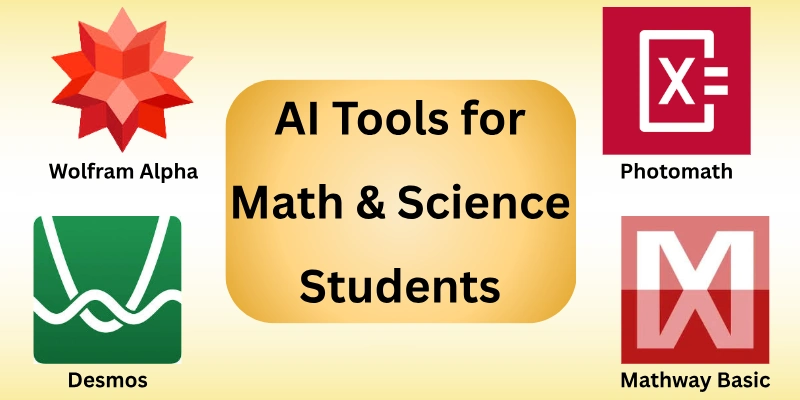
- Wolfram Alpha Free
- Photomath
- Mathway Basic
- Desmos
Wolfram Alpha Free
Wolfram Alpha Free helps students solve math and science problems step by step. It explains formulas and shows how to reach the answer. Students can use it for homework, practice, or understanding new concepts. It works for algebra, calculus, and science topics. It improves problem-solving skills and confidence.
Key Highlights:
- Solves math and science problems
- Provides step-by-step solutions
- Explains formulas clearly
- Useful for homework and practice
- Improves problem-solving skills
Photomath
Photomath lets students scan math problems and get instant solutions. It shows each step to reach the answer. Students can learn how to solve similar questions themselves. It works for arithmetic, algebra, and more advanced topics. It makes learning math faster and easier.
Key Highlights:
- Scan problems for quick answers
- Shows step-by-step solutions
- Supports multiple math topics
- Helps understand problem solving
- Speeds up homework completion
Mathway Basic
Mathway Basic helps students solve math questions instantly. It works for algebra, calculus, and statistics. Students can check answers and understand each step. It is easy to use and saves time. It also helps with exam preparation.
Key Highlights:
- Solves algebra, calculus, statistics
- Shows step-by-step solutions
- Easy to use for students
- Checks homework answers
- Useful for exam preparation
Desmos
Desmos is a graphing tool for visualizing math functions. Students can plot graphs, explore equations, and understand concepts visually. It works for algebra, trigonometry, and calculus. Students can experiment and learn interactively. It makes learning math more engaging and clear.
Key Highlights:
- Plots graphs and equations
- Visualizes math concepts
- Supports multiple topics
- Interactive learning tool
- Makes math engaging
How Students Can Use These Tools Correctly
Using free tools can make learning easier, but students must use them the right way. These tools should help understand topics, improve skills, and organize work.
Misusing them can lead to mistakes or dependency. Here are simple tips to use them correctly:
- Use tools for learning, not cheating: Always try to understand answers yourself.
- Avoid plagiarism: Rewrite and put ideas in your own words.
- Verify answers: Double-check facts and solutions from trusted sources.
- Improve thinking skills: Use tools to practice, not just copy answers.
- Combine tools with study: Take notes, summarize, and review manually.
Step-by-Step Guide: How to Choose the Right AI Tool
Choosing the right tool can make studying easier and more effective. Students should pick tools that fit their goals, subject, and learning style.
Testing tools before relying on them ensures better results. Here is a simple step-by-step guide:
- Identify your study goal: Decide if you need help with writing, research, coding, or presentations.
- Pick a category: Choose the type of tool that matches your goal. Study, writing, research, coding, or math.
- Test tools to check fit: Try the tool for a few tasks to see if it works well for you.
- Track your results: Note how the tool improves your learning and productivity.
- Adjust your choice: Keep the tools that help most and replace the ones that don’t.
Tip: Always combine tools with your own learning effort. Tools are helpers, not replacements for studying.
Common Mistakes Students Make When Using AI Tools
Free tools are helpful, but students can make mistakes if they are not careful. Using tools wrongly can reduce learning, cause errors, or create bad habits. Here are the most common mistakes to avoid:
- Over-reliance: Relying on tools too much instead of thinking yourself.
- Copy-paste issues: Using answers directly without understanding or rewriting.
- Not fact-checking: Believing everything the tool provides without verification.
- Using wrong tool for wrong task: Choosing a tool that does not fit your goal.
- Ignoring privacy settings: Sharing personal data without checking safety rules.
Final Note
In this guide, we have covered the top free tools for students. These tools can help with studying, writing, research, coding, math, and presentations.
Personal Advice: Use these tools smartly. Focus on learning, not just completing tasks. Combine them with your own notes and practice. Try different tools to see which ones suit your style best.
Thank you for reading! Keep learning, stay curious, and make the most of these free tools. Now, check the FAQs below to answer common questions.
FAQs: AI Tools for Students
Here are some of the most commonly asked questions related to the top free AI tools for students:
The best free tools help with writing, research, coding, and studying. Popular ones are ChatGPT Free, Grammarly, Canva, and Khanmigo Lite. They save time and make learning easier. Choose the tools that match your subjects and goals.
Yes, using tools smartly can boost understanding and productivity. They help with homework, assignments, presentations, and exam preparation. Students learn faster and stay organized. Using them regularly improves performance over time.
Most tools are safe if you protect your personal data. Avoid sharing sensitive information online. Check privacy settings before using the tool. Only use trusted platforms for research and writing.
Use tools to learn, not just copy answers. Rewrite information in your own words. Verify facts from multiple sources. Practice exercises yourself to build understanding.
Pick tools based on your need. Writing tasks need Grammarly or QuillBot. Math needs Photomath or Wolfram Alpha. Coding needs GitHub Copilot or Replit. Study and research can use ChatGPT Free or Notion AI.





- Be Respectful
- Stay Relevant
- Stay Positive
- True Feedback
- Encourage Discussion
- Avoid Spamming
- No Fake News
- Don't Copy-Paste
- No Personal Attacks
- Be Respectful
- Stay Relevant
- Stay Positive
- True Feedback
- Encourage Discussion
- Avoid Spamming
- No Fake News
- Don't Copy-Paste
- No Personal Attacks
