AI Writing Tools for Fiction: 10 Best Tools
Published: 15 Nov 2026
Writing fiction takes more than putting words on a page. Authors need interesting characters, believable dialogue, engaging plots, and consistent storylines that keep readers interested from beginning to end. AI writing tools can help with brainstorming, outlining, drafting scenes, and improving manuscripts without taking creative control away from the writer.
The right tool depends on what you write and where you need help. Some platforms focus on fiction and novel writing, while others help with story planning, editing, and character development.
In this guide, we compare AI writing tools for fiction, including their features, pros, cons, pricing, and best use cases. You will also learn how to choose a tool that fits your writing style, budget, and publishing goals.
Best AI Writing Tools for Fiction
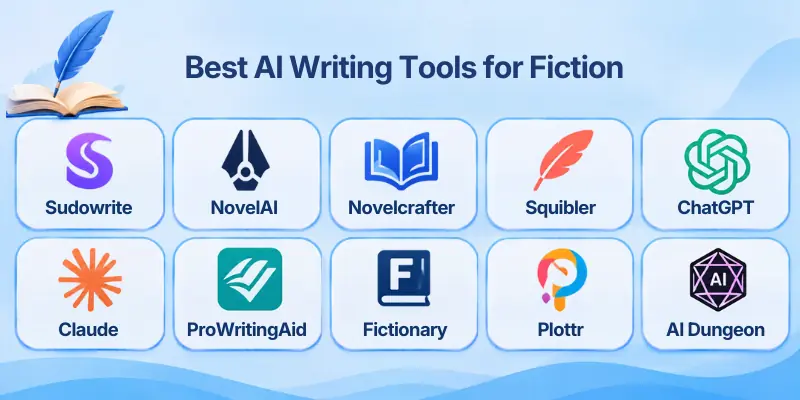
Fiction writers need different kinds of support, from generating a first draft to maintaining continuity across a full-length novel. The following tools cover a range of creative writing and editing needs.
- Sudowrite
- NovelAI
- Novelcrafter
- Squibler
- ChatGPT
- Claude
- ProWritingAid
- Fictionary
- Plottr
- AI Dungeon
1. Sudowrite
Sudowrite is a fiction-focused writing platform designed to help authors brainstorm ideas, develop characters, expand scenes, and draft chapters. Its Story Bible stores important story information, while its writing tools help authors explore different descriptions, dialogue, and plot directions. Sudowrite also offers fiction-oriented AI models, including Muse, to support creative writing.
For authors who want dedicated creative support rather than a general chatbot, Sudowrite is a strong option among the best AI writing tools for fiction.
Best For: Fiction writers who need help drafting scenes, developing ideas, and maintaining story continuity.
Key Features
Use these features to support different stages of the writing process:
- Story Bible: Store character details, settings, worldbuilding notes, and other story information.
- Scene and chapter drafting: Generate draft material from an outline or existing writing.
- Rewrite and Expand: Rework passages or develop short sections into fuller scenes.
- Describe: Explore sensory details and descriptions for characters, places, and objects.
- Story planning: Organize ideas and develop plot directions before drafting.
Pros
Sudowrite can be especially helpful when you need creative momentum:
- Offers features designed specifically for fiction writers.
- Helps generate ideas when you face writer’s block.
- Supports character and story information through its Story Bible.
- Provides tools for drafting and revising prose.
Cons
Consider these limitations before choosing the platform:
- Credit limits vary by subscription plan.
- AI-generated passages may require substantial editing.
- Writers who only need basic grammar correction may not use all its features.
Pricing: Sudowrite offers plans with different monthly credit allowances. Its official pricing page lists Hobby & Student at $10 per month, Professional at $22, and Max at $44 under annual billing promotions. A free trial is also available; confirm current rates and credit limits before subscribing.
2. NovelAI
NovelAI is a creative writing platform for generating and continuing stories with customizable settings. Its text generation tools support open-ended storytelling, while the Lorebook helps writers store details about characters, locations, and fictional worlds. It also includes image generation for users who want to explore visual concepts alongside their stories.
Writers exploring AI fiction writing tools may find NovelAI useful when they want greater control over story generation, genre, and worldbuilding details.
Best For: Writers creating fantasy, science fiction, fan fiction, and other imaginative stories.
Key Features
Here are the main capabilities to consider for creative projects:
- Story continuation: Continue a passage or explore what might happen next.
- Lorebook: Store important facts about characters, places, and fictional settings.
- Generation controls: Adjust supported settings to influence how the model writes.
- Text-to-speech: Turn supported text into audio using available voice features.
- Image generation: Create visual references and artwork alongside written stories.
Pros
NovelAI offers several useful options for writers who enjoy experimenting:
- Provides tools designed for creative storytelling.
- Supports customizable generation settings.
- Combines text and image generation in one platform.
- Offers a free trial for text and image generation.
Cons
Keep these points in mind before making it your main writing workspace:
- Long manuscripts may require careful management of context and story details.
- It may not provide the same structured novel-planning workflow as dedicated writing workspaces.
- Advanced usage and image generation have different limits depending on the subscription.
Pricing: NovelAI offers a free trial with 50 text-generation actions and 30 image generations for eligible new accounts. Its paid text-generation subscriptions include Tablet at $10, Scroll at $15, and Opus at $25 per month. Check the official subscription page for current limits and included features.
3. Novelcrafter
Novelcrafter combines manuscript organization, story planning, and AI integrations in a workspace for fiction writers. Its Codex lets authors organize character profiles, locations, objects, and other story details, then reference that information while working on their manuscripts. Writers can also connect a supported AI provider using their own API key on eligible plans.
For authors working on lengthy novels or connected series, Novelcrafter is one of the AI tools for fiction writing worth considering because it puts story information and drafting workflows in one place.
Best For: Novelists and series writers who want detailed story organization and control over AI model choices.
Key Features
These features help organize a complex fictional world:
- Codex: Maintain structured information about characters, places, and story elements.
- Series organization: Manage multiple books and connected fictional worlds.
- AI integration: Connect compatible AI models through your own provider credentials on supported plans.
- Scene planning: Organize scene beats and use supported AI features to develop drafts.
- Story references: Find character and location mentions across your writing.
Pros
Novelcrafter is useful when a story needs careful organization:
- Supports detailed worldbuilding and character tracking.
- Helps authors manage connected books and series.
- Offers flexibility in choosing an AI provider.
- Provides a dedicated workspace for fiction projects.
Cons
The platform has a few considerations for new users:
- AI usage can involve separate API charges.
- Setting up an AI provider may require technical knowledge.
- Writers who prefer a simple, ready-to-use chatbot may find its workflow more complex.
Pricing: Novelcrafter’s official monthly plans list Scribe at $4, Hobbyist at $8, Artisan at $14, and Specialist at $20. AI integration through your own key begins with Hobbyist, and a 21-day free trial is available. Verify current plan features before subscribing.
4. Squibler
Squibler is an AI-assisted writing platform designed to help users develop books, novels, scripts, and other long-form projects. It combines writing tools with project organization and AI generation features, making it an option for authors who want to move from an initial idea toward a complete draft. Its available features and generation limits depend on the selected plan.
For writers who want help organizing and generating longer projects, Squibler can be a practical choice among the best AI tools for fiction writing.
Best For: Beginners and authors who want a structured workspace for drafting books and stories.
Key Features
Squibler offers several capabilities for developing longer writing projects:
- AI draft generation: Develop initial manuscript material from a prompt.
- Writing templates: Start projects using supported book and screenplay formats.
- Project organization: Arrange writing material into a structured workspace.
- AI credits: Use available credits for supported generation features.
- Export options: Export supported formats according to the selected plan.
Pros
These benefits may make Squibler useful for a new writing project:
- Combines writing and AI assistance in one platform.
- Provides a structured starting point for longer manuscripts.
- Offers a free tier with limited monthly AI credits.
- Supports different types of writing projects.
Cons
Review these limitations before relying on it for a complete novel:
- Free-plan credits limit how much AI content you can generate.
- Generated drafts still need editing for voice, pacing, and consistency.
- Larger projects may require a paid subscription.
Pricing: Squibler offers a free plan with 1,000 AI credits per month. Its official pricing information lists Plus at $15.83 per month with annual billing or $29.99 monthly, while Pro costs $49.17 per month with annual billing or $89.99 monthly. Confirm the current plan details and credit allowances before purchasing.
5. ChatGPT
ChatGPT is a general-purpose AI assistant that can support many parts of fiction writing. Writers can use it to brainstorm plots, develop character backstories, outline chapters, draft dialogue, explore alternative endings, and revise passages. It works best when authors provide clear instructions, relevant story notes, and examples of the tone they want.
Although it is not exclusively a fiction-writing platform, ChatGPT can serve as one of the top AI writing tools for fiction for writers who want a flexible assistant for multiple creative tasks.
Best For: Writers who need flexible help with brainstorming, outlining, dialogue, and revisions.
Key Features
You can use ChatGPT in several ways throughout a fiction project:
- Plot development: Explore story premises, conflicts, twists, and possible endings.
- Character creation: Develop motivations, relationships, personalities, and backstories.
- Dialogue assistance: Draft conversations and test different character voices.
- Scene revision: Improve clarity, pacing, descriptions, and transitions.
- Project-based work: Use supported project and file features to organize relevant writing materials.
Pros
ChatGPT can support a flexible, iterative writing process:
- Helps with a wide range of fiction-related tasks.
- Can suggest multiple approaches to a scene or plot problem.
- Works with instructions and reference material supplied by the writer.
- Offers a free plan, with additional capabilities on paid plans.
Cons
Consider these limitations when using it for a long manuscript:
- It may lose or change story details if you do not provide sufficient context.
- Drafts can sound generic without specific instructions and careful revision.
- It does not replace the writer’s judgment about originality, character depth, or storytelling quality.
Pricing: ChatGPT offers a free plan and paid subscriptions with different levels of access and usage limits. ChatGPT Plus is listed at $20 per month in the United States; check the official pricing page for current options and regional rates.
6. Claude
Claude is a general-purpose AI assistant that can help fiction writers review manuscripts, develop story ideas, rewrite passages, and examine character motivations. Writers can provide chapters, outlines, and character notes for feedback on pacing, tone, dialogue, and narrative consistency. Its Projects feature can also help organize reference material, depending on the available plan.
For authors who need detailed feedback on longer passages, Claude can be a useful addition to their AI fiction writing software workflow.
Best For: Writers who want help reviewing chapters, improving prose, and analyzing story structure.
Key Features
Claude can assist with different creative and editorial tasks:
- Manuscript feedback: Ask for feedback on pacing, clarity, tone, and character development.
- Dialogue revision: Explore alternative conversations that better reflect a character’s personality.
- Plot analysis: Identify possible inconsistencies, weak motivations, or unresolved story threads.
- Style refinement: Rewrite passages using a tone or style description supplied by the author.
- Project references: Organize relevant files and notes through supported project features.
Pros
These strengths can make Claude helpful during drafting and revision:
- Handles detailed writing instructions.
- Helps analyze passages and suggest revisions.
- Supports brainstorming and editorial feedback.
- Offers a free plan, with additional usage on paid plans.
Cons
Keep the following limitations in mind:
- It is not a dedicated novel-writing workspace with specialized story-management features.
- Long-term continuity still requires well-organized notes and references.
- AI feedback may be subjective or miss important narrative context.
Pricing: Claude offers a free plan. Its Pro plan is listed at $20 per month, or $17 per month when billed annually in the United States. Usage limits apply, and prices may vary by region.
7. ProWritingAid
ProWritingAid is a writing and editing platform that helps authors identify grammar issues, improve readability, and examine writing style. Its reports can highlight repeated words, sentence-length patterns, readability concerns, and other areas that may benefit from revision. It also offers AI-assisted writing features for supported plans, making it useful during the editing stage of a fiction project.
Writers looking for AI tools for writing fiction stories can use ProWritingAid to polish their drafts after developing the plot and characters.
Best For: Fiction writers who want to improve grammar, readability, style, and manuscript quality.
Key Features
Its editing tools can help you review your prose more systematically:
- Grammar and spelling checks: Identify common language errors.
- Style reports: Review sentence structure, readability, and repeated wording.
- Repetition checks: Find words or phrases that appear too frequently.
- Manuscript analysis: Examine longer writing projects through supported reports.
- AI-assisted editing: Use available tools to review or revise selected passages.
Pros
ProWritingAid is particularly useful when preparing a draft for further editing:
- Offers detailed writing reports beyond basic spell-checking.
- Helps identify patterns that may weaken prose.
- Supports fiction-focused editing workflows.
- Integrates with selected writing applications and platforms.
Cons
Consider these points before using it as your primary writing tool:
- It focuses more on editing than generating complete stories.
- Some reports and advanced features require a paid plan.
- Automated suggestions may not suit a character’s intentional voice or a particular narrative style.
Pricing: ProWritingAid offers free and paid plans, with pricing and feature access depending on the subscription. Check its official pricing page for current rates, word limits, and the availability of manuscript reports or AI features.
8. Fictionary
Fictionary focuses on story editing and helping authors assess the structure of a fiction manuscript. Its StoryTeller workflow helps writers examine elements such as scenes, characters, settings, and plot progression. Rather than serving mainly as a prose generator, it supports the process of reviewing whether a story’s structure works for readers.
For writers who have completed a draft and need to assess its overall structure, Fictionary is one of the best AI writing software for fiction options to explore for editorial support.
Best For: Novelists and editors who want to review story structure and scene-level development.
Key Features
Fictionary helps authors evaluate how the parts of a story work together:
- Story structure analysis: Review the organization and progression of a manuscript.
- Scene evaluation: Examine scenes for their roles in the wider story.
- Character tracking: Review character appearances and development across the manuscript.
- Story elements: Assess details such as settings, plot events, and character goals.
- Editorial workflow: Organize revisions around issues identified during the review.
Pros
Fictionary can provide a more structured approach to developmental editing:
- Focuses on story-level issues rather than grammar alone.
- Helps authors review scene purpose and narrative progression.
- Offers a dedicated environment for fiction analysis.
- Can support a more organized revision process.
Cons
Keep these limitations in mind:
- It is not primarily designed to generate a complete novel from a prompt.
- Writers may need time to learn its story-analysis framework.
- Structural suggestions still require the author’s judgment and understanding of the intended genre.
Pricing: Fictionary offers paid options for its story-editing tools, with pricing depending on the product and subscription. Check its official website for current plans, trial availability, and included features.
9. Plottr
Plottr is a visual story-planning tool that helps authors organize plots, character arcs, timelines, and scenes before or during drafting. Writers can arrange story events on a timeline and manage information about characters and locations. Plottr is not primarily an AI text generator, but it can complement AI writing tools by giving writers a structured plan to use when drafting chapters.
If planning is your biggest challenge, Plottr is one of the top AI fiction writing tools to consider as a companion to a separate AI drafting assistant, rather than as a standalone AI writer.
Best For: Plotters, outlining-focused writers, and authors managing complex stories or multiple timelines.
Key Features
Use its planning workspace to organize the major parts of your story:
- Visual timelines: Arrange events and scenes in a clear sequence.
- Plot outlines: Map major story beats before drafting.
- Character profiles: Keep information about characters organized.
- Series planning: Track connected storylines across multiple books where supported.
- Planning templates: Start with a structure that fits your preferred writing method.
Pros
Plottr can help authors see the shape of a story before writing every scene:
- Makes plot structure easier to review visually.
- Helps organize multiple storylines and character arcs.
- Supports planning before and during manuscript drafting.
- Can work alongside a separate AI writing assistant.
Cons
Consider whether its planning-first approach matches your workflow:
- It does not replace a dedicated AI prose generator.
- Writers who prefer drafting without detailed outlines may not need its full planning features.
- Advanced planning features may depend on the selected product or subscription.
Pricing: Plottr offers paid products and subscription options, with current prices and included features listed on its official website. Check the available plans and trial terms before choosing it for your writing workflow.
10. AI Dungeon
AI Dungeon is an interactive storytelling platform where users influence a story through actions, choices, and prompts. The AI continues the narrative in response, creating a flexible experience for exploring characters, settings, conflicts, and alternative story paths. This format differs from a conventional manuscript editor because the story often develops through an ongoing exchange rather than a fixed outline.
For writers who want to experiment with branching narratives or interactive fiction, AI Dungeon is one of the AI story writing tools worth exploring.
Best For: Interactive fiction creators, role-playing storytellers, and writers experimenting with branching plots.
Key Features
The platform offers features designed around interactive storytelling:
- Prompt-based adventures: Start stories using a premise, setting, or scenario.
- Interactive choices: Influence what happens next through user actions.
- Story memory: Use available memory and story-summary features to retain important details.
- Genre experimentation: Explore different settings, conflicts, and narrative styles.
- Subscription options: Access different models, context sizes, and memory limits depending on the plan.
Pros
AI Dungeon can be useful for generating ideas through experimentation:
- Encourages active exploration of story possibilities.
- Helps writers test alternative plot directions.
- Works well for interactive and role-playing narratives.
- Offers a free tier with additional features on paid plans.
Cons
Keep in mind that interactive storytelling has different goals from traditional novel drafting:
- The narrative may become inconsistent without careful guidance.
- It is not a replacement for a dedicated manuscript editor.
- Advanced models, memory, and context limits vary by subscription.
Pricing: AI Dungeon offers a free Wanderer tier and paid memberships. Its published plans include Journey at $14.99, Legend at $29.99, Mythic at $49.99, and Ultimate at $99.99 per month in US dollars. Check the official membership page for current benefits, context limits, and any available billing discounts.
AI Writing Tools for Fiction: Comparison Table
Use this comparison to identify which tool fits your main writing task before paying for a subscription.
| Tool | Best For | Main Strength | Pricing |
| Sudowrite | Fiction drafting | Story-focused writing tools | Paid plans; free trial |
| NovelAI | Creative storytelling | Customizable story generation | Free trial and paid plans |
| Novelcrafter | Long novels and series | Codex and story organization | From $4/month |
| Squibler | Structured drafting | AI-assisted book creation | Free and paid plans |
| ChatGPT | General fiction assistance | Brainstorming and revisions | Free and paid plans |
| Claude | Manuscript feedback | Detailed writing analysis | Free and paid plans |
| ProWritingAid | Editing and proofreading | Grammar and style reports | Free and paid plans |
| Fictionary | Developmental editing | Story structure analysis | Paid options |
| Plottr | Plot planning | Visual timelines and outlines | Paid options |
| AI Dungeon | Interactive fiction | Branching, prompt-led stories | Free and paid plans |
Pricing and features can change. Check each provider’s official website before subscribing.
Common Uses of AI Writing Tools for Fiction
AI can support different stages of a creative project, from the first idea to the final revision. The most useful application depends on your writing process and the type of story you want to tell.
- Story brainstorming: Generate premises, conflicts, plot twists, and alternative endings.
- Character development: Explore a character’s background, personality, goals, flaws, and relationships.
- Worldbuilding: Organize fictional locations, cultures, histories, rules, and settings.
- Plot outlining: Break a story into acts, chapters, scenes, or major turning points.
- Dialogue writing: Explore different conversations and character voices.
- Scene drafting: Develop a rough scene from a short brief or outline.
- Writer’s block support: Generate possible next steps when you are unsure how to continue.
- Manuscript editing: Identify grammar issues, repetitive wording, unclear passages, and pacing concerns.
- Interactive storytelling: Explore branching narratives and alternative story paths.
- Series continuity: Track character details, timelines, and fictional-world rules across connected books.
How to Choose the Best AI Writing Tool for Fiction
The best choice depends on whether you need help generating prose, organizing a novel, or editing a completed manuscript. Compare these factors before subscribing.
- Define your writing goal: Decide whether you need brainstorming, drafting, worldbuilding, editing, or interactive storytelling.
- Check story continuity: For long novels and series, look for features such as a story bible, lorebook, or character database.
- Match the tool to your genre: Test the platform with a scene from your preferred genre to see whether its writing style fits your expectations.
- Compare free limits and pricing: Review generation credits, context limits, export options, and subscription costs.
- Review editing features: Determine whether you need grammar correction, scene-level feedback, or developmental editing.
- Test before paying: Use a free plan or trial where available and compare results using the same prompt.
- Protect your manuscript: Review data policies and commercial-use terms before uploading or publishing your work.
Best Practices for Using AI to Write Fiction
Follow these practices to make AI a more useful writing partner while preserving your own voice.
- Start with your own idea: Establish the premise, central conflict, and intended audience before generating content.
- Create a story bible: Record character traits, locations, timelines, and important story rules.
- Give clear instructions: Specify the scene’s purpose, point of view, tone, setting, and character motivations.
- Work in manageable sections: Generate and review scenes or chapters rather than accepting a complete manuscript without checking it.
- Protect your writing style: Use AI suggestions as options, and revise the text to match your voice.
- Check continuity: Compare new passages against previous chapters and your story notes.
- Edit every draft: Review dialogue, pacing, originality, and factual details where relevant.
- Review publishing requirements: Check the rules of your intended publisher or platform, along with the tool’s licensing terms.
Conclusion
In this guide, we have covered AI writing tools for fiction. These tools can help authors brainstorm story ideas, develop characters, plan plots, draft scenes, and improve manuscripts. However, the best results come from combining AI assistance with your own creativity, judgment, and editing.
Personal Recommendation: Choose Sudowrite for fiction writing, Novelcrafter for story organization, or ChatGPT for brainstorming and editing. Test a few tools to find the best fit for your needs and budget.
Thank you for reading! 💛
💬 Have you tried any of these AI writing tools for fiction? Share your experience or favorite tool in the comments below! ✍️📚
FAQs
These frequently asked questions explain how fiction-writing tools work, which options to consider, and what writers should know before using AI for creative projects.
1. What Are AI Writing Tools for Fiction?
AI writing tools for fiction help authors brainstorm, draft, and revise creative stories. Depending on the platform, they can assist with characters, dialogue, plots, and worldbuilding. Writers still need to review the output and make the final creative decisions.
2. Which AI Tool Is Best for Writing a Novel?
Sudowrite is worth considering if you want tools specifically designed for fiction drafting. Novelcrafter may suit writers who need organized character and worldbuilding references across a long manuscript. The right choice depends on your workflow, budget, and preferred level of control.
3. Are There Free AI Fiction Writing Tools?
Yes, ChatGPT offers a free plan, while Squibler and AI Dungeon also provide free access with different limitations. NovelAI and Novelcrafter offer trial options under their respective terms. Compare usage limits and features before committing to a tool.
4. Can AI Write an Entire Fiction Book?
Some platforms can generate substantial draft material from prompts or outlines. However, a complete book usually needs careful work on plot consistency, character development, pacing, and voice. Treat AI-generated text as a draft that requires your review rather than a finished manuscript.
5. How Can AI Help With Writer’s Block?
When you feel stuck, ask an AI tool to suggest several possible directions for the scene. You can compare different conflicts, character decisions, or plot twists before choosing one. Use the suggestions to spark your own ideas rather than accepting the first response automatically.
6. Can AI Maintain Consistent Characters Throughout a Novel?
Some platforms offer story bibles, lorebooks, or character databases to help preserve important details. These features can reduce inconsistencies, but they do not guarantee that every generated scene will remain accurate. Keep your own character notes and check each chapter against them.
7. Is AI-Generated Fiction Allowed for Commercial Publishing?
Commercial use depends on the platform’s terms, applicable laws, and the content you publish. Using a paid plan does not automatically guarantee unrestricted rights or copyright protection. Review the relevant terms and the requirements of your publisher or distribution platform before publishing.
8. Which AI Tools Are Best for Editing Fiction?
ProWritingAid can help identify grammar, readability, and style issues, while Fictionary focuses on reviewing story structure. Claude and ChatGPT can also provide feedback on selected passages when given clear instructions. For a polished manuscript, combine automated suggestions with careful human editing.
9. Can Beginners Use AI Fiction Writing Software?
Yes, beginners can use AI tools to explore story ideas, build character profiles, and create simple outlines. Start with a straightforward platform and practice improving the results through specific instructions. Learning basic storytelling techniques will help you evaluate AI suggestions more effectively.
10. How Do I Choose an AI Story Writing Tool for My Genre?
Start by testing a sample scene that reflects your genre, tone, and intended audience. Compare the quality of the dialogue, descriptions, character behavior, and available editing controls. Choose the tool that best supports your creative goals rather than relying on popularity alone.





- Be Respectful
- Stay Relevant
- Stay Positive
- True Feedback
- Encourage Discussion
- Avoid Spamming
- No Fake News
- Don't Copy-Paste
- No Personal Attacks
- Be Respectful
- Stay Relevant
- Stay Positive
- True Feedback
- Encourage Discussion
- Avoid Spamming
- No Fake News
- Don't Copy-Paste
- No Personal Attacks
