AI Travel Planner Tools: Top Tools for Travel
Published: 7 Nov 2026
Planning a trip involves several tasks, from choosing destinations and finding hotels to comparing flights, organizing activities, and managing travel budgets. Researching everything manually can take hours, especially when you are planning a multi-city trip or traveling with a group.
AI makes travel planning easier by suggesting destinations, creating personalized itineraries, finding travel options, and organizing trip details. Some platforms focus on itinerary creation, while others connect planning with maps, reviews, and booking services.
In this article, we will explore the best AI travel planner tools, their key features, pros, cons, and pricing. We will also compare their capabilities and explain how to choose the right tool for your travel needs.
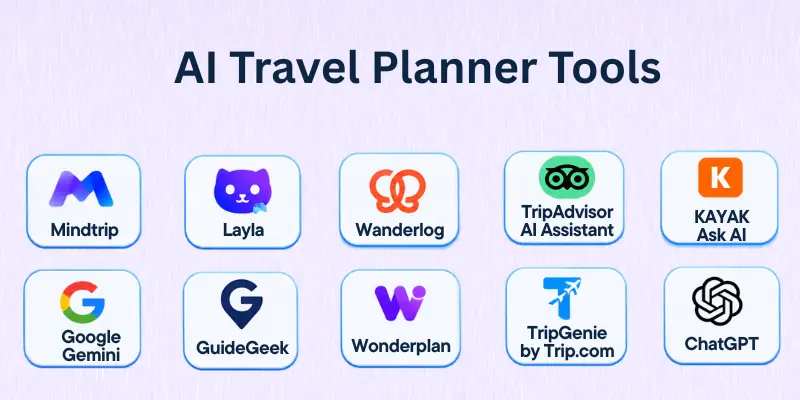
Best AI Travel Planner Tools
Here are some useful platforms that help travelers discover destinations, create itineraries, compare travel options, and organize their trips.
- Mindtrip
- Layla
- Wanderlog
- Tripadvisor AI Assistant
- KAYAK Ask AI
- Google Gemini
- GuideGeek
- Wonderplan
- TripGenie by Trip.com
- ChatGPT
1. Mindtrip
Mindtrip is an AI-powered travel platform that helps users discover destinations, create personalized itineraries, and organize travel plans. You can describe your preferred destination, budget, interests, and travel dates to receive recommendations tailored to your needs.
The platform combines conversational planning with maps, travel recommendations, and booking options. You can also save places, adjust your itinerary, and keep important trip details together.
Mindtrip is one of the leading top AI travel planning tools for travelers who want to manage destination discovery and itinerary planning in one place.
Best for: Travelers who want personalized itineraries, visual destination discovery, and convenient booking options.
Key Features:
Mindtrip offers several features to simplify travel planning:
- AI Travel Assistant: Suggests destinations, activities, hotels, and travel ideas based on your preferences.
- Itinerary Builder: Creates and organizes day-by-day travel plans.
- Interactive Maps: Displays recommended places and helps visualize your itinerary.
- Travel Booking: Provides options for booking flights, accommodation, and activities.
- Trip Collaboration: Supports shared planning with other travelers.
- Personalized Recommendations: Uses travel preferences to suggest relevant experiences.
Pros:
Here are some advantages of using Mindtrip:
- Combines destination discovery and itinerary planning.
- Provides visual recommendations and map-based planning.
- Helps travelers organize trip details in one place.
- Supports booking through available travel services.
Cons:
However, travelers should consider a few limitations:
- Some booking options depend on supported partners.
- Recommendations may require manual adjustments.
- Travel availability and prices can change.
Pricing: Mindtrip offers free travel-planning features. Booking costs depend on the selected flights, hotels, activities, and service providers. Check its website for any additional paid options.
2. Layla
Layla is an AI travel planner that helps users create personalized trips through conversational requests. You can describe your destination, budget, preferred activities, and travel dates to receive recommendations for flights, hotels, and experiences.
The platform also provides access to human travel advisors who can review plans and help arrange bookings. This makes it useful for travelers who want more assistance than an AI-generated itinerary alone.
Layla is one of the useful AI tools for travel planning for people who want personalized recommendations with optional human support.
Best for: Travelers who want customized itineraries, travel recommendations, and assistance with booking arrangements.
Key Features:
Layla includes several features for planning and organizing trips:
- AI Itinerary Creation: Generates personalized day-by-day travel plans.
- Flight Recommendations: Helps explore flight options based on travel preferences.
- Hotel Discovery: Suggests accommodation options for different budgets and destinations.
- Activity Suggestions: Recommends attractions, restaurants, and experiences.
- Human Travel Advisors: Provides access to travel experts who can help review and book trips.
- Trip Customization: Allows users to refine their plans through conversations.
Pros:
Here are some reasons to consider Layla:
- Combines AI planning with optional human assistance.
- Helps organize different parts of a trip.
- Supports personalized recommendations.
- Provides booking assistance through its travel services.
Cons:
There are a few limitations to consider:
- Some services depend on available booking partners.
- Human-assisted booking may involve additional costs.
- Features and subscription options can vary by platform.
Pricing: Layla offers free planning options, while additional app features or subscriptions may require payment. Human-assisted travel arrangements depend on the selected services. Check the current pricing before subscribing.
3. Wanderlog
Wanderlog is a travel planning platform that helps users create itineraries, organize reservations, explore destinations, and manage travel budgets. It combines an itinerary builder with an interactive map, making it easier to organize attractions and travel routes.
Its AI Assistant helps travelers discover places, answer travel questions, and get suggestions for activities. Users can also collaborate with friends, import booking confirmations, and arrange stops for road trips.
Wanderlog is one of the practical best AI trip planner tools for travelers who need detailed itineraries and collaborative planning.
Best for: Group travelers, road-trip planners, and people who want map-based itineraries.
Key Features:
Wanderlog provides several tools for organizing trips:
- AI Assistant: Helps answer travel questions and suggest places to visit.
- Itinerary Builder: Organizes attractions, activities, and reservations by day.
- Route Optimization: Helps arrange stops to reduce unnecessary travel.
- Interactive Maps: Displays destinations and planned activities on a map.
- Group Collaboration: Allows multiple travelers to edit shared itineraries.
- Budget Tracking: Helps monitor expenses and split costs.
- Reservation Management: Organizes flight, hotel, and other booking information.
Pros:
Here are some benefits of using Wanderlog:
- Combines maps and itineraries in one platform.
- Supports real-time collaboration.
- Offers useful road-trip planning features.
- Helps manage travel budgets and reservations.
- Provides a free version for basic trip planning.
Cons:
However, users should consider these limitations:
- Some advanced features require Wanderlog Pro.
- AI assistance is more limited than a dedicated booking-focused travel agent.
- Detailed itineraries may require manual editing.
Pricing: Wanderlog offers a free plan with an optional Pro subscription. Pro pricing varies by region and billing option. Check its website or app store listing for current prices.
4. Tripadvisor AI Assistant
Tripadvisor AI Assistant helps travelers find hotels, restaurants, and attractions using conversational searches. Instead of browsing multiple listings manually, users can describe their travel requirements and receive recommendations based on traveler reviews and ratings.
The assistant can also create editable day-by-day itineraries and display recommendations on a map. Travelers can compare available options, save their plans, and share them with others.
It is among the useful AI trip planning tools for people who want travel recommendations supported by real traveler experiences.
Best for: Travelers who prioritize reviews when choosing hotels, restaurants, and activities.
Key Features:
Tripadvisor AI Assistant offers several travel-planning capabilities:
- AI Travel Recommendations: Suggests hotels, restaurants, and attractions based on user requests.
- Review-Based Suggestions: Uses Tripadvisor traveler reviews and ratings to support recommendations.
- Itinerary Creation: Generates editable day-by-day travel plans.
- Interactive Maps: Helps users compare recommended places visually.
- Price and Availability Information: Displays available hotel rates and activity options.
- Trip Sharing: Allows users to save and share their itineraries.
Pros:
Here are some advantages of Tripadvisor AI Assistant:
- Uses a large collection of traveler reviews.
- Helps compare hotels and activities.
- Creates editable travel itineraries.
- Provides map-based recommendations.
- Offers free access to its AI travel assistant.
Cons:
Some limitations may affect its suitability:
- Recommendations depend on available Tripadvisor listings.
- Booking may redirect users to Tripadvisor or external providers.
- Users still need to verify opening hours and travel arrangements.
Pricing: Tripadvisor AI Assistant is free to use. Hotel and activity bookings have separate costs based on the selected provider.
5. KAYAK Ask AI
KAYAK Ask AI is a conversational travel search tool that helps users explore flights, hotels, rental cars, and activities. You can describe your travel requirements in natural language and refine your search through follow-up questions.
Unlike itinerary generators that mainly suggest places to visit, KAYAK connects AI conversations with travel search results and live pricing information from multiple providers. Users can compare available options and continue to the selected provider to complete a booking.
It is one of the useful AI-powered travel planners for travelers who want to compare prices while planning their journeys.
Best for: Travelers who want to compare flights, hotels, rental cars, and travel prices.
Key Features:
KAYAK Ask AI provides several features for travel searches:
- Conversational Search: Lets users describe travel requirements using everyday language.
- Flight Comparison: Displays available flight options and fare information.
- Hotel Search: Helps compare accommodation options and locations.
- Car Rental Search: Finds rental car options for selected destinations.
- Live Pricing: Shows updated prices from travel providers during supported searches.
- Travel Recommendations: Suggests destinations and activities based on user preferences.
Pros:
Here are some benefits of using KAYAK Ask AI:
- Combines conversational search with travel results.
- Helps compare prices from multiple providers.
- Supports flights, hotels, and rental cars.
- Allows users to refine searches through follow-up questions.
- Offers free access to Ask AI.
Cons:
However, there are a few limitations:
- KAYAK does not complete bookings or payments itself.
- Prices and availability can change before checkout.
- It focuses more on travel search than detailed itinerary management.
Pricing: KAYAK Ask AI is free to use. Travelers pay separately for flights, hotels, rental cars, and other services booked through travel providers.
6. Google Gemini
Google Gemini is a general-purpose AI assistant that can also help with travel research and planning. Users can describe their travel preferences, ask for destination recommendations, and explore ideas for activities and accommodation.
Gemini can use public information from Google Flights and Google Hotels to help users find flight and hotel details. Its conversational interface also makes it useful for comparing destinations, creating draft itineraries, and exploring travel-related questions.
For users who want flexible AI travel planning software alongside other everyday AI assistance, Gemini provides a convenient option.
Best for: Travelers who want conversational trip research and access to Google travel information.
Key Features:
Google Gemini supports several travel-related activities:
- Destination Research: Suggests places based on interests, budget, and travel preferences.
- Itinerary Drafting: Helps create day-by-day travel plans.
- Flight Information: Uses Google Flights information to help explore available flights.
- Hotel Search: Helps users find accommodation through Google Hotels information.
- Travel Comparisons: Supports comparisons between destinations, activities, and travel options.
- Conversational Assistance: Allows users to refine travel plans through follow-up questions.
Pros:
Here are some advantages of using Gemini:
- Supports flexible travel research through natural-language prompts.
- Helps users explore flights and hotels.
- Can assist with different types of travel questions.
- Useful for brainstorming and adjusting itineraries.
- Offers a free access option.
Cons:
Some limitations should be considered:
- Travel features may vary by country and account.
- It is not a dedicated itinerary management platform.
- Some recommendations require independent verification.
- It does not replace a complete travel booking service.
Pricing: Gemini offers a free plan and paid Google AI subscription options. Travel-planning access and available features depend on the selected plan, region, and account.
7. GuideGeek
GuideGeek is an AI travel assistant that helps users discover destinations, plan trips, and find travel information through conversational interactions. It is available through messaging platforms such as WhatsApp, Instagram, and Messenger.
Users can ask questions about destinations, accommodation, restaurants, activities, and travel costs. GuideGeek also provides real-time travel information and helps users explore available booking options through its travel partners.
It is a convenient choice among AI-based trip planner tools for travelers who prefer getting travel assistance through messaging apps.
Best for: Travelers who want quick travel recommendations and assistance through messaging platforms.
Key Features:
GuideGeek offers several features for travel planning:
- AI Travel Chat: Answers travel questions through conversational messages.
- Destination Discovery: Suggests destinations based on personal interests.
- Flight and Hotel Research: Helps explore available travel options.
- Activity Recommendations: Suggests attractions, restaurants, and experiences.
- Real-Time Information: Provides travel information and local recommendations.
- Messaging Integration: Works through supported messaging platforms.
Pros:
Here are some advantages of GuideGeek:
- Easy to access through familiar messaging apps.
- Provides personalized destination suggestions.
- Supports different types of travel questions.
- Offers travel information in multiple languages.
- Provides free access to its AI travel assistant.
Cons:
However, users should consider these limitations:
- It does not provide the same detailed trip-management workspace as some itinerary platforms.
- Booking options depend on available partners.
- Important travel details still require verification.
Pricing: GuideGeek offers free access to its consumer travel assistant. Booking costs depend on the selected travel services and providers.
8. Wonderplan
Wonderplan is an AI trip planner that creates personalized travel itineraries based on user preferences, destinations, budgets, and travel requirements. Users provide basic trip information, and the platform generates a suggested travel plan.
It also allows travelers to modify their itineraries by rearranging activities, adding destinations, or removing places they do not want to visit. Users can download their plans as PDFs for offline access.
Wonderplan is one of the useful AI tools for planning trips for travelers who want a simple way to generate and customize itineraries.
Best for: Budget-conscious travelers who want quick, personalized itineraries without paying for a planning subscription.
Key Features:
Wonderplan provides several features for organizing trips:
- AI Itinerary Generation: Creates travel plans based on destination and preferences.
- Personalized Recommendations: Suggests activities and accommodation options.
- Budget-Based Planning: Considers travel budgets when preparing recommendations.
- Itinerary Editing: Allows users to add, remove, and rearrange activities.
- PDF Export: Lets users download travel plans.
- Offline Access: Makes saved itineraries available without an internet connection.
Pros:
Here are some benefits of using Wonderplan:
- Easy to use for basic itinerary creation.
- Generates personalized travel suggestions.
- Allows users to edit their plans.
- Supports PDF downloads for offline access.
- Offers free trip-planning features.
Cons:
There are a few limitations to consider:
- Does not provide the same booking capabilities as major travel platforms.
- Generated recommendations require verification.
- May not be suitable for complex multi-country travel arrangements.
Pricing: Wonderplan currently offers free AI trip-planning features. Check its website for any changes to its pricing or service options.
9. TripGenie by Trip.com
TripGenie is an AI travel assistant integrated into the Trip.com app. It helps users find destinations, explore travel options, generate itineraries, and get answers to travel-related questions.
Users can interact with TripGenie through text or voice prompts to request recommendations for flights, hotels, attractions, and activities. Its integration with Trip.com also connects travel suggestions with available booking options.
TripGenie is one of the useful AI-powered trip planners for travelers who want planning assistance and booking options within a single travel platform.
Best for: Travelers who use Trip.com and want AI assistance with itinerary creation, travel research, and bookings.
Key Features:
TripGenie provides several features for travel planning:
- AI Travel Assistant: Answers questions about destinations, transportation, accommodation, and travel arrangements.
- Custom Itinerary Creation: Generates personalized travel plans based on user preferences.
- Flight and Hotel Recommendations: Helps users explore available travel options.
- Attraction Discovery: Suggests places to visit and activities.
- Text and Voice Interaction: Supports conversational travel requests.
- Trip Management: Helps users save and refine travel plans through supported features.
Pros:
Here are some advantages of using TripGenie:
- Combines travel assistance with Trip.com services.
- Supports personalized itinerary suggestions.
- Helps users explore flights, hotels, and attractions.
- Offers text and voice interactions.
- Provides convenient access through the Trip.com app.
Cons:
Some limitations may affect its suitability:
- Availability can vary by region and supported service.
- Booking options depend on Trip.com’s available inventory.
- Users may prefer another platform for independent itinerary management.
Pricing: TripGenie is available through the Trip.com app without a separate AI subscription. Flights, accommodation, and other travel services have their own prices.
10. ChatGPT
ChatGPT is a general-purpose AI assistant that can help users research destinations, compare travel options, and prepare personalized itineraries. Travelers can describe their preferred destinations, dates, budgets, interests, and travel pace to receive a structured plan.
Its web search feature can also help users find current travel information and relevant sources. You can ask follow-up questions to adjust the itinerary, explore alternative destinations, or compare different travel arrangements.
ChatGPT is one of the flexible AI travel assistant tools for travelers who want to plan trips through detailed conversations.
Best for: Travelers who want flexible itinerary creation, destination research, and personalized travel recommendations.
Key Features:
ChatGPT supports several travel-planning activities:
- Itinerary Creation: Drafts day-by-day travel plans based on user requirements.
- Destination Research: Suggests destinations and activities based on interests.
- Travel Comparisons: Helps compare hotels, destinations, routes, and travel options.
- Web Search: Finds current travel information and provides relevant sources.
- Budget Planning: Helps organize estimated travel expenses.
- Plan Customization: Revises itineraries based on changes in budget, dates, and preferences.
Pros:
Here are some reasons travelers use ChatGPT:
- Supports detailed and flexible travel conversations.
- Helps create customized itineraries.
- Can research different travel topics.
- Allows users to revise plans through follow-up prompts.
- Offers a free plan.
Cons:
However, users should consider these limitations:
- It is not a dedicated travel booking platform.
- Some travel information may be outdated or inaccurate.
- It may suggest places with incorrect opening hours or availability.
- Important prices, routes, and booking details require verification.
Pricing: ChatGPT offers a free plan and paid subscription options. Available features and usage limits depend on the selected plan.
Comparison of AI Travel Planner Tools
Each platform supports different travel-planning activities. The following table provides a quick comparison of their main capabilities.
| Tool | Best For | Main AI Capability | Pricing |
| Mindtrip | Personalized travel planning | Itinerary creation and destination discovery | Free to use |
| Layla | AI planning with human assistance | Personalized itineraries and booking support | Free planning; optional paid services |
| Wanderlog | Group trips and road trips | AI suggestions and itinerary assistance | Free and paid plans |
| Tripadvisor AI Assistant | Review-based recommendations | Itinerary creation and travel suggestions | Free |
| KAYAK Ask AI | Travel price comparison | Conversational travel search | Free |
| Google Gemini | Travel research | Conversational planning and travel information | Free and paid plans |
| GuideGeek | Quick travel assistance | Conversational recommendations | Free |
| Wonderplan | Simple itinerary creation | Personalized trip generation | Free |
| TripGenie | Trip planning and booking | AI travel assistance and itinerary creation | No separate AI subscription |
| ChatGPT | Flexible travel research | Itinerary drafting and web research | Free and paid plans |
What Can AI Travel Planner Tools Do?
AI can help travelers manage different stages of trip planning, from choosing a destination to organizing activities. The available features depend on the selected platform.
Here are some common ways AI travel planning platforms support travelers:
- Discover Destinations: Suggest places based on interests, budgets, weather preferences, and travel styles.
- Create Travel Itineraries: Generate day-by-day schedules with suggested attractions and activities.
- Compare Flights and Hotels: Help users explore available travel options and prices.
- Find Local Attractions: Recommend restaurants, museums, shopping areas, and tourist destinations.
- Plan Travel Budgets: Organize estimated costs for accommodation, transportation, food, and activities.
- Optimize Travel Routes: Arrange destinations to reduce unnecessary travel between locations.
- Organize Group Trips: Help travelers share plans and coordinate activities.
- Manage Reservations: Keep flight, hotel, and activity details organized in one place.
- Research Travel Requirements: Help users find information about local transportation, entry requirements, and travel documents.
- Provide Travel Assistance: Answer questions and suggest alternatives when travel plans change.
How to Choose the Right AI Travel Planner
Choosing the right platform becomes easier when you understand your travel requirements. Consider these factors before selecting an AI planner.
- Define Your Travel Goals: Decide whether you need destination research, itinerary creation, price comparison, booking assistance, or trip management.
- Check Personalization Options: Choose a platform that considers your budget, interests, travel dates, and preferred activities.
- Review Itinerary Features: Look for editable day-by-day schedules, maps, and route recommendations.
- Compare Booking Capabilities: Check whether the platform provides booking links, live prices, or direct booking options.
- Consider Group Planning: If you travel with friends or family, choose a tool that supports shared itineraries and collaboration.
- Evaluate Budget Features: Select a platform that helps estimate expenses and compare travel costs.
- Check Location Support: Make sure the tool supports your destination and provides relevant local information.
- Review Free and Paid Plans: Compare subscription costs, usage limits, and the features included in each plan.
- Verify Data Accuracy: Choose tools that provide current information and links to reliable travel sources.
- Consider Ease of Use: Select a platform with a simple interface that makes it easy to create and update travel plans.
Common Mistakes to Avoid
AI can make trip planning easier, but relying on generated suggestions without checking important details can create problems. Avoid these common mistakes when using AI travel planners.
- Trusting Every Recommendation: Verify that suggested hotels, restaurants, and attractions actually exist and match your requirements.
- Ignoring Travel Budgets: Check taxes, service fees, transportation costs, and other expenses before finalizing your plans.
- Following Unrealistic Itineraries: Make sure your schedule includes enough time for transportation, meals, rest, and unexpected delays.
- Ignoring Opening Hours: Confirm attraction schedules, seasonal closures, and reservation requirements through official sources.
- Overlooking Travel Documents: Check passport validity, visa rules, and entry requirements through official government websites.
- Booking Without Comparing Prices: Compare the final price, cancellation policies, and additional fees before making reservations.
- Sharing Sensitive Information: Avoid entering passport numbers, payment details, or other unnecessary personal information into AI chats.
- Depending on One Tool: Use maps, official travel websites, and booking providers to verify important recommendations.
- Ignoring Local Conditions: Check weather, transportation updates, local rules, and safety information before traveling.
- Failing to Update Plans: Review your itinerary when flight times, hotel reservations, or travel arrangements change.
Conclusion
In this guide, we have covered best AI travel planner tools that help travelers discover destinations, create itineraries, compare travel options, and organize their trips. Each platform offers different capabilities, so the right choice depends on your budget, travel style, and planning requirements.
Personal Recommendation: I recommend Mindtrip for all-in-one itinerary planning, Wanderlog for group trips and road routes, and KAYAK Ask AI for comparing travel prices. You can also use ChatGPT or Gemini for flexible travel research and personalized suggestions.
Choose a travel planner that suits your needs, and share your experience or other recommendations in the comments. 💬😊
FAQs
Here are some common questions about AI travel planners and how they can make organizing a trip easier.
1. What are AI travel planner tools?
AI travel planner tools are applications that use artificial intelligence to help users organize trips and explore travel options. They can suggest destinations, create itineraries, compare travel services, and recommend activities. Some also provide booking assistance and reservation management.
2. Which are the best AI travel planner tools?
Mindtrip, Layla, Wanderlog, Tripadvisor AI Assistant, and KAYAK Ask AI are useful options for different travel needs. Mindtrip focuses on personalized planning, while Wanderlog supports map-based itineraries and group collaboration. The best choice depends on the features you need.
3. Can AI plan an entire trip?
Yes, AI can help create a complete travel itinerary based on your destination, dates, budget, and interests. Some platforms also help compare flights, find hotels, and organize activities. However, you should verify prices, availability, routes, and travel requirements before booking.
4. Are there free AI trip planner tools?
Yes, several platforms offer free travel-planning features. Wonderplan, Tripadvisor AI Assistant, GuideGeek, and KAYAK Ask AI provide free options for different planning activities. Some other tools also offer free plans with optional paid features.
5. Can AI travel planners find cheap flights and hotels?
Some AI travel planners help users compare flight and hotel prices from available travel providers. KAYAK Ask AI and Google Gemini can help explore flight and accommodation information. Always compare final prices and booking conditions before making a purchase.
6. Can AI create a travel itinerary based on my budget?
Yes, many AI tools can generate travel suggestions based on your budget and preferences. You can specify how much you want to spend on accommodation, food, transportation, and activities. Review the estimated costs because actual prices may differ from AI suggestions.
7. Are AI travel planners suitable for family trips?
Yes, AI travel planners can suggest family-friendly hotels, attractions, restaurants, and activities. You can mention children’s ages, accessibility requirements, preferred activities, and budget when creating an itinerary. Review each recommendation to make sure it suits your family’s needs.
8. Can AI travel planners help organize group trips?
Yes, some platforms support shared itineraries and collaborative planning. Wanderlog and Mindtrip help travelers organize plans with other people. These features make it easier to discuss destinations, arrange activities, and keep everyone updated.
9. Can AI travel planners book flights and hotels?
Some platforms connect users with booking services or provide direct booking options for selected travel products. Mindtrip, Layla, TripGenie, and KAYAK offer different levels of booking assistance. Always check the provider’s payment, cancellation, and refund policies before confirming a reservation.
10. Are AI-generated travel itineraries accurate?
AI-generated itineraries can provide useful suggestions, but they are not always completely accurate. Opening hours, ticket prices, transportation schedules, and hotel availability can change. Verify important details through official websites and travel providers before following the itinerary.





- Be Respectful
- Stay Relevant
- Stay Positive
- True Feedback
- Encourage Discussion
- Avoid Spamming
- No Fake News
- Don't Copy-Paste
- No Personal Attacks
- Be Respectful
- Stay Relevant
- Stay Positive
- True Feedback
- Encourage Discussion
- Avoid Spamming
- No Fake News
- Don't Copy-Paste
- No Personal Attacks
