Blackbox AI vs GitHub Copilot: Which Fits Your Coding Style?
Published: 27 Aug 2026
Choosing between Blackbox AI vs GitHub Copilot isn’t easy, and you’re not alone in feeling stuck. Both tools promise to speed up your coding and cut down on repetitive work. Both plug into your editor and suggest code in real time.
So how do you know which one actually fits your workflow? In this comparison, we break down pricing, features, and real use cases, so you can choose with confidence. Both tools look similar on the surface, but they solve coding problems in different ways. GitHub Copilot focuses on deep IDE integration and broad language support, making it a strong fit for everyday coding across many projects.
Blackbox AI leans into features like code search and chat-based debugging, which helps when you’re stuck on a specific problem. Knowing this difference matters, since it changes which tool actually saves you time.
In the next sections, we’ll compare pricing, features, and ease of use side by side, so you can make a confident, informed choice.
What Is Blackbox AI?
Blackbox AI is an AI coding assistant built to help developers write and understand code faster. It works inside your code editor and gives suggestions as you type. Beyond basic code completion, it also lets you search for code snippets and chat with it directly when you’re stuck on a problem.
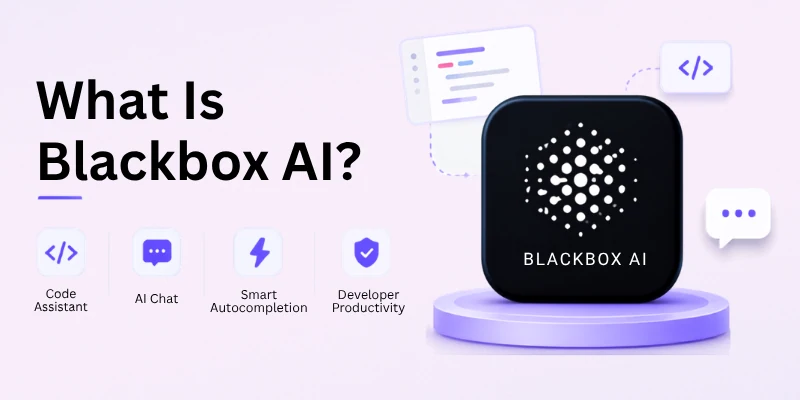
This chat feature is one of the reasons people search for Blackbox AI vs Copilot accuracy, since developers often want to know if asking questions inside the tool actually leads to better, more accurate code. Blackbox AI aims to solve problems in real time, not just complete lines of code.
Here’s what Blackbox AI does best:
- Code search: Find code snippets and examples without leaving your editor
- Chat-based debugging: Ask questions about your code and get direct answers
- Code explanation: Get simple explanations for confusing or complex code
- Multi-language support: Works across many popular programming languages
- Autocomplete: Suggests code as you type, similar to other AI assistants
Many developers turn to Blackbox AI when they’re stuck mid-task and need a quick answer, rather than searching through documentation or forums. This makes it a strong option for anyone comparing tools based on Blackbox AI vs Copilot for beginners, since its chat feature can feel more approachable for new coders.
What Is GitHub Copilot?
GitHub Copilot is an AI coding assistant built by GitHub, in partnership with OpenAI. It works directly inside popular code editors, suggesting entire lines or blocks of code as you type. Since it’s backed by GitHub, it integrates deeply with tools developers already use daily, making it feel like a natural part of the coding process rather than a separate add-on.
This deep integration is a big reason people search GitHub Copilot vs Blackbox AI for teams, since teams already using GitHub for version control often find Copilot fits smoothly into their existing setup.
Here’s what GitHub Copilot does best:
- Code completion: Suggests full lines or blocks of code in real time
- Broad IDE support: Works with popular editors like VS Code, JetBrains, and more
- Multi-language support: Covers a wide range of programming languages
- Chat feature: Lets you ask coding questions directly inside your editor
- Context awareness: Learns from your project files to give more relevant suggestions
Because GitHub Copilot works across so many languages and editors, it’s often the first choice for developers comparing tools based on GitHub Copilot vs Blackbox AI ease of use. Its setup process is simple, especially for anyone already using GitHub in their daily workflow.
Blackbox AI vs GitHub Copilot: Quick Comparison Table
Before going deeper into each feature, here’s a fast side-by-side view. This table gives you the key facts if you’re short on time and just want a quick answer.
| Feature | Blackbox AI | GitHub Copilot |
| Best for | Code search, chat-based debugging | Deep IDE integration, daily coding |
| Free plan | Yes, limited features | Yes, limited usage |
| Ease of use | Simple, chat-friendly interface | Easy setup, especially with GitHub |
| IDE support | Limited compared to Copilot | Wide support (VS Code, JetBrains, more) |
| Code suggestions | Strong for search and explanations | Strong for full-line and block completions |
| Chat feature | Yes, built for quick problem-solving | Yes, built for in-editor questions |
| Team features | Basic | Strong, especially with GitHub workflows |
| Best user type | Beginners, solo developers | Teams, developers already using GitHub |
This table answers the common question behind Blackbox AI vs Copilot pricing and Blackbox AI vs Copilot features at a glance. Both tools offer a free plan, so you can try them before committing to a paid one.
Main Differences Between Blackbox AI vs GitHub Copilot
Blackbox AI and GitHub Copilot both help you write code faster, but they take different paths to get there. One focuses on quick answers and code search, while the other focuses on deep integration and full-line suggestions. Knowing these differences helps you pick a tool that actually fits how you code.
Here are the main points of difference:
- Core focus and code suggestion style
- IDE and editor support
- Chat and problem-solving features
- Team and collaboration support
- Learning curve and setup
- Pricing and value
- Data privacy and security
- Language and framework coverage
- Real-time performance and speed
Let’s discuss this further in detail:
1. Core Focus and Code Suggestion Style
Blackbox AI and GitHub Copilot solve the same basic problem, writing code faster, but they approach it from different directions. Blackbox AI is built around answering specific questions and finding code fast. GitHub Copilot is built around predicting what you’ll write next, keeping you moving through a project without breaking your flow.
Blackbox AI:
- Focuses on code search and direct problem-solving
- Gives specific snippets and examples based on your question
- Works well when you know exactly what you’re stuck on
- Feels more like asking a quick question and getting an answer
GitHub Copilot:
- Focuses on continuous, real-time code prediction
- Suggests full lines or blocks of code as you type
- Works well for ongoing, everyday coding tasks
- Feels more like a coding partner working alongside you
If you often search for Blackbox AI vs Copilot accuracy, this is the core reason results can feel different between the two. Blackbox AI aims for accurate answers to direct questions, while Copilot aims for accurate predictions of what comes next in your code.
2. IDE and Editor Support
Where you can actually use each tool matters just as much as what it does. GitHub Copilot has built a much wider reach across popular coding environments, while Blackbox AI’s support remains more limited in comparison.
Blackbox AI:
- Supports a smaller set of popular editors
- Works well for developers using common, mainstream setups
- May require checking compatibility for less common IDEs
- Simpler setup, since fewer integrations mean fewer steps
GitHub Copilot:
- Supports a wide range of editors, including VS Code and JetBrains
- Fits smoothly into many different development environments
- Works well for teams using a mix of tools across projects
- Backed by GitHub’s ongoing integration updates
This difference matters most for developers who switch between multiple editors or work across different projects with different setups. If broad compatibility is a priority, this is one of the clearest points in GitHub Copilot vs Blackbox AI ease of use.
3. Chat and Problem-Solving Features
Both tools offer a chat feature, but they’re built with slightly different goals in mind. Blackbox AI’s chat leans into debugging and explaining code in plain terms, almost like a coding tutor sitting next to you. GitHub Copilot’s chat stays closely tied to your current project, answering questions based on the context of the files you’re already working in.
Blackbox AI:
- Chat focuses on debugging and explaining confusing code
- Good for learning why something isn’t working, not just fixing it
- Works well for beginners who want plain-language explanations
- Feels more like a tutor guiding you through a problem
GitHub Copilot:
- Chat stays closely tied to your project’s context and files
- Good for quick, in-flow questions while actively coding
- Works well for developers who want answers without switching tools
- Feels more like a coding partner answering as you go
If you’re comparing tools based on Blackbox AI vs Copilot for beginners, this is a key difference. Blackbox AI’s chat can feel more approachable for someone still learning, while Copilot’s chat is built more for speed within an existing project.
4. Team and Collaboration Support
Coding rarely happens in isolation, especially on larger projects, so team support matters for many developers. GitHub Copilot offers stronger collaboration features, largely because it’s backed by GitHub’s existing tools for version control and teamwork. Blackbox AI’s team features remain more basic, making it a better fit for individual developers than large, coordinated teams.
Blackbox AI:
- Team features are basic compared to Copilot
- Works well for solo developers or small projects
- Simple setup, without much team-level configuration
- Better suited for individual workflows than shared ones
GitHub Copilot:
- Strong team features, tied closely to GitHub’s ecosystem
- Works well for organizations already using GitHub daily
- Supports shared settings and consistent team usage
- Better suited for larger teams managing bigger codebases
This is one of the clearest differences behind GitHub Copilot vs Blackbox AI for teams. If you’re coding solo or on a small project, Blackbox AI keeps things simple. If you’re managing a team already inside GitHub’s ecosystem, Copilot’s collaboration tools offer a smoother, more connected experience.
5. Learning Curve and Setup
Getting started matters just as much as long-term features, especially if you want results fast. Blackbox AI tends to feel simple right away, since its chat-based interface doesn’t require much setup before you can start asking questions. GitHub Copilot’s setup is also fairly simple, especially if you’re already using GitHub, but getting the most out of its suggestions takes a bit more time as it learns your coding patterns.
Blackbox AI:
- Chat interface feels familiar right from the start
- Good for developers who want fast results with little learning
- Fewer settings to adjust, which keeps things simple
GitHub Copilot:
- Setup is easy, especially with an existing GitHub account
- Takes some time to learn your coding style and preferences
- Suggestions improve gradually as it adapts to your project
- Slightly more to explore, given its wider range of features
If you’re checking Blackbox AI vs Copilot for beginners, Blackbox AI offers the faster, simpler starting point. Copilot’s slightly longer learning curve pays off over time, especially as it becomes more familiar with how you code.
6. Pricing and Value
Cost often plays a big role in choosing between AI coding tools, especially for solo developers or small teams working with a limited budget. Blackbox AI’s free plan suits light, occasional use well, while its paid tiers unlock more advanced features for regular coders.
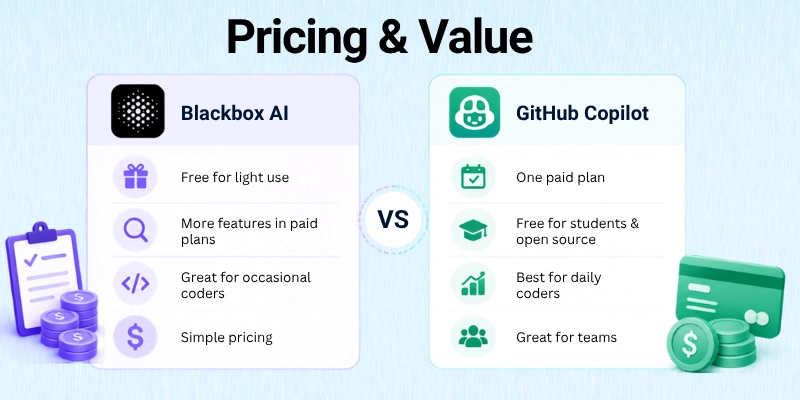
GitHub Copilot’s pricing is straightforward too, built around consistent, daily use rather than occasional help.
Blackbox AI:
- Free plan works well for light or occasional use
- Paid plans unlock deeper search and chat features
- Good value for developers who code only sometimes
- Pricing stays simple, without too many tiers to compare
GitHub Copilot:
- Clear, single paid plan built for regular, daily coding
- Free access available through certain student or open-source programs
- Strong value for developers coding every day
- Pricing scales well for teams needing consistent access
This is where Blackbox AI vs Copilot pricing really comes down to how often you code. Occasional coders may find better value with Blackbox AI, while daily coders often get more out of Copilot’s steady, all-day support.
7. Data Privacy and Security
How a tool handles your code matters, especially if you’re working with sensitive projects or private repositories. GitHub Copilot benefits from Microsoft and GitHub’s long-established security practices, which many larger teams and enterprises already trust. Blackbox AI follows standard privacy practices too, but it doesn’t carry the same long history of enterprise trust that GitHub’s ecosystem has built over time.
Blackbox AI:
- Follows standard data privacy practices
- Newer in the market, with less enterprise track record
- Works well for personal projects and smaller teams
- Privacy policies are worth reviewing for sensitive codebases
GitHub Copilot:
- Backed by Microsoft and GitHub’s established security practices
- Trusted by many large enterprises and organizations
- Offers settings to control how code data is used
- Strong track record, given GitHub’s long-standing reputation
If data privacy is a top priority for your team, this is worth close attention. Larger organizations often lean toward tools with a longer trust history, which plays a role in how teams evaluate Blackbox AI vs Copilot privacy.
8. Language and Framework Coverage
The range of programming languages and frameworks each tool supports affects how useful it is across different projects. GitHub Copilot supports a very wide range, thanks to its large training base and frequent updates. Blackbox AI also covers many popular languages, but its range can feel slightly narrower, especially for newer or less common frameworks.
Blackbox AI:
- Supports many popular, mainstream programming languages
- Coverage can feel narrower for newer or niche frameworks
- Works well for common, everyday coding tasks
- Good fit for developers using standard tech stacks
GitHub Copilot:
- Supports a very wide range of languages and frameworks
- Frequently updated to cover newer tools and technologies
- Works well for developers exploring emerging tech stacks
- Strong fit for varied, multi-language projects
This difference matters most for developers working with newer or specialized frameworks, since broader coverage means fewer gaps in support. For everyday, mainstream coding, both tools perform reasonably well.
9. Real-Time Performance and Speed
How fast a tool responds while you’re coding can make or break your workflow, especially during long coding sessions. Blackbox AI generally responds quickly for chat-based questions and code search, since it’s built around direct, on-demand answers. GitHub Copilot focuses on delivering suggestions in real time as you type, aiming to keep your typing flow uninterrupted.
Blackbox AI:
- Fast response times for chat and search queries
- Works well when you need a quick, specific answer
- Performance stays steady for on-demand requests
- Best suited for stop-and-ask moments during coding
GitHub Copilot:
- Delivers suggestions continuously as you type
- Built to keep pace with your typing without noticeable delays
- Performance stays smooth across long coding sessions
- Best suited for staying in flow without breaking focus
Both tools perform well in their own lane. Blackbox AI feels fast when you pause to ask something specific, while GitHub Copilot feels fast because it rarely makes you pause at all. Your ideal choice here depends on whether you prefer asking direct questions or coding with constant, real-time suggestions running alongside you.
Common Myths About Blackbox AI vs GitHub Copilot
AI coding tools come with a lot of myths, and these myths often make the choice harder than it needs to be. Let’s clear up some of the most common misunderstandings, so you can make your decision based on facts, not assumptions.
Myth 1: AI coding tools write perfect code every time
This isn’t true for either tool. Both Blackbox AI and GitHub Copilot can make mistakes or suggest code that doesn’t quite fit your project. You still need to review and test suggestions before using them, no matter which tool you pick.
Myth 2: GitHub Copilot only works in VS Code
Many people search GitHub Copilot vs Blackbox AI ease of use expecting Copilot to be locked to one editor. In reality, Copilot supports many editors, including JetBrains and others, not just VS Code.
Myth 3: Blackbox AI can’t handle real coding projects
Some assume Blackbox AI is only good for small tasks. But it handles real projects well too, especially when you need quick answers or code search during active development.
Myth 4: Free plans are basically useless
This comes up often around Blackbox AI vs Copilot free plan searches. Both free plans have limits, but they’re still useful for testing features, learning the tool, or handling light coding tasks before upgrading.
Myth 5: More expensive always means better
Price doesn’t always match quality here.
- A higher price doesn’t guarantee better code suggestions
- The right tool depends on your workflow, not the cost alone
- Some developers get more value from a cheaper plan that fits their needs
- Comparing Blackbox AI vs Copilot pricing closely matters more than picking the pricier option
Myth 6: AI coding tools replace the need to learn coding
This is a common misunderstanding, especially among beginners searching Blackbox AI vs Copilot for beginners. These tools assist you, but they don’t replace the need to understand what your code actually does. Relying on them fully, without learning the basics, can slow your growth as a developer.
Myth 7: Both tools store and use your code the same way
Privacy practices differ between tools, even if both claim to follow standard security measures. This is worth checking directly if you’re weighing Blackbox AI vs Copilot privacy, since assuming both handle data identically isn’t accurate.
Myth 8: Only large teams benefit from AI coding assistants
Solo developers and students benefit just as much, sometimes more, since these tools help fill knowledge gaps and speed up learning. This myth often confuses people searching Blackbox AI vs Copilot for students, when in reality, both tools offer real value at an individual level too.
Conclusion:
So guys, in this article, we’ve covered Blackbox AI vs GitHub Copilot in detail. Blackbox AI stands out for its code search and chat-based debugging, making it a strong pick for quick answers and learning-focused coding. GitHub Copilot stands out for its deep IDE integration and real-time suggestions, making it a strong pick for daily coding and team-based projects.
My honest recommendation: if you’re a solo developer or beginner who wants quick, on-demand help, Blackbox AI’s simple setup and chat features will likely serve you well. If you’re coding daily, working across a team, or already using GitHub, Copilot’s deeper integration and steady suggestions will probably save you more time in the long run.
There’s no single winner here, since the right choice depends on how you code, not just which tool has more features. Try the free plan of both, test them on a real project, and see which one actually fits your workflow. Pick one, start coding with it today, and let the results guide your final decision.
Frequently Asked Questions
Here are the questions readers often ask after comparing Blackbox AI vs GitHub Copilot. These answers keep things short and simple, so you get quick clarity without re-reading the whole article.
It depends on how you code. Blackbox AI works best for quick answers and code search. GitHub Copilot works best for daily coding with deep editor integration.
GitHub Copilot offers limited free access, often through student or open-source programs. For full daily use, it requires a paid subscription. This is a common question behind Blackbox AI vs Copilot free plan searches.
Yes, Blackbox AI works well for beginners.
- Its chat feature explains code in simple terms
- It helps you understand mistakes, not just fix them
- It requires little setup to get started
- It’s a strong pick for anyone searching Blackbox AI vs Copilot for beginners
GitHub Copilot supports a wider range of editors, including VS Code and JetBrains. Blackbox AI’s editor support is narrower by comparison. If broad compatibility matters to you, this is a key factor in GitHub Copilot vs Blackbox AI ease of use.
Blackbox AI works better for solo developers or small projects.
Its team features remain fairly basic compared to GitHub Copilot, which offers stronger collaboration tools tied to GitHub’s existing ecosystem. Teams managing larger codebases often find Copilot a better fit for shared, coordinated work.
Accuracy depends on the task. Blackbox AI tends to give accurate answers to specific questions through search and chat. GitHub Copilot tends to give accurate predictions for ongoing code as you type, based on your project’s context.
Both tools follow standard privacy practices, but they aren’t identical. GitHub Copilot benefits from Microsoft and GitHub’s long-established security track record.
Blackbox AI follows standard practices too, though it has less enterprise history, which matters for teams weighing Blackbox AI vs Copilot privacy.
Yes, in some cases.GitHub Copilot often provides free access through student programs, making it a popular choice for learners.
Blackbox AI also offers a free plan with limited features, useful for students just starting out. Both options are worth checking directly, since free access details can change.
Blackbox AI is generally quicker to set up, thanks to its simple, chat-based interface. GitHub Copilot’s setup is also easy, especially with an existing GitHub account, but it takes some time to learn your coding patterns fully.
Yes, several other AI coding assistants exist in the market. If neither tool fits your needs, it’s worth exploring other Blackbox AI vs Copilot alternatives, since some tools focus on specific languages or specialized coding tasks. Comparing a few options helps you find the best match for your workflow.





- Be Respectful
- Stay Relevant
- Stay Positive
- True Feedback
- Encourage Discussion
- Avoid Spamming
- No Fake News
- Don't Copy-Paste
- No Personal Attacks
- Be Respectful
- Stay Relevant
- Stay Positive
- True Feedback
- Encourage Discussion
- Avoid Spamming
- No Fake News
- Don't Copy-Paste
- No Personal Attacks
