Which Backend Database is Ideal for Vibe Coding? A Simple Guide
Published: 12 Oct 2026
You describe your app idea to an AI coding tool, and within minutes, you can have working code. But then you need to decide where your app will store its data. This is where choosing the right backend database becomes important.
Choosing a database is not always simple, especially when you want to keep the vibe coding process fast and smooth. Some databases need more setup, while others may not work as easily with your AI coding tools. You also need an option that can handle your project if it grows later.
So, which backend database is ideal for vibe coding? In this guide, we’ll explore the best database options, compare their main features, and help you choose one that fits your project.
What Is Vibe Coding?
Vibe coding means building an app by telling an AI tool what you want. The AI then creates the code, so you can start building without advanced coding skills.
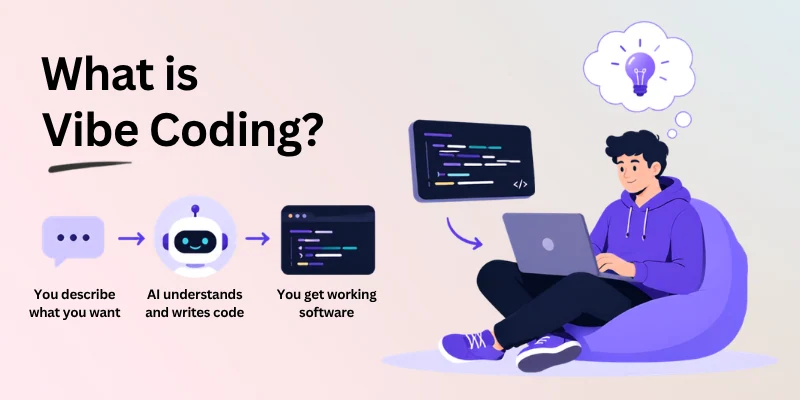
Vibe coding helps you build faster, while the right database for vibe coding keeps your app’s data safe and available.
- Describe your idea in simple words.
- Let AI create the code.
- Make changes by giving new instructions.
- Build faster without writing everything yourself.
Your app also needs a backend to store information like user accounts, saved items, and settings. This makes the backend database for vibe coding an important part of your project.
For example, a recipe app needs a database to save users’ favorite recipes. Without it, those saved recipes would not be available when users return to the app.
What Makes a Database “Ideal” for Vibe Coding?
The best database for vibe coding should make development feel straightforward from the start. Instead of adding extra technical work, it should help you focus on building and testing your app.
A few key factors can help you judge whether a database is a good fit:
Fast, Simple Setup
You should be able to create a database and connect it to your app without spending hours on technical settings.
- Quick account and project setup.
- Simple connection process.
- Fewer configuration steps.
A smooth setup lets you move from your idea to a working app faster. It also leaves more time for building important features.
Works Well with AI Tools
Your database should fit naturally into an AI-powered workflow. Good compatibility makes it easier for AI tools to handle database-related tasks.
- Supports common AI coding tools.
- Works with AI-generated code.
- Makes database tasks easier to automate.
This can reduce the amount of manual coding you need to do. It also helps keep your development workflow more efficient.
Easy for Beginners
A clear interface makes database management easier for new builders. You should be able to understand the main features without learning complex systems first.
- Clean and simple dashboard.
- Easy-to-follow documentation.
- Beginner-friendly controls.
A simple database is easier to manage when you’re still learning. You can spend less time figuring out the system and more time improving your app.
Room to Grow Later
Your database should not become a limitation when your app gets more users or handles more information.
- Supports increasing amounts of data.
- Offers useful features for larger projects.
- Makes future upgrades easier.
This gives your project more flexibility as it develops. You can add new features without making the database a major problem.
Simple Takeaway: Look for a database that is simple to understand, quick to work with, and suitable for your project’s future needs.
Best Backend Database Options for Vibe Coding
Now let’s look at real options you can actually use. Each database below works differently, so the best pick depends on your project’s size, your comfort level, and how well it connects with AI tools.
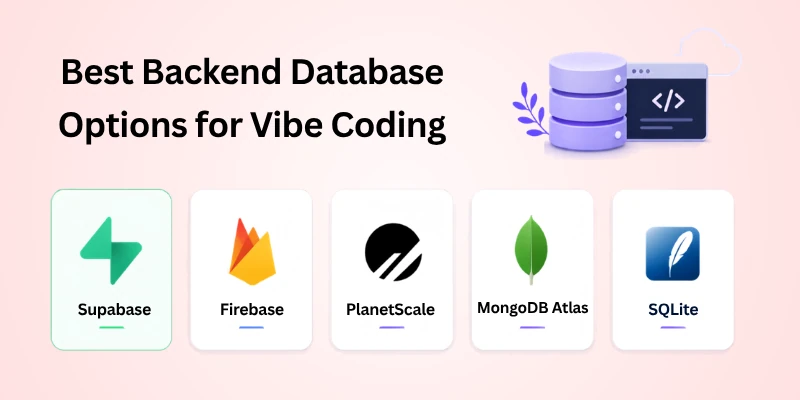
Here’s a quick list of what we’ll cover in this section.
- Supabase
- Firebase
- PlanetScale
- MongoDB Atlas
- SQLite
Let’s discuss this further in detail:
1.Supabase
Supabase is one of the most popular choices among vibe coders today. It’s built on PostgreSQL, but it hides most of the complex setup behind a simple, clean dashboard.
Many AI coding tools already support Supabase directly, which makes connecting your app to it fast and simple. This makes it a strong pick if you’re searching for the best database for vibe coding.
- Easy to set up, even for beginners.
- Works smoothly with many AI coding tools.
- Free plan available for small projects.
- Scales well if your app grows later.
2.Firebase
Firebase, made by Google, is another beginner-friendly option. It’s known for being simple to connect, especially for apps that need real-time updates, like chat features or live data.
It’s a solid choice if your project needs quick setup without worrying too much about backend structure early on.
- Very easy to start using right away.
- Great for apps needing real-time data updates.
- Backed by Google, so it’s reliable and well-documented.
- Free tier available for small projects.
3.PlanetScale
PlanetScale is built for people who want a more traditional database structure but still want an easy setup process. It’s based on MySQL, so it feels familiar to many developers.
This option works well once your project starts growing, since it’s built with scaling in mind from the beginning.
- Easy to connect with many coding frameworks.
- Handles growing traffic and data well.
- Familiar structure for those who know SQL basics.
- Good middle-ground between simplicity and power.
4. MongoDB Atlas
MongoDB Atlas works differently from the others, since it stores data in a flexible format instead of strict tables. This can feel easier for beginners who don’t want to plan out a rigid structure early on.
It’s a good fit for apps where the data structure might change often as your idea develops.
- Flexible data storage, no strict structure needed.
- Good for apps with changing or unpredictable data.
- Free tier available to start testing quickly.
- Works well with many modern coding frameworks.
5. SQLite
SQLite is the simplest option on this list, and it’s often used for small, local projects rather than large-scale apps. There’s no separate server to set up, since everything runs directly within your app.
This makes it a good starting point for testing an idea quickly, before deciding if you need something more powerful later.
- No server setup required at all.
- Great for small, local, or test projects.
- Extremely lightweight and fast to use.
- Not ideal for apps expecting many users.
Quick Comparison Table
Here’s a simple side-by-side look at all five options, so you can compare them at a glance before deciding.
| Database | Setup Ease | AI Tool Support | Best For | Scalability |
| Supabase | Very easy | Strong | General vibe coding projects | Good |
| Firebase | Very easy | Good | Real-time apps, chat features | Good |
| PlanetScale | Moderate | Good | Projects needing SQL structure | Very good |
| MongoDB Atlas | Easy | Good | Apps with changing data | Good |
| SQLite | Very easy | Limited | Small, local, or test projects | Limited |
Quick Tip: If you’re just starting out and want the smoothest experience with AI tools, Supabase or Firebase are usually the safest picks. Save SQLite for quick tests, and consider PlanetScale once your project needs more structure.
Which Database Fits Your Project?
There is no single database that works best for every vibe coding project. Your choice should depend on the type of app you are building and what you need from it right now.
- Testing a small idea: Choose SQLite for simple local testing.
- Building a personal app: Supabase is a practical choice for solo projects.
- Creating a live app: Firebase works well for chat, notifications, and live updates.
- Using flexible data: MongoDB Atlas is useful when your data format may change.
- Expecting fast growth: PlanetScale can suit projects that may need more database capacity.
- Need to build quickly: Supabase or Firebase can be good starting points.
- Still unsure: Start with Supabase as a balanced option for many general projects.
The goal is not to find the most advanced database. Choose one that matches your app’s current needs and keeps your project moving forward.
Quick Advice: Start simple, build your main features, and change your database only when your project has a clear reason to do so.
Common Database Selection Mistakes
Picking a database too quickly can create problems later. The mistake is often not choosing a “bad” database, but choosing one that does not match the way your app works.
Here are some mistakes worth avoiding:
- Following popularity: A well-known database may not suit your specific app.
- Choosing too much too soon: Advanced features can add unnecessary complexity to a small project.
- Ignoring your data needs: Think about what kind of information your app will store before choosing.
- Overlooking costs: Check free limits and pricing before your project starts using more resources.
- Skipping the documentation: Poor documentation can make simple database tasks harder to understand.
- Rushing the decision: Taking a little time to compare your needs can prevent bigger problems later.
- Assuming all databases work the same: Each option has different features, structure, and connection methods.
Quick Tip: Don’t choose a database based only on its name or popularity. First look at what your app needs, then pick the option that fits those requirements.
Tips for Setting Up Your Database Fast
After choosing your database, the next step is to get it ready for your app. A few simple habits can make this process smoother and help you avoid unnecessary delays.
- Create only what you need: Start with the basic tables, collections, or fields your app requires.
- Name things clearly: Use simple names for your data so you and your AI tool can understand them easily.
- Add sample data: Test your app with a few example records before using real information.
- Check permissions: Make sure users can only access the data they are supposed to see.
- Test common actions: Try adding, editing, finding, and deleting data before moving forward.
- Keep a backup: Save important database settings and data before making major changes.
- Build in small steps: Set up one part, test it, and then move to the next feature.
A simple setup makes it easier to spot problems early. Once the basics work correctly, you can add more advanced features as your app needs them.
Conclusion
So, in this article, we’ve covered which backend database is ideal for vibe coding in detail. The right choice isn’t about picking the most popular name; it’s about matching your database to your project’s actual needs, whether that’s speed, simplicity, real-time features, or room to grow later.
My honest recommendation is simple. If you’re just starting out, go with Supabase or Firebase. Both are easy to set up, work well with AI coding tools, and won’t slow down the fast, effortless feeling vibe coding is known for. Save more advanced options like PlanetScale or MongoDB Atlas for when your project actually needs that extra structure or flexibility.
Most importantly, don’t let this decision hold up your momentum. Once you know which backend database is best for vibe coding for your specific project, pick it and move forward with confidence.
Ready to get building? Pick one database from this guide, connect it to your project today, and keep that vibe coding momentum going, one feature at a time.
Frequently Asked Questions
Still have questions about which backend database is ideal for vibe coding? Here are quick answers to help you decide with confidence.
1. Which backend database is best for beginners doing vibe coding?
Supabase and Firebase are both good starting points for beginners. They are easy to use and work well for many types of projects.
- Simple setup process
- Beginner-friendly interfaces
- Free options for small projects
- Good support for AI-assisted development
2. Do I need to know SQL to use a database for vibe coding?
No, you do not always need SQL knowledge. AI coding tools can help write many of the database queries when you use a platform like Supabase.
If you want to avoid SQL completely, Firebase or MongoDB Atlas may feel easier at first. Your choice depends on how much control you want over your data.
3. Can I switch databases later if my project grows?
Yes, switching is possible, but it can take time. You may need to move your data and update parts of your app.
- Small projects are usually easier to move.
- Larger apps may require more planning.
- A database that supports growth can reduce this work.
4. Is SQLite good enough for a real, growing app?
SQLite is great for small apps, prototypes, and local projects. It is simple because it does not need a separate database server.
For an app with many users or heavy traffic, you may need a more powerful option later. A server-based database can handle larger workloads more effectively.
5. Which database works best for AI coding tools like Cursor or Replit?
Supabase is a popular choice for AI-assisted projects because it provides a clear structure and works well with modern development tools.
- Easy to connect with coding workflows
- Uses a familiar SQL database
- Works well for many web apps
- Provides tools for managing your data
6. Is Firebase only good for real-time apps?
No. Firebase can also support regular apps that do not need live updates. However, real-time features are one of its strongest use cases.
You can use it for chat, notifications, shared data, and other apps where information needs to update quickly. It also offers other services that can help with app development.
7. What’s the main difference between Supabase and Firebase?
Both can be useful, but they handle data in different ways.
- Supabase: Uses PostgreSQL and a structured SQL approach.
- Firebase: Uses a NoSQL approach with flexible data models.
- Supabase: Good for apps that need structured relationships.
- Firebase: Useful for apps that need flexible data and real-time features.
8. Do free database plans work for real vibe coding projects?
Yes, free plans can be enough when you are starting out. They are useful for testing ideas, building prototypes, and learning how your app works.
As your app gets more users or uses more resources, you may need a paid plan. Always check the current limits before choosing a plan for a live project.
9. Which database is best if my app’s data structure keeps changing?
MongoDB Atlas can be a good option when your data needs are likely to change. Its document-based model gives you more flexibility when adding or changing fields.
- Flexible document structure
- Easy to adapt as data changes
- Useful for apps with evolving requirements
- Good fit for projects that may change during development
10. So, which backend database is ideal for vibe coding overall?
For many beginners, Supabase is a strong general choice, while Firebase can be better when real-time features are important.
The best option still depends on your app. Consider your data structure, features, project size, and future plans before making the final choice.






- Be Respectful
- Stay Relevant
- Stay Positive
- True Feedback
- Encourage Discussion
- Avoid Spamming
- No Fake News
- Don't Copy-Paste
- No Personal Attacks
- Be Respectful
- Stay Relevant
- Stay Positive
- True Feedback
- Encourage Discussion
- Avoid Spamming
- No Fake News
- Don't Copy-Paste
- No Personal Attacks
