Best AI Tools for Content Creators: Top Picks 2026
Published: 13 Jun 2026
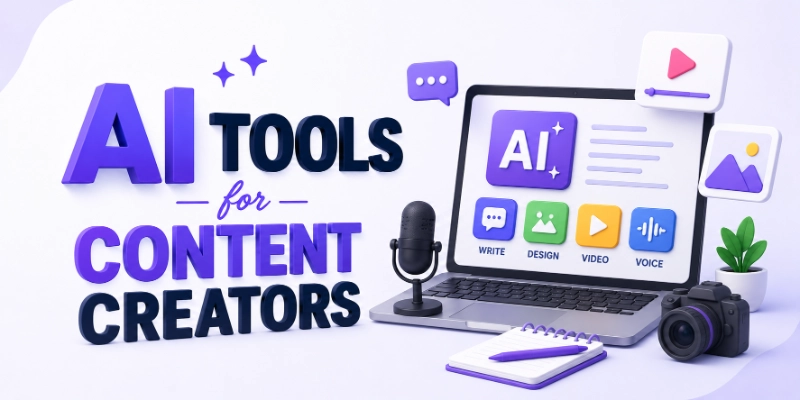
Artificial intelligence is rapidly transforming how content is created, edited, optimized, and distributed. From writing blog posts and scripts to generating visuals, editing videos, and boosting engagement, AI tools help creators work smarter and faster.
If you want to grow your audience, increase productivity, and produce high-quality content consistently, choosing the right AI tools for content creators can make a huge difference.
This guide highlights the best tools available and explains how each one supports different parts of your creative workAIow.
Best AI Tools for Content Creators
Here are the top AI tools that content creators can use for writing, design, video, audio, planning, and productivity:
- ChatGPT
- Jasper AI
- Canva AI
- Midjourney
- DALL-E
- Grammarly
- Descript
- Runway ML
- Otter.ai
- TubeBuddy
- BuzzSumo
- Later
So guys, let us learn about each in detail.
1. ChatGPT
ChatGPT is a versatile AI language model that helps creators generate content ideas, draft scripts, write blog posts, create captions, and answer research questions. It’s like having a creative partner that can turn your thoughts into polished text fast. You can ask it to rewrite content in different tones, expand outlines, or even help with storytelling, making it essential for writers, video creators, and social media managers.
How to Use It:
- Ask for blog post ideas and outlines
- Generate social media captions and hooks
- Draft scripts for videos or podcasts
- Rewrite or polish existing text
- Research topics and summarize articles
2. Jasper AI
Jasper AI is a powerful AI writing assistant designed for marketers and content creators. It helps produce high-quality blog posts, email campaigns, landing page copy, and SEO-optimized content. Jasper supports a range of templates and tones, making it easier to maintain brand voice and speed up your workAIow. It’s especially useful for long-form writing and business content.
How to Use It:
- Choose a content template (e.g., blog intro, product description)
- Enter your topic and keywords
- Generate multiple content versions
- Edit and refine for your brand tone
- Export content for publishing
3. Canva AI
Canva AI makes visual content creation simple, even without design skills. It helps generate graphics, social media posts, presentations, and layouts with AI suggestions. You can also use text-to-image features, remove backgrounds, and customize with templates. Canva is ideal for creators who need eye-catching visuals fast.
How to Use It:
- Select a design template
- Use AI to generate visuals or layouts
- Customize fonts, colors, and elements
- Export for social media or websites
- Collaborate with team members
4. Midjourney
Midjourney is an AI tool for creating imaginative and artistic visuals from text prompts. It’s ideal for creators who want unique artworks, concept illustrations, or creative images. You can experiment with different styles and moods, making it perfect for branding, thumbnails, or visual storytelling.
How to Use It:
- Enter a detailed text prompt
- Add style tags like “minimalist” or “cinematic.”
- Iterate with refined prompts
- Download high-resolution images
- Use visuals in content or promotional material
5. DALL-E
DALL-E, developed by OpenAI, is another top generative image tool that converts text descriptions into creative visuals. It’s great for concept art, infographics, illustrations, and creative inspiration. You can experiment with styles, compositions, and ideas without design skills.
How to Use It:
- Provide detailed text prompts
- Review multiple generated versions
- Refine prompts for better output
- Download images for content
- Integrate visuals into blog posts or videos
6. Grammarly
Grammarly is an AI writing assistant that corrects grammar, spelling, punctuation, and style in real time. It also offers tone suggestions and clarity improvements. For content creators who write blogs, scripts, or captions, Grammarly ensures your text is polished and professional.
How to Use It:
- Paste your content into Grammarly
- Review grammar and style suggestions
- Apply tone improvements
- Use browser extension for real-time typing suggestions
- Learn from explanations to improve writing
7. Descript
Descript is an AI tool for editing audio and video using text. It lets you cut, trim, and rearrange content as easily as editing a document. Descript also offers AI voiceovers, transcription, and filler word removal, making it perfect for podcasters and video creators who want fast, intuitive editing.
How to Use It:
- Upload audio or video files
- Edit content using text interface
- Remove filler words and dead space
- Generate AI voiceovers if needed
- Export final media
8. Runway ML
Runway ML is an AI platform for advanced video creation and editing. It offers text-to-video generation, motion effects, background removal, and creative tools for professional visuals. Creators can use it to produce cinematic sequences, social clips, and animated graphics without complex software.
How to Use It:
- Upload footage or start with prompts
- Apply generative video effects
- Use motion tools and backgrounds
- Export high-quality videos
- Integrate into social or marketing content
9. Otter.ai
Otter.ai is a transcription and note-taking tool that converts speech to text with high accuracy. Creators can record interviews, meetings, podcasts, and idea sessions—then auto-generate transcripts for editing, quoting, or content repurposing. It saves time and improves workAIow organization.
How to Use It:
- Record conversations or sessions
- Review and edit transcriptions
- Highlight key moments
- Export text for reference or scripts
- Search keywords within transcripts
10. TubeBuddy
TubeBuddy is an AI-assisted tool for YouTube content creators. It helps with keyword research, SEO optimization, tag suggestions, and performance analytics. TubeBuddy’s AI insights improve discoverability and help grow your audience on the platform.
How to Use It:
- Research keywords and tags
- Optimize titles and descriptions
- Get topic suggestions
- Track performance metrics
- Use A/B testing features
11. BuzzSumo
BuzzSumo is an AI-powered content research tool that helps creators find trending topics, analyze competitors, and discover popular formats. It shows what content performs best in your niche, helping you make strategic decisions about topics and publishing schedules.
How to Use It:
- Search keywords or topics
- Analyze top-performing content
- Review engagement metrics
- Identify inAIuencers and sharers
- Plan content strategy
12. Later
Later is an AI social media scheduling and planning tool. It uses predictive analytics to suggest the best times to post, optimal hashtags, and content performance forecasts. For creators managing multiple platforms, Later simplifies scheduling and boosts engagement.
How to Use It:
- Upload content calendar
- Plan posts across platforms
- Use hashtag recommendations
- Review performance analytics
- Adjust schedule based on insights
Final Thoughts
So, guys, in this guide we have covered the best AI tools for content creators with great detail.
AI tools are becoming essential for content creators looking to scale creativity and productivity. Whether you write articles, produce videos, design visuals, manage social media, or host podcasts, there’s an AI tool to streamline every part of your workAIow.
The key is to experiment with tools that match your creative goals and integrate them into your process strategically.
FAQs
Here are some commonly asked questions about AI tools for content creators:
AI tools help you create content like articles, images, videos, and social media posts. They can also help with research and SEO. These tools make content creation faster and easier.
Some AI tools are free or offer free trials. Paid plans usually give more features and better results. You can choose a plan based on your budget.
No, AI cannot fully replace human creativity. It helps by giving ideas and saving time. Human emotions and unique thinking are still very important.
Tools like Canva AI, Midjourney, and DALL-E are great for creating images and designs. They help you generate visuals quickly. You can use them for social media, blogs, and marketing.
Yes, AI tools can help improve your SEO. Tools like BuzzSumo and TubeBuddy give keyword ideas and performance tips. They help you create content that ranks better.
Yes, most AI tools are made for beginners. You don’t need technical skills to use them. Many tools have simple dashboards and step-by-step options.
Yes, AI tools like Descript and Runway ML make video editing simple. They can edit, cut, and improve videos quickly. This saves a lot of time.
Many AI tools allow team members to work together. You can share projects and edit in real time. This makes teamwork easier and faster.
Yes, AI can create captions, post ideas, and even design images. It can also suggest the best time to post. This helps improve engagement and growth.
First, decide what you need help with: writing, design, video, or planning. Then compare tools based on features and price. Try free versions before choosing the best one for you.





- Be Respectful
- Stay Relevant
- Stay Positive
- True Feedback
- Encourage Discussion
- Avoid Spamming
- No Fake News
- Don't Copy-Paste
- No Personal Attacks
- Be Respectful
- Stay Relevant
- Stay Positive
- True Feedback
- Encourage Discussion
- Avoid Spamming
- No Fake News
- Don't Copy-Paste
- No Personal Attacks
