How to Use AI Tools to Write Stories: Complete Guide
Published: 19 Oct 2026
Writing stories looks simple, but when I actually start, many problems appear. Sometimes I have an idea but cannot write the opening. Sometimes the middle feels boring, or the ending feels rushed.
I also struggle with dialogue and character emotions. This is where AI becomes helpful. AI tools help me think clearly and organize my ideas. They support my creativity instead of replacing it.
In this detailed guide, I explain how to use AI tools to write stories step by step, using methods I personally follow. By the end, you will know how to plan, write, improve, and publish stories using AI with confidence.
What Story Writing With AI Really Means
Story writing with AI means I use technology as a creative assistant. AI does not feel emotions, but it understands how stories are written. It studies millions of patterns and helps me apply them.
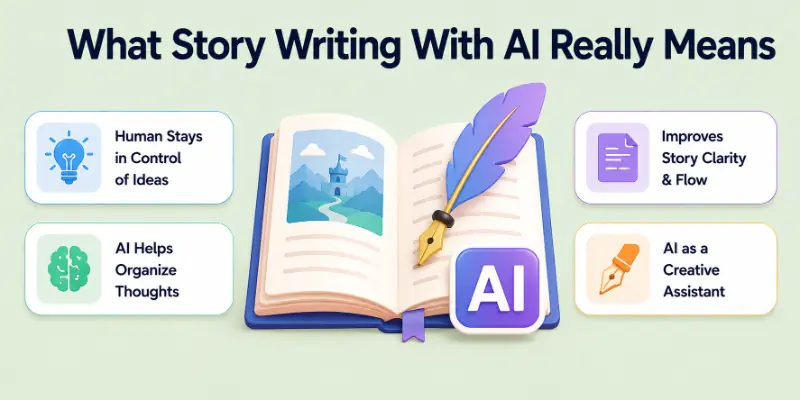
When I write with AI:
- I stay in control of ideas
- AI helps me organize thoughts
- AI improves clarity and flow
I never depend fully on AI. I guide it with clear instructions and personal creativity. AI simply speeds up the process and removes confusion.
Step-by-Step Guide: How to Use AI Tools to Write Stories
Here are the 10 steps of the way guide on how to write stories by using AI:
Step 1: Select the Best AI Tool for Story Writing
Choosing the right AI tool matters a lot. Some tools focus on business writing, while others are made for creative storytelling. I always choose a tool based on my story goal.
Tools I personally use:
- OpenAI ChatGPT for ideas, scenes, rewriting, and dialogue
- Sudowrite for fiction-focused storytelling and emotional writing
- NovelAI for fantasy, sci-fi, and long stories
I recommend testing one tool first. Learning how it responds to prompts improves results over time.
Step 2: Define Your Story Goal Clearly
Before writing anything, I always define my story goal. Without a goal, AI produces generic content. Clear goals give better output.
I clearly decide:
- Who will read the story
- What emotion I want to create
- What message the story should deliver
For example, if I write a motivational story, I focus on hope and growth. If it is horror, I focus on fear and suspense. This clarity helps AI stay on track.
Step 3: Generate Multiple Story Ideas With AI
When ideas do not come to me naturally, I ask artificial intelligence to come up with a lot of ideas. This allows me to quickly investigate a variety of perspectives.
I use prompts like:
- “Generate 10 unique short story ideas about self-discovery.”
- “Suggest emotional story ideas for teenagers.”
I never choose the first idea blindly. I compare ideas and select the most engaging one. This saves time and improves quality.
Step 4: Create Strong Characters Using AI
Because of the characters, a story is more likely to be remembered. Even though AI assists me in designing characters with depth, I still refine them.
I ask AI to create:
- Character name and age
- Personality traits
- Background story
- Internal conflict
After that, I add personal touches like habits, fears, and emotional reactions. This makes characters feel real instead of robotic.
Step 5: Build a Logical Story Structure
Without structure, stories have a tendency to be perplexing. Using AI, I am able to properly organize the story from the beginning to the end.
I usually ask AI to create:
- A strong introduction
- A clear conflict
- A meaningful turning point
- A satisfying ending
This structure helps readers stay engaged and understand the story easily.
Step 6: Write Detailed Scenes One by One
I never write the entire story in a single sitting. I will never do that. Scenes are where I focus my attention instead of it. Because of this, I maintain a greater degree of control.
For each scene, I ask AI:
- To describe the environment
- To show emotions through actions
- To keep pacing balanced
After AI writes the scene, I edit it and add my own style. Scene-by-scene writing improves quality.
Step 7: Use AI to Write Natural Dialogues
Conversation is the means by which stories are brought to life. I use artificial intelligence to assist me in drafting dialogues, but I edit them myself.
I ensure dialogues:
- Match character personality
- Sound natural and simple
- Show emotion without explaining it
I remove long robotic lines and make conversations feel real and human.
Step 8: Improve Story Language and Flow
If the language is not strong, even good ideas can come across as weak. My ability to improve readability and flow is aided by AI.
I use AI to:
- Simplify complex sentences
- Improve descriptions
- Fix grammar and tone
This step makes the story smoother and easier to read for all audiences.
Step 9: Add Emotional Depth and Personal Creativity
The process has reached its most important stage at this point. My responsibility lies in the fact that I am the one who is responsible for that emotion.
I personally:
- Add feelings and reactions
- Replace predictable lines
- Include personal creativity
This ensures the story feels unique and human.
Step 10: Edit, Proofread, and Finalize the Story
Before the story is made public, I analyze it in great detail and provide feedback on it.
I check:
- Grammar and spelling
- Emotional consistency
- Story flow
AI helps with proofreading, but I always do the final review myself.
Advanced Ways I Use AI for Story Writing
After I master the basics of AI story writing, I start using AI for more advanced and creative tasks. At this stage, AI becomes more than a writing helper.
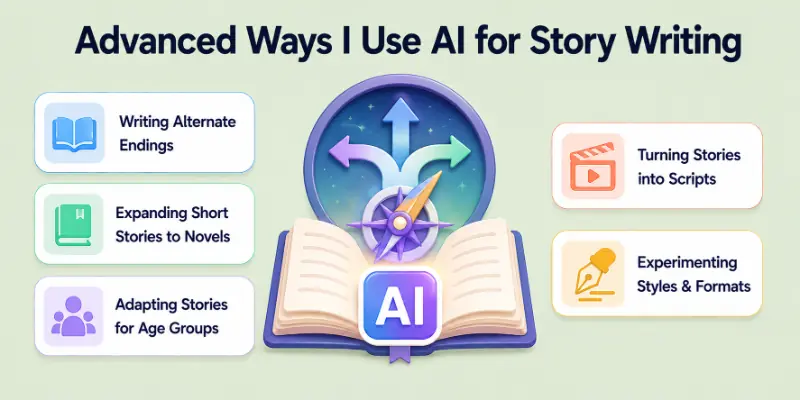
It becomes a powerful tool for experimentation, expansion, and transformation. I still control the story direction, but AI helps me explore more possibilities without wasting time.
1. Writing Alternate Endings
Sometimes one ending does not feel enough. I use AI to generate multiple endings for the same story. This helps me test emotional impact, reader satisfaction, and story depth. I ask AI to create happy, sad, open, or twist endings. Then I choose the one that fits the message of my story best.
2. Expanding Short Stories Into Novels
When I have a short story with strong potential, I use AI to expand it into a full novel. AI helps me add subplots, secondary characters, and detailed scenes. I guide AI chapter by chapter so the story remains consistent. This method saves weeks of planning and keeps the storyline focused.
3. Adapting Stories for Children or Adults
One story can work for different audiences. I use AI to rewrite stories based on age groups. For children, I ask AI to simplify language and add positive lessons. For adults, I request deeper emotions and complex themes. This helps me reuse ideas while targeting different readers.
4. Turning Stories Into Scripts
I also use AI to convert stories into scripts for videos, short films, or podcasts. AI helps format scenes, dialogues, and narration correctly. I adjust pacing and dialogue length for visual storytelling. This makes it easier to repurpose written stories into multimedia content.
5. Experimenting With Story Styles and Formats
AI allows me to experiment without risk. I test different writing styles like poetic, cinematic, or minimalist. I also try first-person and third-person versions of the same story. This experimentation helps me discover new creative directions and improve my writing skills.
Conclusion
In this guide, I have explained how to use AI tools to write stories in a detailed and practical way. AI helps me plan ideas, build characters, write scenes, and improve language. My personal advice is to treat AI as a helper, not a replacement. Start small, practice prompts, and always add your personal touch.
With time, AI becomes a powerful storytelling partner. Now, let us see the FAQs related to this topic.
FAQs: How to Use AI Tools to Write Stories
Here are some of the most commonly asked questions related to how to use AI tools to write stories:
Yes, AI can help me write creative stories by generating ideas, plots, and scenes. It gives structure when my thoughts feel unclear. I still guide the story and add emotions to keep it human. AI works best as a creative assistant, not a replacement.
No, I do not need professional writing experience to use AI. AI tools guide me step by step with ideas and suggestions. Beginners can learn storytelling faster by practicing with AI. Over time, writing confidence improves naturally.
Yes, AI can write stories in many genres like fantasy, romance, horror, and sci-fi. I only need to mention the genre clearly in my prompt. AI adjusts tone, language, and structure accordingly. This makes genre switching very easy.
AI generates fresh content based on prompts, but I always edit it. I add my own voice and ideas to ensure originality. After proper editing, AI-assisted stories are safe to publish. Human review is always important.
I avoid robotic writing by giving clear and detailed prompts. I also rewrite parts in my own words and add emotions. Editing is essential for natural flow. AI output improves when I stay involved.
Yes, AI is very helpful when I feel stuck. It gives instant ideas and different story directions. Even one AI-generated idea can restart my creativity. This reduces frustration and saves time.
I have full control over the story at all times. AI only follows my instructions and suggestions. I decide what to keep, change, or remove. The final story always reflects my vision.
Yes, AI significantly reduces writing time. It helps me draft scenes, dialogues, and descriptions quickly. I spend more time refining instead of starting from scratch. This improves productivity.
Yes, AI is suitable for children’s stories when prompts are clear. I ask AI to use simple words and positive messages. I always review content to ensure age-appropriate language. This makes AI very helpful for kids’ content.
Yes, AI can help expand stories into books or convert them into scripts. It assists with structure, chapters, and formatting. I guide AI step by step to maintain consistency. This makes long-form writing easier.






- Be Respectful
- Stay Relevant
- Stay Positive
- True Feedback
- Encourage Discussion
- Avoid Spamming
- No Fake News
- Don't Copy-Paste
- No Personal Attacks
- Be Respectful
- Stay Relevant
- Stay Positive
- True Feedback
- Encourage Discussion
- Avoid Spamming
- No Fake News
- Don't Copy-Paste
- No Personal Attacks
