Best AI Tool for Speech Writing: Top Tools to Try in 2026
Published: 29 Sep 2026
Have you ever stared at a blank page because you know what you want to say but cannot find the right words? Writing a good speech can take a lot of time, especially when you need the right opening, smooth transitions, personal stories, and a strong ending.
The best AI tool for speech writing can make this process easier. AI speech writing tools can help you brainstorm ideas, create a first draft, improve your wording, adjust the tone, and organize your main points. They can be useful for students, professionals, public speakers, business leaders, and anyone preparing for an important event.
However, not every AI writing tool works the same way. Some are better for emotional speeches, while others work well for business presentations, persuasive talks, or quick drafts. In this guide, you will find the top AI tools for writing speeches and learn what each one does best.
Top AI Tools for Speech Writing
If you want to compare the main options quickly, here are some of the best AI writing tools for creating and improving speeches:
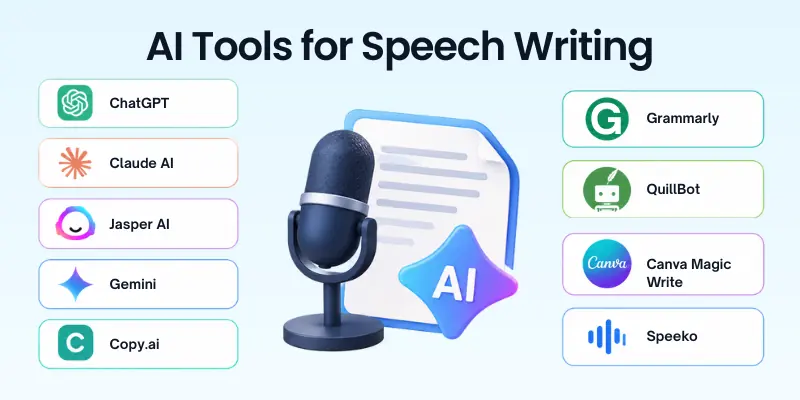
- ChatGPT
- Claude
- Jasper
- Gemini
- Copy.ai
- Grammarly
- Quillbot
- Canva Magic Write
- Speeko
1. ChatGPT
ChatGPT is one of the most flexible options for speech writing. You can give it the occasion, audience, speech length, tone, personal details, and key message, then ask it to create a complete draft.
It is especially useful when you want to work on the speech step by step. You can ask it to create an opening, add a personal story, make the language more conversational, shorten the speech, or create a stronger conclusion. OpenAI currently offers a free plan, while Plus starts at $20 per month.
- Best For: Almost any type of speech
- Speech Types: Keynotes, graduation speeches, wedding speeches, presentations, persuasive speeches, and more
- Writing: Drafts, outlines, openings, conclusions, and revisions
- Tone Control: Formal, friendly, emotional, humorous, persuasive, or conversational
- Customization: Strong when you provide detailed instructions
- Best Feature: Easy back-and-forth editing
- Pricing: Free plan is available; Plus is $20/month, with higher-tier plans also available.
2. Claude
Claude is another strong option for people who want detailed and natural-sounding writing. It can help turn your ideas into a structured speech while keeping the overall message easy to follow.
It can be useful for longer speeches where storytelling, flow, and clear explanations matter. Claude offers a free plan, while its Pro plan is $20 per month when billed monthly.
- Best For: Long speeches and storytelling
- Speech Types: Keynotes, educational talks, presentations, and personal speeches
- Writing: Drafting, rewriting, expanding, and summarizing
- Tone Control: Professional, warm, persuasive, or conversational
- Long-Form Writing: Useful for speeches with several sections
- Best Feature: Strong focus on context and detailed writing
- Pricing: Free plan available; Pro is $20/month, with annual billing discounts available.
3. Jasper
Jasper is mainly built for marketing and business content, but it can also help with speeches that need a professional and consistent voice. It is particularly useful for business leaders, marketers, and teams creating communication materials.
Its brand-focused features can help keep messaging consistent across different pieces of content. Jasper currently lists Pro at $69/month when billed monthly or $59/month when billed yearly.
- Best For: Business and professional speeches
- Speech Types: Corporate speeches, product launches, presentations, and marketing talks
- Writing: Drafting and refining professional content
- Brand Voice: Helps maintain consistent messaging
- Customization: Useful for defined audiences and brand guidelines
- Best Feature: Marketing-focused workflows and brand context
- Pricing: Pro is $69/month monthly or $59/month when billed yearly.
4. Gemini
Google Gemini can help you brainstorm speech ideas, organize talking points, create drafts, and rewrite sections. It can also be useful when your speech needs research or information from the wider web.
This makes Gemini a practical option when your speech combines writing with research. Google currently offers a free Gemini plan, while Google AI Pro is $19.99/month in the US.
- Best For: Speech writing with research
- Speech Types: Presentations, educational speeches, business talks, and event speeches
- Writing: Ideas, outlines, drafts, and rewrites
- Research: Useful when you need supporting information
- Tone Control: Can adapt writing to different audiences
- Best Feature: Combines writing and research capabilities
- Pricing: Free plan available; Google AI Pro is $19.99/month in the US.
5. Copy.ai
Copy.ai is designed around AI-powered writing and business workflows. While it is not a speech-only platform, you can use it to create persuasive messages, talking points, sales presentations, and other business-focused content.
Its current plans include chat access to OpenAI, Anthropic, and Gemini models. The Chat plan is listed at $29/month when billed monthly or $24/month when billed annually.
- Best For: Business and persuasive speeches
- Speech Types: Sales pitches, product launches, corporate presentations, and business talks
- Writing: Drafts, talking points, and persuasive copy
- Workflows: Useful for structured business content
- Model Access: Supports multiple AI models
- Best Feature: Business-focused workflows
- Pricing: Chat starts at $29/month monthly or $24/month when billed annually.
6. Grammarly
Grammarly is especially useful when you already have a speech but want to make it clearer and easier to deliver. Instead of relying on it only for generating a full speech, you can use it to polish your draft.
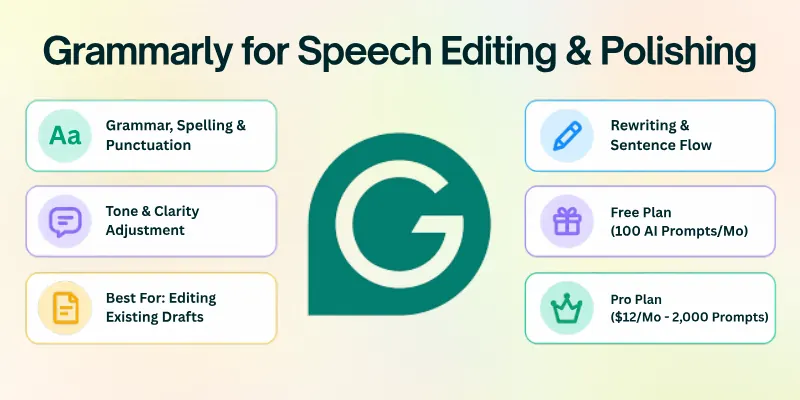
It can help improve grammar, tone, sentence structure, and clarity. Grammarly’s free plan includes 100 AI prompts per month, while Pro includes up to 2,000 AI prompts per member per month and currently costs $12/month.
- Best For: Editing and improving speeches
- Speech Types: Any speech you have already drafted
- Writing: Rewriting, editing, and tone adjustment
- Grammar: Helps correct grammar, spelling, and punctuation
- Tone: Helps make writing clearer and more confident
- Best Feature: Quick editing of existing drafts
- Pricing: Free plan available; Pro is $12/month.
7. Quillbot
Quillbot can be useful when your speech already exists but some sentences feel repetitive, unclear, or too formal. Its paraphrasing tools can help you create alternative wording while keeping the original idea.
This makes it a useful editing companion for speech writers. Its premium plan currently starts at $8.33/month when billed annually, although pricing can vary by region.
- Best For: Rewriting and polishing speeches
- Speech Types: Presentations, academic speeches, and formal talks
- Writing: Paraphrasing and sentence improvement
- Tone: Helps create clearer and smoother wording
- Editing: Useful for reducing repetition
- Best Feature: Multiple rewriting and paraphrasing options
- Pricing: Free features are available; premium starts at $8.33/month when billed annually on the listed plan.
8. Canva Magic Write
Canva Magic Write is a useful choice if you want to write and visually prepare your speech in the same platform. It can generate drafts, rewrite text, create outlines, and help develop scripts from prompts.
Canva also offers an AI script generator for videos, podcasts, presentations, and other formats. Magic Write has free access with usage limits, while paid Canva plans provide higher usage.
- Best For: Speeches connected to presentations
- Speech Types: Presentation speeches, video scripts, educational talks, and promotional content
- Writing: Drafts, outlines, scripts, and rewrites
- Visuals: Easy to combine speech content with presentations
- Brand Voice: Available for maintaining a consistent style
- Best Feature: Writing and visual design in one platform
- Pricing: Free access is available with usage limits; paid plans offer more AI usage.
9. Speeko
Speeko takes a different approach from general AI writing assistants. It focuses more on speech delivery and public speaking skills than on generating a complete speech from scratch.
It can provide AI feedback on your speaking and help you work on vocal delivery, confidence, and presentation skills. Speeko offers a free version, while Pro is listed at $29.99/month or $8.33/month with annual billing.
- Best For: Speech practice and delivery
- Speech Types: Presentations, public speeches, interviews, and talks
- AI Feedback: Provides feedback on speaking performance
- Practice: Includes exercises for improving delivery
- Real-Time Guidance: Available with Pro
- Best Feature: Combines AI feedback with public-speaking practice
- Pricing: Free access is available; Pro is $29.99/month or $8.33/month with annual billing.
How to Choose the Best AI Tool for Speech Writing
The right tool depends on your speech type, writing needs, and how much control you want over the final draft. Consider these points before choosing one:
- For Personal and Emotional Speeches: ChatGPT or Claude can help turn personal experiences into a more structured and engaging speech.
- For Business Speeches: Jasper or Copy.ai can be useful for professional messaging, sales presentations, and corporate communication.
- For Research-Based Speeches: Gemini is a useful option when you need help combining research with speech writing.
- For Editing an Existing Speech: Grammarly or Quillbot can help improve clarity, grammar, tone, and sentence flow.
- For Presentation Speeches: Canva Magic Write is useful when you want to create both the speech and supporting presentation content.
- For Public Speaking Practice: Speeko is a better fit when your main goal is improving delivery, confidence, and speaking skills.
What Makes a Good AI Speech Writing Tool?
A useful speech writing tool should do more than produce a large block of text. Look for features that help you create a speech that fits your audience, occasion, and speaking style.
Here are some important features to consider:
- Tone Control: The tool should let you choose a formal, emotional, friendly, humorous, or persuasive tone.
- Audience Customization: It should adapt the speech to students, employees, customers, guests, or other audiences.
- Speech Structure: A good tool should help organize the introduction, main points, stories, transitions, and conclusion.
- Personalization: The tool should allow you to add your own experiences, examples, opinions, and important details.
- Length Control: Look for options that help you create a short speech or expand it into a longer presentation.
- Editing Features: Rewriting, grammar checking, paraphrasing, and tone adjustment can make the final draft easier to deliver.
- Research Support: This is useful when your speech requires facts, examples, statistics, or background information.
- Natural Language: The final draft should sound like something a person would actually say aloud.
Better Speech Writing With AI
AI can create a strong starting point, but the quality of your instructions greatly affects the result. Give the tool enough context instead of simply asking it to “write a speech.”
Try these steps:
- Explain the Occasion: Tell the AI whether the speech is for a wedding, graduation, conference, business event, or another occasion.
- Describe the Audience: Mention who will listen to the speech and what they already know about the topic.
- Set the Tone: Clearly state whether you want the speech to sound serious, emotional, funny, inspiring, professional, or conversational.
- Give Personal Details: Add real experiences, names, memories, achievements, or examples that make the speech personal.
- Set a Time Limit: Tell the tool whether you need a two-minute, five-minute, or ten-minute speech.
- Ask for a Strong Opening: A good opening can immediately get the audience’s attention.
- Add Natural Transitions: Ask the AI to connect ideas smoothly instead of making every section feel separate.
- Review Every Fact: Check statistics, names, dates, quotes, and other factual claims before using them publicly.
- Rewrite in Your Voice: Change phrases that do not sound like you. The final speech should reflect your personality.
Final Thoughts
In this guide, we have covered ‘best AI tool for speech writing’ and looked at several tools for different speech needs. I recommend choosing a tool based on your speech type, audience, tone, and editing needs instead of simply choosing the most popular option.
Always add your own stories and ideas to the final draft so the speech sounds natural and personal. I hope this guide helps you create a speech that feels confident, clear, and truly yours.
If you found this guide helpful, feel free to share your thoughts in the comments. 😊
FAQs
Looking for quick answers about AI speech writing tools? Here are some common questions to help you choose and use the right tool.
ChatGPT is a strong general-purpose option because it can create, edit, and customize many types of speeches. Claude is also useful for longer and more detailed speeches. The best choice depends on your speech type and writing needs.
Yes. You can give an AI tool your topic and basic requirements, and it can create a first draft for you.
A useful prompt can include:
- Topic: What the speech is about
- Audience: Who will hear it
- Tone: Formal, friendly, emotional, or funny
- Length: For example, 5 or 10 minutes
- Key Points: The ideas you want to include
ChatGPT, Claude, Gemini, and Canva offer free access with different limits. They can help with brainstorming, outlining, drafting, and rewriting. Your choice may depend on the type of speech you want to create.
Yes, ChatGPT can create speeches for many occasions when you provide clear instructions. You can ask it to change the tone, length, structure, or wording. Adding personal details usually produces a more relevant result.
ChatGPT or Claude can be useful for wedding speeches because you can provide personal memories, stories, and details. They can help create a warm, funny, or emotional tone. Always review the final version so it reflects your real relationship with the person.
A graduation speech usually needs a clear message, memorable examples, and an encouraging ending. AI can help you organize these elements and turn your ideas into a structured draft.
You can ask it to include:
- An attention-grabbing opening
- A personal or memorable story
- Lessons learned
- A message for the audience
- A strong closing
Yes, AI tools can rewrite formal or awkward sentences into simpler and more conversational language. Grammarly, Quillbot, ChatGPT, and Claude can help with this. You should still read the speech aloud and make your own changes.
Using AI as a writing assistant can be helpful, especially for brainstorming and organizing ideas. However, you should review the content and make sure it represents your own thoughts. For school, work, or formal events, follow any rules about AI use.
Give the AI the occasion, topic, audience, tone, length, and key points. You can also provide personal stories and explain how you want the speech to begin and end. The more useful context you provide, the easier it is to create a suitable draft.
It is better to treat AI as a writing assistant rather than the final speaker or decision-maker. AI can sometimes produce incorrect facts, generic statements, or wording that does not match your personality.
Before delivering the speech, check the facts, add your own ideas, and read the complete script aloud.





- Be Respectful
- Stay Relevant
- Stay Positive
- True Feedback
- Encourage Discussion
- Avoid Spamming
- No Fake News
- Don't Copy-Paste
- No Personal Attacks
- Be Respectful
- Stay Relevant
- Stay Positive
- True Feedback
- Encourage Discussion
- Avoid Spamming
- No Fake News
- Don't Copy-Paste
- No Personal Attacks
