How to Use AI Tools for Digital Art: Beginner-Friendly Guide
Published: 16 Jun 2026
In traditional ways, creating digital art required years of practice, expensive software, and strong technical skills. Many beginners felt confused because learning drawing, coloring, and design together was overwhelming.
With the advancement of technology, especially artificial intelligence, digital art creation has completely changed. Today, AI tools help anyone create stunning artwork even without drawing skills while still keeping creativity and originality alive.
In this complete guide, I will explain how to use AI tools for digital art and show you how beginners and creators can use AI the smart way.
How to Use AI Tools to Create Digital Art
Guys, below are the exact steps you need to follow to create professional-quality digital art using AI tools easily and confidently.
- Choosing the Right Art Style
- Writing Clear Art Prompts
- Selecting the Best AI Art Tool
- Generating AI Artwork
- Refining and Regenerating Images
- Editing and Enhancing the Artwork
- Exporting and Using the Final Art
Now let us cover all these steps in complete detail.
1. Choosing the Right Art Style
Every digital artwork starts with a clear style choice. Without deciding the art style, AI results often look random or inconsistent. AI tools work best when you clearly guide them.
You should first decide what type of art you want to create. This could be realistic, anime, fantasy, cartoon, watercolor, or abstract art. AI understands styles when described properly.
Important things to focus on:
- Decide the purpose of the artwork
- Choose a style that matches your idea
- Keep the style consistent across generations
This step sets the creative direction for your artwork.
2. Writing Clear Art Prompts
Prompts are the instructions you give to AI. The quality of your digital art depends heavily on how clearly you write prompts. Short and vague prompts give poor results.
A good prompt describes subject, style, colors, mood, background, and details. AI follows what you write, so clarity is very important.
Prompt writing tips:
- Describe the main subject clearly
- Mention art style and lighting
- Add mood and color preferences
Better prompts always produce better art.
3. Selecting the Best AI Art Tool
Different AI tools specialize in different art styles. Some are best for realistic images, while others are better for illustrations or fantasy art. Choosing the right tool saves time and effort.
Popular tools like Midjourney are great for artistic and cinematic images. Tools like DALL·E are beginner-friendly and easy to use. Adobe Firefly is useful for commercial-safe designs.
Selection tips:
- Choose based on your art style
- Check ease of use
- Review usage rights
Using the right tool improves consistency and quality.
4. Generating AI Artwork
Once your prompt and tool are ready, you can generate your first artwork. AI usually provides multiple variations for one prompt. This gives you creative options.
Do not expect perfection in the first attempt. AI art improves with small changes in prompts.
Best practices:
- Generate multiple versions
- Review details carefully
- Save versions you like
This step brings your imagination to life.
5. Refining and Regenerating Images
AI art creation is an iterative process. Refining means adjusting prompts to improve details like face, lighting, background, or proportions.
You can regenerate images by changing words, adding details, or removing unwanted elements. This helps achieve your desired look.
Refinement actions:
- Adjust prompt wording
- Improve composition instructions
- Remove unclear elements
Patience leads to better artwork results.
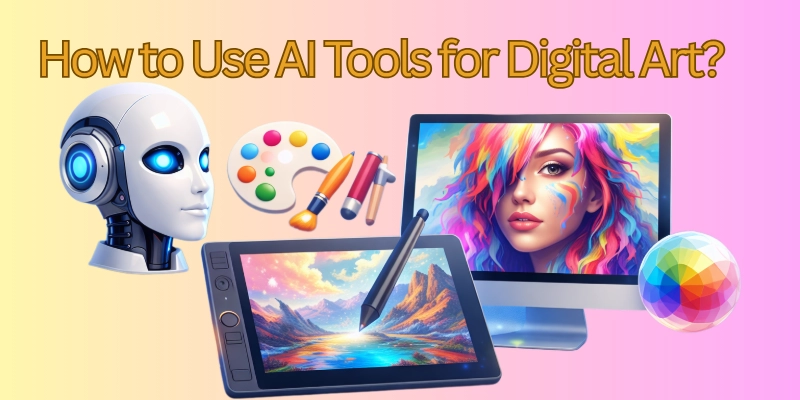
6. Editing and Enhancing the Artwork
After generating the base image, editing enhances quality. AI tools generate art, but polishing makes it professional.
You can improve sharpness, colors, and contrast and remove small flaws using editing software. Even simple edits make a big difference.
Enhancement steps:
- Adjust brightness and contrast
- Improve color balance
- Remove unwanted elements
Editing transforms AI art into finished artwork.
7. Exporting and Using the Final Art
Once editing is complete, export your artwork in the correct format. High-resolution exports are best for printing and commercial use.
You can use AI-generated digital art for websites, social media, NFTs, prints, or personal projects. Always check usage rights before commercial use.
Final usage tips:
- Export in high resolution
- Choose correct file format
- Follow platform guidelines
This complete workflow explains how to use AI tools for digital art in a practical and beginner-friendly way.
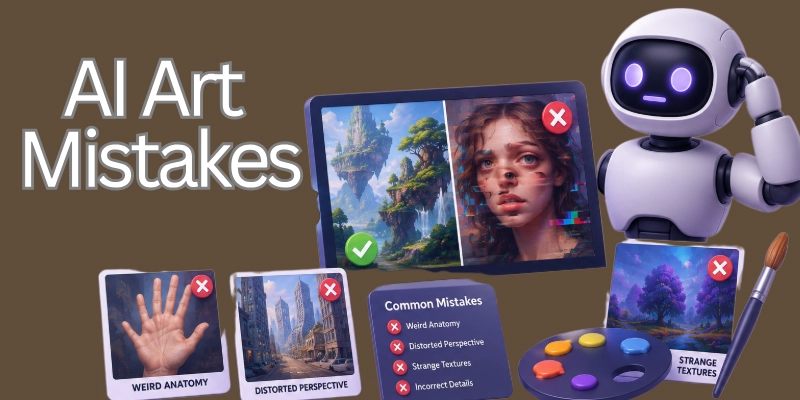
Mistakes to Avoid When Using AI for Digital Art
AI is misused by many novices, who then end up with poor results. It is possible to improve both creativity and output quality by avoiding common mistakes. When properly guided, artificial intelligence functions at its highest level.
Common mistakes to avoid:
- Writing unclear or short prompts
- Expecting perfect results instantly
- Ignoring editing and refinement
- Copying prompts without understanding
- Not checking usage rights
Avoiding these mistakes saves time and frustration.
Final Note
In this guide, we have covered everything from choosing an art style to exporting finished digital artwork using AI tools. You learned how AI simplifies creativity while still allowing personal expression.
As someone experienced in digital creation, my personal recommendation is to treat AI as a creative partner, not a shortcut.
Always refine, edit, and add your own creative touch because this is what separates average art from standout work. This guide clearly shows how to use AI tools for digital art in a practical and beginner-friendly way.
FAQs: How to Use AI Tools for Digital Art
Here are some of the most commonly asked questions related to how to use AI tools for digital art:
Yes, beginners can easily create digital art using AI tools without any drawing skills. AI handles most of the technical work and turns ideas into visuals. With practice and better prompts, results improve quickly. Beginners only need creativity and patience.
AI tools do not require professional design experience. They are built to assist users at all skill levels. Clear instructions and basic editing are enough to create quality artwork. Over time, users naturally improve their creative control.
AI-generated digital art is created based on unique prompts and instructions. Editing and personalization make the artwork more original and unique. Adding your own creative touches improves authenticity. Originality depends on how you guide the AI.
Some AI tools allow commercial use, while others have specific restrictions. You must always check licensing and usage rights before selling or publishing artwork. Commercial-safe tools provide better peace of mind. This step avoids legal problems later.
Prompts are the most important part of AI digital art creation. They control style, subject, mood, and details. Clear and detailed prompts lead to better results. Poor prompts often produce random or low-quality images.
AI tools can generate art inspired by general styles like watercolor or fantasy. You should avoid copying living artists directly. Using descriptive style words is safer and more ethical. This approach also improves originality.
Editing software is not mandatory, but it greatly improves quality. Simple edits help fix colors, sharpness, and small flaws. This step makes artwork look professional. Even basic adjustments create noticeable improvement.
AI can generate images within minutes. Refining prompts and editing takes more time. High-quality results need patience and testing. Speed improves as you gain experience.
Yes, AI digital art works well for social media posts and branding visuals. It helps maintain consistent style and saves time. Custom prompts improve brand identity. Many creators use AI for regular content creation.
The best advice is to treat AI as a creative partner, not a shortcut. Always refine prompts and edit results carefully. Add your personal vision and creativity. This approach produces unique and high-quality digital art.




- Be Respectful
- Stay Relevant
- Stay Positive
- True Feedback
- Encourage Discussion
- Avoid Spamming
- No Fake News
- Don't Copy-Paste
- No Personal Attacks
- Be Respectful
- Stay Relevant
- Stay Positive
- True Feedback
- Encourage Discussion
- Avoid Spamming
- No Fake News
- Don't Copy-Paste
- No Personal Attacks
