Best Generative AI Tools: Top Picks & Uses
Published: 15 Jun 2026
Artificial intelligence is reshaping creativity, productivity, and problem‑solving across every industry. Generative AI tools, which can generate text, images, audio, video, code, and more, are leading this transformation.
Whether you’re a student, creator, researcher, developer, or business owner, generative AI tools help automate tasks, spark ideas, and produce high‑quality output faster than ever.
This guide will highlight the best generative AI Tools available today and explain how they can be used to maximize results.
Best Generative AI Tools
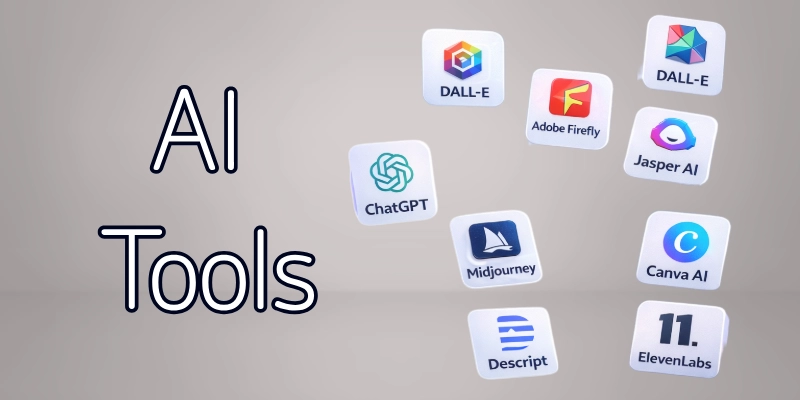
Here are the top generative AI tools that are widely used for creating content, enhancing workflows, and accelerating innovation:
- ChatGPT
- Midjourney
- DALL‑E
- Adobe Firefly
- Jasper AI
- Canva AI
- Runway ML
- Bard AI
- Synthesia
- GitHub Copilot
- Descript
- ElevenLabs
Below, we’ll explore each tool in detail so you know what it does and how to make the most of it.
1. ChatGPT
ChatGPT is a leading AI language model that can generate high‑quality written content, answer questions, help with research, draft emails, write code, and assist with brainstorming ideas. It is one of the most versatile generative tools available and works across many domains. Whether you need help creating essays, planning projects, drafting marketing copy, or generating scripts, ChatGPT can handle it interactively through conversation. The AI adapts responses based on how you communicate, making it highly flexible for different use cases.
How to Use It:
- Ask questions to generate tailored written responses
- Use prompts to write articles, outlines, or summaries
- Request creative outputs like stories or poems
- Generate social media captions or brand content
- Get revisions and rephrasing suggestions
2. Midjourney
Midjourney is a generative AI tool for creating artistic and imaginative visuals from text prompts. It’s especially popular for designers, storytellers, and visual creators who want unique artwork or concept images. Midjourney interprets descriptive language and turns ideas into detailed, high‑quality images. You can experiment with styles, moods, themes, and artistic effects, with no graphic design experience needed.
How to Use It:
- Enter a detailed text prompt describing your visual idea
- Adjust stylistic tags (e.g., “cyberpunk,” “photorealistic”)
- Generate multiple versions of the image
- Refine with additional prompt edits
- Export images for use in projects
3. DALL‑E
DALL‑E, developed by OpenAI, is another powerful generative image tool that creates visuals from text. It excels in producing creative and accurate illustrations, concept art, and design ideas. DALL‑E can interpret abstract prompts and combine elements creatively. It’s useful for marketing visuals, storyboarding, mood boards, and artistic exploration.
How to Use It:
- Type descriptive text prompts
- Include styles, color schemes, or specific details
- Review multiple image variants
- Refine prompts for better results
- Download or edit images
4. Adobe Firefly
Adobe Firefly is Adobe’s generative AI suite focused on creative workflows like visual design, content creation, and prototyping. It integrates with Adobe’s tools (Photoshop, Illustrator) and allows creators to generate images, effects, and layouts using simple prompts.
Firefly supports text‑to‑image, text‑to‑vector, and generative fill features, making it ideal for designers and creative professionals.
How to Use It:
- Use text prompts to generate design assets
- Apply generative fill for photo editing
- Export assets to Adobe Creative Cloud tools
- Modify visuals manually after generation
- Experiment with artistic styles
5. Jasper AI
Jasper AI is a generative content platform designed for marketing, blogging, social media, and SEO‑optimized writing. It helps businesses and creators produce long‑form content, ad copy, email campaigns, and landing page text quickly. With templates and tone controls, Jasper makes it easy to generate content that aligns with brand voice and marketing goals.
How to Use It:
- Choose a content template (e.g., blog intro, ad copy)
- Provide a topic or keywords
- Generate multiple text versions
- Edit and refine output
- Export for publishing
6. Canva AI
Canva AI is Canva’s built‑in generative tool that creates visuals, designs, layouts, and text content. It empowers users to create professional graphics without design expertise. Canva AI can generate social media posts, banners, presentations, and even AI‑generated images within templates. It’s a versatile tool for students, marketers, and creators alike.
How to Use It:
- Select a design template
- Use text prompts to generate images or content
- Customize colors, fonts, and layouts
- Export designs for presentations or social media
- Collaborate with team members
7. Runway ML
Runway ML is a generative AI platform for video creation and editing. It offers tools for text‑to‑video, motion tracking, background removal, and video enhancements. Creators can generate cinematic sequences, animate still images, and create professional video content without advanced editing skills. It’s especially useful for social media content and creative production.
How to Use It:
- Upload media or use text prompts
- Choose video generation or editing feature
- Apply effects or transitions
- Review and refine output
- Export video files
8. Bard AI
Bard is a generative language model developed by Google that excels in conversational assistance, research summarization, and idea generation. It can help students, professionals, and businesses quickly get research insights, summaries, and structured content. With strong integration with Google search, Bard is useful for up‑to‑date information and exploratory prompts.
How to Use It:
- Ask Bard research questions
- Request topic summaries
- Generate structured outlines
- Compare information from different sources
- Use conversational prompts for deep dives
9. Synthesia
Synthesia is a generative AI video creation platform that enables you to create professional videos with AI avatars. You can generate voiceovers, translations, and realistic human presenters from text. It’s used widely in corporate training, educational videos, marketing, and internal communications.
How to Use It:
- Choose an AI presenter and background
- Enter script text for narration
- Select language and voice style
- Generate video segments
- Export for presentations or learning modules
10. GitHub Copilot
GitHub Copilot is a generative AI coding assistant powered by OpenAI Codex. It helps developers write code faster, suggesting entire functions, completing syntax, and generating comments. Copilot supports multiple languages and integrates with popular editors like Visual Studio Code. It’s ideal for students and professionals coding projects or learning new languages.
How to Use It:
- Type a code comment or function description
- Accept or modify AI‑generated code
- Use suggestions for debugging
- Test and refine generated functions
- Learn through example code
11. Descript
Descript is a generative AI tool for audio and video editing. It allows users to edit recordings like text documents, removing, adding, or rearranging content easily. It also offers AI voice generation, transcription, and filler word removal. For podcast creators, video editors, and content producers, Descript simplifies production workflows.
How to Use It:
- Upload audio or video files
- Use text editor interface to make edits
- Generate AI voiceovers or subtitles
- Remove filler words or noise
- Export final media
12. ElevenLabs
ElevenLabs is a cutting‑edge AI speech generator famous for its natural‑sounding voice synthesis. It converts text into lifelike speech, useful for narration, audiobooks, voiceovers, and accessibility tools. It’s particularly valuable for creators who need high‑quality spoken content without professional recording setups.
How to Use It:
- Paste text for speech generation
- Select voice style and tone
- Adjust speed and emphasis
- Generate audio files
- Use for narration or accessibility
Final Thoughts
In this guide we have covered the 12 best generative AI tools in detail. Generative AI tools are no longer futuristic; they’re practical, powerful, and available now. They help with writing, design, research, coding, media creation, and more.
The key to using them effectively is knowing which tools suit your specific needs and integrating them into your workflow wisely. Whether you’re a student, creator, developer, or professional, generative AI can amplify your creativity and productivity.
FAQs
Here are some of the most commonly asked questions about generative AI tools:
A generative AI tool is a computer program that can make new text, images, videos, audio, or code. It works by following the instructions you give it. People use it for writing, designing, and creating content quickly.
Yes, most are safe to use, but be careful with personal or private information. Don’t share passwords or confidential details. Check the tool’s rules to keep your data safe.
No, you don’t need special skills. Most tools are easy to use; you just type what you want. Some advanced options might need learning, but basic use is simple.
ChatGPT and Jasper AI are great for writing articles, blogs, or marketing content. They can help you save time and get ideas. Choose a tool that fits what you need to write.
No, AI can help humans but not replace them. It speeds up work and gives ideas, but people are still needed for creativity and decisions. AI works best as a helper.
Some AI tools are free or have free trials. Paid versions give more features and options. Look at the plan that fits your needs and budget.
Pick a tool based on what you want: writing, designing, coding, or research. Check how easy it is to use, the price, and what features it has. Choose the one that works best for you.
Yes, AI saves time by doing tasks faster and creating content quickly. This lets you focus on important work and ideas. It can make work easier and faster.
AI can make mistakes, so always check the results. Accuracy depends on how clear your instructions are. Review and correct the content when needed.
Yes, AI keeps getting better with new technology. It will become smarter, faster, and easier to use. Tools will keep improving over time.






- Be Respectful
- Stay Relevant
- Stay Positive
- True Feedback
- Encourage Discussion
- Avoid Spamming
- No Fake News
- Don't Copy-Paste
- No Personal Attacks
- Be Respectful
- Stay Relevant
- Stay Positive
- True Feedback
- Encourage Discussion
- Avoid Spamming
- No Fake News
- Don't Copy-Paste
- No Personal Attacks
