How to Use AI Tools for CRM: Beginner-Friendly Guide
Published: 5 Jun 2026
In traditional ways, Customer Relationship Management (CRM) required manual tracking of customers, long spreadsheets, and constant follow-ups. Sales and marketing teams often felt confused because managing leads, tracking interactions, and analyzing customer data was time-consuming and error-prone.
With the advancement of technology, especially artificial intelligence, everything has changed. Today, AI tools make CRM faster, smarter, and more efficient. They can automate repetitive tasks, predict customer behavior, and provide actionable insights.
In this guide, I will explain how to use AI tools for CRM and show you how to improve customer relationships, sales, and business growth.
How to Use AI Tools for CRM
Guys, below are the exact steps you need to follow to manage your customers effectively using AI tools in CRM. These steps will make your workflow faster and more organized.
- Defining CRM Goals
- Collecting Customer Data
- Selecting the Right AI CRM Tool
- Automating Tasks and Workflows
- Analyzing Customer Behavior
- Personalizing Customer Communication
- Tracking Sales Performance
- Using Insights for Business Growth
Now let’s cover each step in complete detail.
1. Defining CRM Goals
CRM is effective only if you know what you want to achieve. Without goals, AI tools cannot provide meaningful insights. You need to define clear objectives for your CRM system.
Some common goals include improving lead management, increasing customer retention, tracking sales performance, and enhancing customer support. Clear goals help AI tools focus on the right tasks and analytics.
Key points to define:
- Identify your top business priorities
- Decide which metrics matter most
- Keep goals simple, measurable, and realistic
This step ensures that your AI-driven CRM delivers real value.
2. Collecting Customer Data
AI CRM tools work best when they have accurate and complete data. Collecting the right customer information is essential for effective analysis and decision-making.
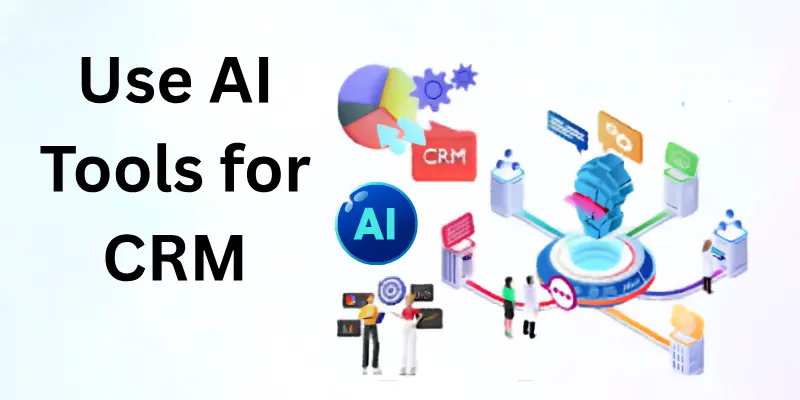
You should gather data from multiple sources like websites, social media, email campaigns, and previous sales records. This data includes customer names, contact details, purchase history, preferences, and behavior patterns.
Data collection tips:
- Ensure data is clean and up-to-date
- Avoid duplicate or irrelevant data
- Integrate all data sources for completeness
High-quality data improves AI insights and decision-making.
3. Selecting the Right AI CRM Tool
Different AI CRM tools specialize in different tasks. Some focus on sales automation, while others are designed for marketing or customer support.
Popular AI CRM tools include:
- Salesforce Einstein – excellent for predictive analytics and automation
- HubSpot AI – beginner-friendly, integrates marketing, sales, and service
- Zoho CRM AI – helps with lead scoring and customer insights
Tool selection tips:
- Match the tool features with your business goals
- Check ease of integration with existing systems
- Look for AI capabilities like automation, prediction, and reporting
Choosing the right tool ensures smooth AI-powered CRM adoption.
4. Automating Tasks and Workflows
Automation reduces human error and saves time. It also ensures that no customer or lead is forgotten.
Automation best practices:
- Automate repetitive communication and reminders
- Use AI for lead scoring and routing
- Regularly review automated workflows for accuracy
This step increases efficiency and allows your team to focus on high-value tasks.
5. Analyzing Customer Behavior
AI tools can analyze customer behavior and reveal trends that humans may miss. This helps in understanding preferences, buying patterns, and engagement levels.
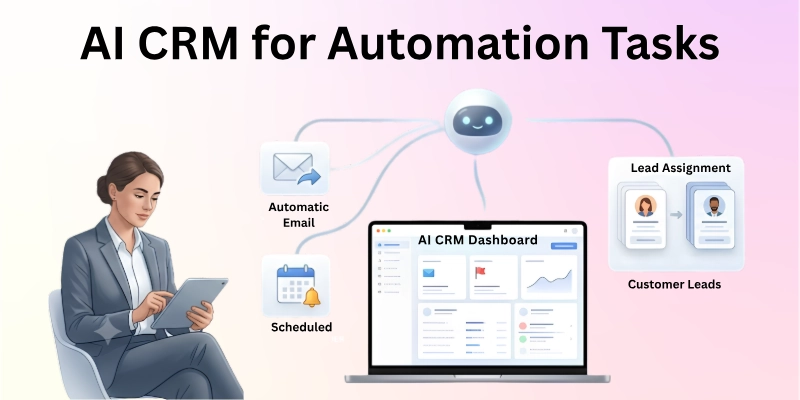
You can analyze how customers interact with emails, websites, social media, and previous purchases. AI provides actionable insights, such as which leads are most likely to convert.
Analysis tips:
- Focus on key metrics like engagement, purchase frequency, and lifetime value
- Identify patterns in customer behavior
- Use insights to improve targeting and retention strategies
Behavior analysis helps you make data-driven decisions and improve CRM performance.
6. Personalizing Customer Communication
AI CRM tools help personalize communication at scale. Personalized messages make customers feel valued and increase engagement.
AI can suggest the best time to send emails, recommend products based on purchase history, and even draft customized responses for support requests.
Personalization tips:
- Use customer names and past interactions
- Tailor messages based on preferences and behavior
- Avoid generic communication to build trust
Personalization improves customer satisfaction and strengthens relationships.
7. Tracking Sales Performance
AI CRM tools provide insights into sales performance in real-time. You can track leads, deals, and sales pipelines effectively.
AI can forecast sales trends, highlight top-performing products, and identify underperforming areas. This allows managers to make better decisions and optimize the sales process.
Sales tracking tips:
- Monitor KPIs such as conversion rate, deal value, and sales cycle length
- Use dashboards to visualize performance
- Take action based on AI recommendations
This step ensures that your sales process is efficient and goal-oriented.
8. Using Insights for Business Growth
The ultimate goal of AI CRM is to use insights for growth. AI helps identify opportunities, improve customer experience, and make strategic decisions.
You can use insights to increase sales, retain loyal customers, and improve marketing campaigns. Consistent monitoring and action based on AI predictions drive long-term success.
Business growth tips:
- Apply AI insights to marketing, sales, and support
- Continuously refine strategies based on data
- Track results to measure improvement
This full workflow explains how to use AI tools for CRM practically and effectively.
Mistakes to Avoid When Using AI for CRM
There are a lot of novices who waste AI CRM tools and end up with confusing results. The accuracy and efficiency of the work are both improved by avoiding these mistakes.
Common mistakes to avoid:
- Setting unclear CRM goals
- Using incomplete or messy data
- Ignoring AI insights or recommendations
- Not reviewing reports regularly
Avoiding these mistakes ensures your AI CRM delivers real results.
Final Note
In this guide, we have covered everything from CRM goal setting to using AI insights for business growth. You learned how AI simplifies customer management, automation, and sales tracking.
As an experienced CRM user, my personal recommendation is to start small with automation and gradually scale up. Focus on understanding customer needs, refining workflows, and personalizing communication. This guide clearly explains how to use AI tools for CRM in a practical and beginner-friendly way.
FAQs: How to Use AI Tools for CRM
Here are some of the most commonly asked questions related to how to use AI tools for CRM:
Yes, beginners can use AI CRM tools easily. Most tools are user-friendly and automated. With practice, beginners can manage leads, track customers, and improve sales efficiently.
No, AI CRM tools do not require technical expertise. They are designed for easy use with dashboards and guided workflows. Basic training is enough to start.
Yes, AI can automate emails, follow-ups, and reminders. Automation reduces errors and saves time. Personalized communication can also be applied automatically.
AI studies customer interactions, purchase history, and engagement data. It identifies trends and predicts future behavior. Insights help improve marketing, sales, and support strategies.
Yes, AI CRM helps improve lead scoring, forecast sales, and optimize pipelines. These insights make sales efforts more effective. Applying recommendations increases conversion rates.
Yes, most AI CRM tools provide real-time dashboards and analytics. Managers can track performance instantly. This helps make quick, data-driven decisions.
Yes, AI can create personalized messages for emails, marketing, and support. It considers customer behavior and preferences. Personalization improves engagement and loyalty.
Yes, AI CRM is very helpful for small businesses. It saves time, improves efficiency, and helps manage customer relationships professionally. Even small teams can scale their efforts.
Collect data like contact information, purchase history, website interactions, and support tickets. Clean and accurate data improves AI analysis. Integration from multiple sources is recommended.
Start by defining clear goals and collecting quality data. Automate simple tasks first and use AI insights to guide decisions. Gradually scale workflows for maximum impact.






- Be Respectful
- Stay Relevant
- Stay Positive
- True Feedback
- Encourage Discussion
- Avoid Spamming
- No Fake News
- Don't Copy-Paste
- No Personal Attacks
- Be Respectful
- Stay Relevant
- Stay Positive
- True Feedback
- Encourage Discussion
- Avoid Spamming
- No Fake News
- Don't Copy-Paste
- No Personal Attacks
