Best AI App Builders: Top Picks & Features
Published: 17 May 2026
Artificial intelligence is transforming how apps are built, empowering creators to design, develop, test, and deploy applications faster, with less code and fewer technical skills needed. Whether you’re building mobile apps, web apps, or business tools, AI app builders help automate coding, UI design, backend logic, and user workflows.
If you want to launch apps quickly and efficiently, knowing the best AI app builders available today is essential. This guide highlights the top solutions and explains how each one helps streamline app creation.
Best AI App Builders
Here are the most effective AI-powered app builders that creators and businesses use to design, develop, and launch applications fast:
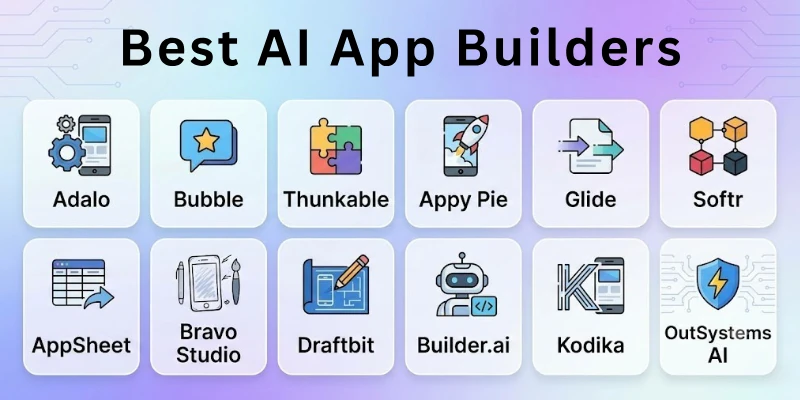
- Adalo
- Bubble
- Thunkable
- Appy Pie
- Glide
- Softr
- AppSheet
- Bravo Studio
- Draftbit
- Builder.ai
- Kodika
- OutSystems AI
So guys, let us learn about each in detail.
1. Adalo
Adalo is a no-code app builder that uses AI-assisted components to help you design native mobile apps without writing code. It features drag-and-drop UI elements, built-in databases, and logic workflows. AI suggestions help you streamline layouts and components based on best UX practices. Adalo is ideal for simple to medium-complex mobile apps like directories, marketplaces, and event apps.
How to Use It:
- Select a template or start from scratch
- Use drag-and-drop components to build UI
- Connect screens with workflows
- Integrate databases and user logic
- Publish to app stores
2. Bubble
Bubble is a powerful no-code web app builder with AI-enhanced workflow automation. It’s flexible enough to build complex web applications with user authentication, APIs, and data logic without coding. Its AI features help automate repetitive tasks, generate template suggestions, and even write custom logic flows. Bubble is perfect for entrepreneurs building MVPs, SaaS apps, and internal tools.
How to Use It:
- Choose a project or template
- Use visual editor to lay out the design
- Add workflows and logic with AI assistance
- Connect external APIs if needed
- Deploy and host online
3. Thunkable
Thunkable is a drag-and-drop app builder focused on mobile and cross-platform apps. Its AI tools assist with UI placement, screen logic, and component suggestions. Thunkable also supports data collections and integrations. It’s ideal for students, hobbyists, and creators who want to build functional mobile apps quickly.
How to Use It:
- Start a new project
- Drag components onto screens
- Set behaviors and actions using AI hints
- Add data sources
- Export apps to Android or iOS
4. Appy Pie
Appy Pie’s AI-powered app builder lets users create mobile and web apps without technical skills. It uses simple prompts to generate initial app structures, layouts, and features. You can choose modules for e-commerce, booking systems, chat features, and more. Appy Pie suits small businesses, service providers, and entrepreneurs.
How to Use It:
- Enter app name and industry
- Let AI generate framework
- Customize screens and features
- Add integrations (payment, chat, etc.)
- Publish to stores
5. Glide
Glide converts spreadsheets into powerful apps instantly. Its AI features help generate layouts, logic, and interactive components from spreadsheet data. You can build directories, inventories, community apps, and dashboards without coding. Glide is great for rapid prototyping and internal tools.
How to Use It:
- Upload spreadsheet (Google Sheets, Excel)
- Let Glide generate app layout
- Customize visuals and interactions
- Preview on mobile
- Publish and share via link
6. Softr
Softr uses AI assistance to generate web and mobile apps from Airtable, Google Sheets, or custom databases. It’s known for community platforms, membership apps, and internal tools. AI suggestions help you choose templates, UI components, and logic workflows. Softr makes complex app creation accessible to non-developers.
How to Use It:
- Connect your data source
- Select a template
- Use drag-and-drop to customize
- Add user authentication and roles
- Publish and manage
7. AppSheet
AppSheet (by Google) is a no-code app builder that leverages AI insights to automate workflows, data capture, and business logic. It’s great for enterprise tools, field service apps, and operations automation. AppSheet can generate apps directly from spreadsheets, SQL, or cloud data. AI features help optimize logic and suggest automations.
How to Use It:
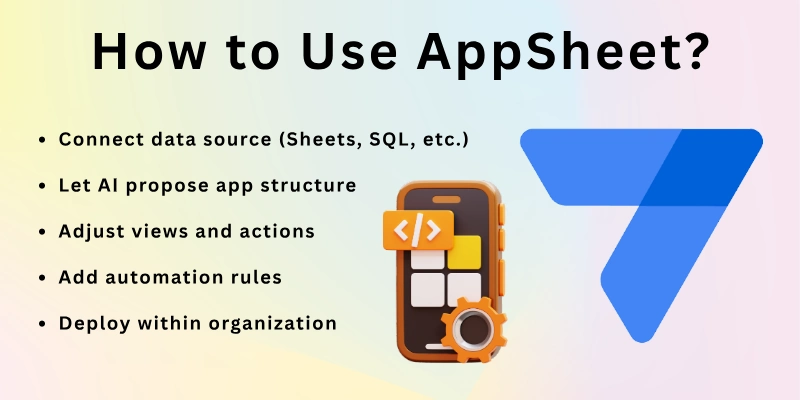
- Connect data source (Sheets, SQL, etc.)
- Let AI propose app structure
- Adjust views and actions
- Add automation rules
- Deploy within organization
8. Bravo Studio
Bravo Studio turns Figma designs into native mobile apps instantly. Its AI tools help translate UI layers into real app components, connecting them to backend services and data. This makes it ideal for designers who want to convert visual prototypes into working applications with minimal coding.
How to Use It:
- Design interface in Figma
- Use Bravo AI to interpret layers
- Connect APIs and data
- Set navigation logic
- Publish to iOS and Android
9. Draftbit
Draftbit is a visual app builder for React Native with AI-enhanced code generation. It allows designers and developers to build interfaces visually while generating clean code in the background. Draftbit is perfect for creators who want design freedom and future code portability.
How to Use It:
- Start with visual editor
- Use AI suggestions for components
- Customize screens and navigation
- Export or sync code
- Test on devices
10. Builder.ai
Builder.ai is an AI-powered platform that builds custom apps with no coding required. Its AI helps generate app logic, suggest features, and estimate development effort automatically. It’s suitable for business owners and startups that want tailored apps with professional support.
How to Use It:
- Enter your app idea and requirements
- AI estimates features and modules
- Customize UI choices
- Review timeline and cost
- Builder.ai team builds and deploys
11. Kodika
Kodika is an AI-assisted app creator for iOS (and soon Android) that uses visual tools and modular logic blocks. Its AI helps design screens, logic flows, and navigation without code. Kodika is ideal for independent creators and app designers looking for native iOS development without coding.
How to Use It:
- Start a blank project or template
- Add UI elements visually
- Connect logic blocks
- Preview in real time
- Export to Xcode for publishing
12. OutSystems AI
OutSystems is an enterprise-grade low-code platform with AI automation and development assistance. It helps teams build scalable mobile and web apps with integrations, backend logic, and security. OutSystems AI tools help analyze requirements, generate code suggestions, and optimize workflows. It’s ideal for organizations needing robust enterprise applications.
How to Use It:
- Define app requirements
- AI proposes architecture and logic
- Build UI and backend modules
- Integrate systems and APIs
- Deploy and monitor
Final Thoughts
In this guide, we have covered all the top AI app builders in great detail. AI app builders make app development accessible to everyone, from beginners and solopreneurs to designers and enterprise teams. Some platforms focus on no-code ease (Adalo, Appy Pie, Glide) while others focus on designer-friendly builds (Bravo, Draftbit) or enterprise-grade automation (OutSystems, AppSheet).
Start by identifying your project needs, mobile app, web app, business tool, or internal system, and pick a builder that fits your goals and scale.
FAQs
Here are some of the most commonly asked questions related to the best AI app builders:
Most AI app builders are no-code or low-code platforms. You do not need programming skills to use them. Some tools also allow code export if needed.
Yes, many tools like Adalo, Bravo Studio, and Thunkable allow you to publish apps. You can launch apps on the Apple App Store and Google Play Store. This helps you reach real mobile users.
Some AI app builders offer free plans with limited features. Advanced features and app publishing usually require paid plans. You can choose a plan based on your needs.
Yes, many tools support databases and user login systems. They also allow you to create workflows and automation. This helps your app function properly.
Beginner-friendly platforms include Appy Pie and Glide. These tools are easy to use and do not require technical skills. They are great for startups and small businesses.
Yes, some platforms are made for business and enterprise use. Tools like OutSystems and AppSheet support large-scale apps. They offer advanced features for growing companies.
Yes, platforms like Bravo Studio can turn designs into working apps. You can import designs and connect them to data. This saves time in development.
Some tools like Draftbit can generate exportable code. Other platforms keep everything visual and do not show the code. You can choose based on your preference.
Most trusted platforms follow good security practices. However, you should still use strong passwords and data protection settings. Keeping your app updated is important for safety.
You can build a simple app in a few hours. More complex apps may take a few days. AI tools make the process much faster than traditional coding.






- Be Respectful
- Stay Relevant
- Stay Positive
- True Feedback
- Encourage Discussion
- Avoid Spamming
- No Fake News
- Don't Copy-Paste
- No Personal Attacks
- Be Respectful
- Stay Relevant
- Stay Positive
- True Feedback
- Encourage Discussion
- Avoid Spamming
- No Fake News
- Don't Copy-Paste
- No Personal Attacks
