Best AI Tools for Remote Work: Top Picks 2026
Published: 16 May 2026
Artificial intelligence is changing the way we work, especially for remote teams and digital professionals. With AI tools, you can automate repetitive tasks, improve communication, boost productivity, manage projects seamlessly, and even streamline collaboration across time zones.
Whether you’re freelancing, managing a distributed team, or working from home, the right AI tools for remote work can dramatically improve efficiency and work quality.
Here’s a detailed guide to the best AI tools that help remote workers stay organized, creative, productive, and connected.
Best AI Tools for Remote Work
Here are top AI‑powered tools that remote workers and distributed teams rely on to get more done:
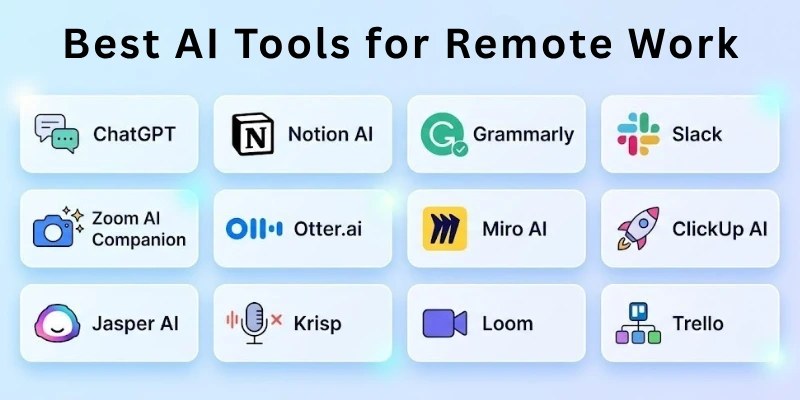
- ChatGPT
- Notion AI
- Grammarly
- Slack + AI Assistants
- Zoom AI Companion
- Otter.ai
- Miro AI
- ClickUp AI
- Jasper AI
- Krisp
- Loom
- Trello + AI
So guys, let us learn about each in detail.
1. ChatGPT
ChatGPT is a conversational AI assistant that helps remote workers with writing, research, brainstorming, summaries, meeting follow‑ups, problem solving, and task automation. You can quickly generate content drafts, clarify complex ideas, translate text, and even create code or workflows, all through natural language.
How to Use It:
- Draft emails, reports, and proposals
- Create summaries of long discussions
- Brainstorm ideas or content outlines
- Generate code snippets or scripts
- Ask for problem‑solving steps
2. Notion AI
Notion AI brings intelligence to your workspace, helping you summarize notes, write project plans, generate SOPs, and create structured tasks. It’s perfect for remote teams that need one centralized system for knowledge, planning, documentation, and action.
How to Use It:
- Generate meeting summaries
- Automate project outlines
- Create templates and SOPs
- Organize notes with AI tagging
- Convert rough ideas into structured plans
3. Grammarly
Grammarly is an AI writing assistant that helps remote workers communicate clearly and professionally. It corrects grammar, enhances tone, and improves clarity across emails, documents, messages, and social content, which is crucial when written communication is the backbone of remote work.
How to Use It:
- Add the browser extension
- Check emails and messages in real time
- Apply tone suggestions for professionalism
- Review clarity and conciseness recommendations
- Enable business writing mode
4. Slack + AI Assistants
Slack integrated with AI assistants helps teams automate responses, generate message summaries, suggest replies, and create smart notifications. AI enhances collaboration by reducing message clutter and helping team members catch up faster.
How to Use It:
- Use AI chat summaries of channels
- Ask for suggested replies
- Trigger automations (e.g., reminders)
- Create quick FAQ bots
- Reduce repetitive messages
5. Zoom AI Companion
Zoom’s AI Companion helps remote meetings become more efficient with auto transcription, instant summaries, follow‑up action items, and smart highlights. This is essential when teams are spread across time zones and can’t attend every call live.
How to Use It:
- Record meetings with AI transcription
- Get instant highlights of key points
- Create action items automatically
- Send summaries to attendees
- Search past meetings using keywords
6. Otter.ai
Otter.ai provides advanced transcription and meeting capture for remote teams. It automatically records, transcribes, and organizes meetings, with speaker identification and keyword indexing. This makes review and collaboration effortless.
How to Use It:
- Record virtual meetings
- Edit and annotate transcripts
- Search for discussion topics
- Share transcripts with teammates
- Export summaries
7. Miro AI
Miro AI adds AI‑powered brainstorming, idea clustering, diagram suggestions, and content generation to Miro’s visual whiteboard platform. It’s perfect for remote ideation sessions, workshops, and team planning.
How to Use It:
- Generate visual diagrams from text
- Run brainstorming sessions
- Create frameworks and mind maps
- Automatically group ideas
- Export boards for presentation
8. ClickUp AI
ClickUp AI enhances project management by generating tasks, meeting notes, summaries, and workflows. Remote teams can automate status updates, create structured plans, and generate new content right inside ClickUp, reducing manual planning.
How to Use It:
- Create tasks from written text
- Auto‑summarize project discussions
- Generate meeting notes and action items
- Suggest task priorities
- Track project progress
9. Jasper AI
Jasper AI is an AI content assistant that helps remote workers produce marketing copy, emails, blog posts, newsletters, and social content. For entrepreneurs or marketing teams working remotely, it speeds up writing with templates and style controls.
How to Use It:
- Generate content drafts
- Create email campaigns
- Rewrite text for tone and clarity
- Produce SEO‑optimized content
- Generate social media posts
10. Krisp
Krisp uses AI to eliminate background noise from calls and recordings, a must-have for remote workers who may join meetings from noisy environments. It works with Zoom, Teams, Slack, and other communication tools.
How to Use It:
- Enable Krisp during calls
- Remove background noise
- Improve voice clarity
- Use in recordings
- Adjust noise filters
11. Loom
Loom lets remote workers create quick video messages and screen recordings, with AI transcription and summaries. This helps explain ideas, demos, and feedback when synchronous meetings aren’t possible.
How to Use It:
- Record screen + camera
- Add voice narration
- Generate video transcriptions
- Share quick explainers
- Use summaries for reference
12. Trello + AI
Trello powered with AI automation helps remote teams manage boards more effectively by generating card content, suggesting labels, automating due dates, and summarizing activity. It’s a simple but powerful project management tool with AI‑enhanced workflows.
How to Use It:
- Generate task descriptions
- Automate status changes
- Assign due dates automatically
- Summarize board activity
- Filter tasks with AI suggestions
Final Thoughts
In this guide, we’ve covered the best AI tools for remote work. AI tools make remote work more productive, coordinated, and stress‑free. Whether you’re communicating across time zones, managing projects, creating content, or capturing knowledge, AI helps automate routine tasks and keeps teams aligned.
The key is choosing tools that match your workflow and integrating them thoughtfully so they enhance, not overload, your remote setup.
FAQs
Here are some of the most commonly asked questions related to AI tools for remote work:
Yes, AI tools can make communication clearer and faster. They offer grammar fixes, smart replies, better voice quality, and call summaries. This helps both real-time and delayed communication.
Most transcription tools, like Otter.ai and Zoom AI Companion, provide high-quality transcriptions. Accuracy is better when audio is clear and noise-free.
No, most remote work AI tools are easy to use. They are designed for people without technical knowledge. You can start using them quickly.
Yes, tools like Zapier and Slack AI can automate repetitive tasks. They can send reminders, move data, and save time.
Yes, AI project management tools like ClickUp and Trello can create tasks, set priorities, and automate updates. This keeps projects organized and on track.
Most trusted AI tools follow strong security rules. You should still use proper access controls and data policies. This protects sensitive company information.
No, AI helps with efficiency, but human judgment is still important. Collaboration, creativity, and decision-making need people. AI is best used as a support tool.
Yes, AI tools are great for freelancers and small distributed teams. They help manage tasks, communication, and projects efficiently. This saves time and effort.
Many remote work AI tools have free versions. Paid plans unlock advanced features and larger limits. You can start free and upgrade when needed.
AI saves time, reduces repetitive work, and improves coordination across teams. It helps remote teams communicate clearly and stay productive.






- Be Respectful
- Stay Relevant
- Stay Positive
- True Feedback
- Encourage Discussion
- Avoid Spamming
- No Fake News
- Don't Copy-Paste
- No Personal Attacks
- Be Respectful
- Stay Relevant
- Stay Positive
- True Feedback
- Encourage Discussion
- Avoid Spamming
- No Fake News
- Don't Copy-Paste
- No Personal Attacks
