Best AI Tools for College Students: Top Picks
Published: 9 Jun 2026
Artificial intelligence is reshaping how students study, research, write, and manage academic tasks.
College students juggle lectures, assignments, presentations, projects, research, and exam preparation, so AI tools can be a game changer. From organizing notes to generating summaries, improving writing, and helping with research, AI makes learning smarter and faster.
If you want to know the best AI tools for college students and how each can support your studies, this guide will explain the most valuable options and how to use them effectively.
Best AI Tools for College Students
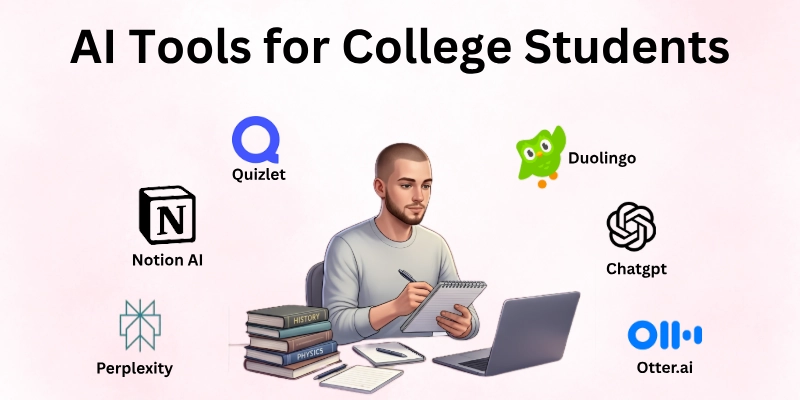
Guys, here are the best AI tools that college students can use for studying, assignments, productivity, and learning:
- ChatGPT
- Grammarly
- Notion AI
- Perplexity
- Quizlet
- Mendeley
- Canva AI
- Otter.ai
- Wolfram|Alpha
- Duolingo
- Canva Docs AI
- Khan Academy
So guys, let us learn about each in detail.
1. ChatGPT
ChatGPT is an AI language model that can help with explanation, brainstorming, research ideas, writing support, and study planning. College students can ask it questions, get summaries of complex topics, generate essay drafts, and even create code snippets.
Its conversational style makes it easy to clarify doubts and build understanding quickly. ChatGPT also offers personalized feedback and examples, which is helpful for projects, homework, or presentations.
How to Use It:
- Ask questions to understand difficult topics
- Request summaries of lectures or readings
- Generate outlines or drafts for essays
- Brainstorm research ideas or projects
- Use it to practice explanations in simple language
2. Grammarly
Grammarly is an AI writing assistant that improves grammar, spelling, punctuation, and writing clarity. It also suggests tone adjustments and style improvements.
College writing often involves essays, reports, emails, or applications, so Grammarly helps ensure your work is professional and error‑free. It even explains why suggestions are made, helping students learn from mistakes.
How to Use It:
- Paste your text to check for grammar issues
- Use “academic” or “formal” tone settings
- Apply suggestions and review corrections
- Install browser extension for emails and posts
- Use real‑time typing suggestions
3. Notion AI
Notion AI turns your workspace into an intelligent study hub. It helps with note‑taking, summarizing readings, generating outlines, managing tasks, and organizing course materials.
Students can use it to plan study schedules, keep track of assignments, and keep all academic materials in one place. Notion’s flexibility and AI features make it a powerful academic organizer.
How to Use It:
- Create notebooks for courses
- Use AI to summarize readings or notes
- Generate outlines for essays or presentations
- Track assignments and deadlines
- Use templates for project planning
4. Perplexity
Perplexity is a research‑focused AI tool that provides concise, source‑verified answers and summaries. When students need quick explanations of concepts or help with research questions, Perplexity gives clear results with citation links. It’s especially helpful for academic writing, literature reviews, or learning unfamiliar topics.
How to Use It:
- Ask subject‑specific questions
- Review concise summaries
- Use citation links for deeper research
- Compare different academic viewpoints
- Extract key points for notes
5. Quizlet
Quizlet uses AI to generate flashcards, quizzes, and interactive study sets. It helps with memorization and active recall, which are essential for exam preparation.
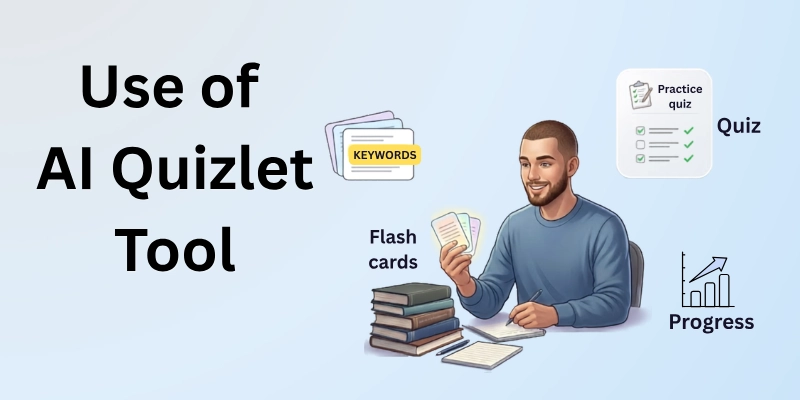
Students can create their own study sets or use shared sets from other students. AI‑generated study modes help make learning efficient and adaptive.
How to Use It:
- Create vocabulary flashcards
- Use AI to generate practice quizzes
- Enable spaced repetition mode
- Track your progress
- Study in multiple modes (cards, test, match)
6. Mendeley
Mendeley is a reference manager and academic network tool that helps students collect, organize, and annotate academic papers. It also suggests related research and manages citations automatically. For research projects and thesis writing, Mendeley simplifies literature organization and reference formatting.
How to Use It:
- Import academic articles and PDFs
- Annotate papers within the app
- Organize references by folders
- Generate citations in multiple formats
- Use suggested readings for related work
7. Canva AI
Canva AI helps students create visually appealing presentations, infographics, posters, and designs. It uses AI to suggest layouts, fonts, and images.
Whether you’re working on a group project, class presentation, or social media content, Canva makes design easy without advanced skills.
How to Use It:
- Choose a template and customize
- Use AI suggestions for layouts
- Add charts and visuals
- Export in PPT or PDF
- Collaborate with classmates
8. Otter.ai
Otter.ai is a transcription and note‑taking tool that converts speech to text in real time. Students can record lectures and get accurate transcriptions for review later. It also identifies speakers and highlights key points, making study sessions more productive.
How to Use It:
- Record classes or study sessions
- Review and edit transcriptions
- Highlight important segments
- Export text for notes
- Search keywords within transcripts
9. Wolfram|Alpha
Wolfram|Alpha is an AI computational engine that solves math problems, science queries, equations, and data analysis tasks. It’s especially useful for math, physics, chemistry, and engineering courses. Students can enter equations or questions and get step‑by‑step solutions and graphs.
How to Use It:
- Enter math or science problems
- Check step‑by‑step solutions
- Generate graphs and data tables
- Practice problem sets
- Use explanations for homework help
10. Duolingo
Duolingo uses AI to help students learn new languages. It creates adaptive practice lessons based on your level. Whether you’re studying language for requirements, travel, or personal growth, Duolingo’s bite‑sized lessons and quizzes make learning settings easy and interactive.
How to Use It:
- Set your language learning goal
- Study daily lessons
- Practice listening, speaking, reading, and writing
- Track streaks and progress
- Review difficult lessons
11. Canva Docs AI
Canva Docs AI is a newer AI writing and design tool that blends visual layout with writing capabilities. Students can create visually rich reports, research summaries, and creative writing with helpful AI features. It’s especially useful when formatting and presentation matter.
How to Use It:
- Start a new Canva Doc
- Use AI to draft text
- Add visuals and charts
- Export as a styled PDF
- Share with classmates
12. Khan Academy
Khan Academy uses AI pathways to provide tailored learning in math, science, economics, and more. Its practice exercises and mastery questions adapt to student performance.
This makes self-study more focused and effective, especially when preparing for exams or understanding foundational concepts.
How to Use It:
- Take diagnostic quizzes
- Follow personalized study paths
- Complete adaptive practice questions
- Review explanations and videos
- Track mastery progress
Final Thoughts
In this guide we have covered all the best tools for college students. Guys, AI tools are not here to replace your effort but to enhance your learning and productivity. For college students, using AI strategically can save time, improve accuracy, and boost understanding in academics, research, writing, and presentations.
The key is to choose tools that fit your study style, set clear goals, and practice consistently. When combined with focused effort, AI can significantly improve your academic performance and confidence.
FAQs
Here are some of the most commonly asked questions related to the best AI tools for college students:
Yes, AI tools like ChatGPT and Grammarly can help you understand concepts and improve writing, which often leads to better assignments and exam results.
Many tools have free versions (like ChatGPT, Quizlet, and Khan Academy), while others offer premium features through subscriptions.
AI can supplement learning, but human teachers and tutors provide personalized explanation and motivation that AI cannot fully replace.
Tools like Perplexity, Mendeley, and ChatGPT are excellent for research, literature summaries, and academic writing.
AI tools check grammar, suggest better vocabulary, improve structure, and help draft sections of your writing.
Yes, tools like Canva AI make it easy to create slides, infographics, and visual content for presentations.
Most well‑known platforms are safe, but avoid sharing sensitive personal information and always use official sources.
Yes, tools like Quizlet and Khan Academy provide practice questions, personalized pathways, and mastery tracking to prepare for exams.
Many AI tools cover a wide range of subjects, but some specialize (like Wolfram|Alpha for math/science and Duolingo for language).
Pick tools based on your goals, writing help, research support, study practice, or presentations, and start with free versions to test what works best for you.






- Be Respectful
- Stay Relevant
- Stay Positive
- True Feedback
- Encourage Discussion
- Avoid Spamming
- No Fake News
- Don't Copy-Paste
- No Personal Attacks
- Be Respectful
- Stay Relevant
- Stay Positive
- True Feedback
- Encourage Discussion
- Avoid Spamming
- No Fake News
- Don't Copy-Paste
- No Personal Attacks
