Easy AI Tools for Freelancers: 10 Best Tools to Boost Productivity
Published: 4 Sep 2026
Freelancing can be exciting, but it also brings many challenges, like managing tasks, generating content, talking with clients, and staying productive. I used to spend hours on writing, editing, planning, and organizing work before I started using AI tools.
Artificial intelligence has changed the way freelancers work by saving time, improving quality, and helping me deliver better results.
In this guide, I will share easy AI tools for freelancers that I personally use or recommend for improving productivity and earning more this year.
Easy AI Tools for Freelancers
Here are the best 10 AI tools every freelancer should know:
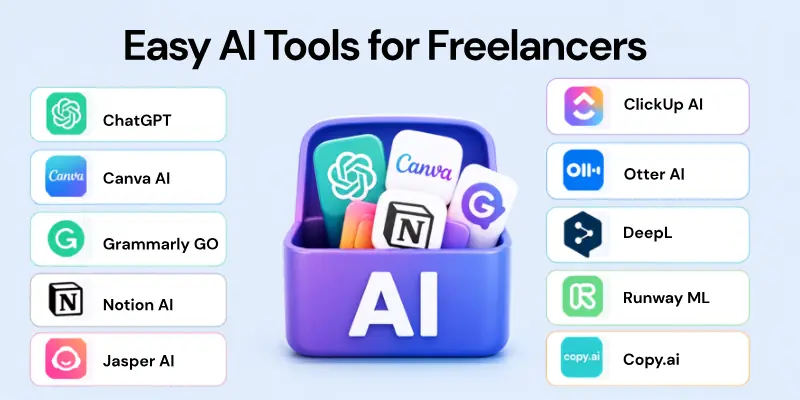
- ChatGPT – All‑around AI Assistant
- Canva AI – Easy Design and Graphics
- Grammarly GO – Writing and Communication Aid
- Notion AI – Smart Project and Notes Helper
- Jasper AI – Content and Copy Generator
- ClickUp AI – Task and Project Management
- Otter AI – Transcription and Meeting Notes
- DeepL – Fast and Accurate Translation
- Runway ML – AI Video and Creative Studio
- Copy.ai – Workflow and Content Automation
Let us cover all in detail.
1. ChatGPT – All‑Around AI Assistant
For me, ChatGPT is the most versatile AI tool that I use daily. It helps with writing drafts, answering client questions, brainstorming ideas, and solving problems. I use it for emails, proposals, research, and even coding help sometimes. ChatGPT saves me hours I used to spend on manual work.
Tools used for this purpose:
- OpenAI ChatGPT interfaces
- Custom GPTs for specific freelancing tasks
- GPT plugins for specialized workflows
2. Canva AI – Easy Design and Graphics
Canva AI makes design simple even if you are not a professional designer. I use it to create logos, social media posts, presentation slides, and banners in minutes. Canva’s AI suggestions help me choose colors, layouts, and fonts easily. This makes my designs look professional without spending extra money.
Tools used for this purpose:
- Canva Magic Studio
- Magic Write for text generation
- Auto layouts and design suggestions
3. GrammarlyGO – Writing and Communication Aid
Writing clear and correct content is critical for freelancers. Grammarly GO improves my sentences, fixes grammar, and suggests better tone and clarity. I use it for client emails, proposals, articles, and reports. It ensures my writing is professional and easy to read.
Tools used for this purpose:
- Grammarly writing assistant
- Tone and style suggestions
- Real‑time grammar corrections
4. Notion AI – Smart Project and Notes Helper
Notion AI helps me organize all my tasks, notes, and projects in one place. It summarizes meeting notes, creates task lists, and rewrites briefs into clear action steps. I no longer lose track of deadlines or client requests. Notion AI keeps everything organized and easy to manage.
Tools used for this purpose:
- Notion workspace
- AI summaries and task generation
- Document automation
5. Jasper AI – Content and Copy Generator
When I need to write blogs, ad copy, or client content quickly, Jasper AI helps me generate high‑quality drafts. It includes templates for emails, web copy, and social media posts.
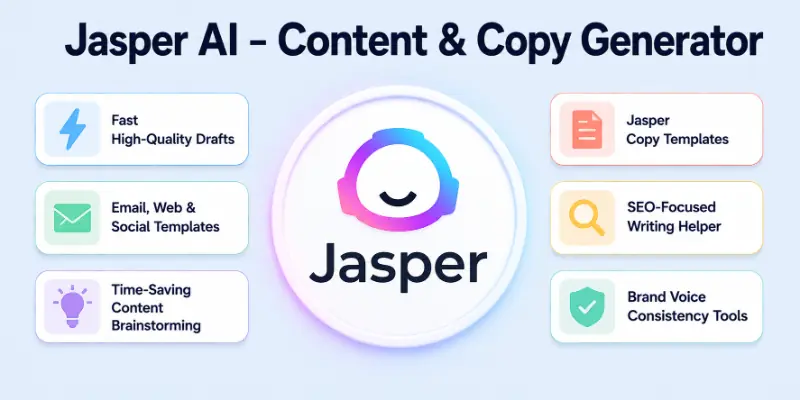
This tool saves me a lot of time and gives me ideas I can refine before sending to clients.
Tools used for this purpose:
- Jasper copy templates
- SEO‑focused writing helper
- Brand voice consistency tools
6. ClickUp AI – Task and Project Management
ClickUp AI helps me stay on top of all my projects and deadlines without stress. It suggests task breakdowns, writes summaries, and automates repetitive admin work. I use ClickUp AI to keep multiple client tasks organized and avoid missing any deadlines.
Tools used for this purpose:
- Task automation
- Project templates
- AI suggestions for planning
7. Otter AI – Transcription and Meeting Notes
Otter AI turns spoken conversations into text quickly and accurately. I use it for client calls, interviews, and online meetings. It summarizes key points, so I never miss details from discussions. This helps me follow client instructions without having to write long notes manually.
Tools used for this purpose:
- Real‑time transcription
- Summarized meeting notes
- Audio and video import features
8. DeepL – Fast and Accurate Translation
DeepL is an AI translation tool that helps me work with clients in different languages. I use it to translate documents, emails, and website content accurately. It is faster and often more accurate than traditional translators. Using DeepL helps me serve international clients confidently.
Tools used for this purpose:
- Document translation
- Email and text translation
- Real‑time language support
9. Runway ML – AI Video and Creative Studio
Runway ML is a powerful AI tool for video editors and creative freelancers. I use it to remove backgrounds, auto‑edit scenes, and generate visual effects. It accelerates video editing and content creation for clients. This tool helps me offer advanced video services even without costly software.
Tools used for this purpose:
- Video editing with AI effects
- Background removal
- Automated motion tracking
10. Copy.ai – Workflow and Content Automation
Copy.ai helps automate repetitive writing tasks like turning one idea into multiple pieces of content. I use it for email sequences, social posts, and content repurposing. It handles workflows so I can focus on creative and strategic tasks. This tool increases my productivity and output.
Tools used for this purpose:
- Content automation workflows
- Multi‑format content generation
- AI templates for different niches
Why AI Is Important for Freelancers
Instead of working harder, AI tools enable freelancers like myself to work smarter. Writing, planning, designing, and communicating are all areas in which they save time. With the help of AI, I am able to complete work more quickly and maintain organization even when working with a large number of clients. When I make use of the appropriate tools, my career as a freelancer becomes more productive and satisfying.
Conclusion
In this guide, I have shared the best easy AI tools for freelancers that can boost productivity, improve results, and help you earn more. My personal advice is to start with one or two tools that match your work style, learn them well, and then expand to others. AI works best when it supports real tasks and simplifies your daily workflow.
If you want to succeed in freelancing in 2026 and beyond, adopting AI tools is one of the smartest steps you can take. Now, let us move on to the FAQs related to this topic.
FAQs
Here are some of the most commonly asked questions related to easy AI tools for freelancers:
No, most AI tools are designed to be user‑friendly for non‑technical users. I use them without any coding knowledge. They help with writing, design, planning, and more. You only need basic computer skills.
Yes, AI tools help speed up work and improve quality, which attracts better clients. I have seen increased productivity and more repeat clients since using AI. Faster delivery and better results improve earnings. AI makes work more efficient and valuable.
Many AI tools offer free plans or low‑cost options for beginners. I started with free tiers and upgraded later as my income grew. You can choose affordable AI tools that fit your budget. Investing in the right tools often pays off quickly.
No, AI does not replace freelancers but supports their work. I use AI to reduce repetitive tasks and focus on creative thinking. Human skill and decision‑making are still key. AI amplifies your ability to deliver more value.
I recommend starting with ChatGPT because it can handle many tasks at once. It helps with writing, ideas, client responses, and research. After that, you can add tools for design or project management. Starting with one tool makes learning easier.
Yes, tools like GrammarlyGO and Otter AI make communication clear and professional. I use GrammarlyGO to polish emails and Otter AI to capture call notes. Better communication improves client satisfaction and trust.
Yes, there are AI tools for writers, designers, project managers, video editors, and many others. I use different tools depending on the service I offer. You can choose tools that match your niche and needs.
Some improvements appear instantly, like faster writing or design. I saw increased productivity within days of using AI. Long‑term gains grow as you use tools more. With practice, AI becomes a natural part of your workflow.




- Be Respectful
- Stay Relevant
- Stay Positive
- True Feedback
- Encourage Discussion
- Avoid Spamming
- No Fake News
- Don't Copy-Paste
- No Personal Attacks
- Be Respectful
- Stay Relevant
- Stay Positive
- True Feedback
- Encourage Discussion
- Avoid Spamming
- No Fake News
- Don't Copy-Paste
- No Personal Attacks
