Pictory AI vs InVideo: Which Tool Makes Better Videos?
Published: 23 Aug 2026
Are you confused about Pictory AI vs InVideo because both tools promise to make video creation faster and easier? At first, they may look almost the same. Both can turn ideas or text into videos, but the experience behind each tool is quite different.
Pictory focuses more on simple video creation and turning existing content into engaging videos, while InVideo gives creators more editing control and a wider range of creative options.
This difference can make choosing the right platform difficult, especially if you are a beginner, content creator, marketer, or someone who wants to save time. You may wonder whether you should choose the simple and quick approach of Pictory or the more flexible editing experience of InVideo.
In this guide, I’ll compare both tools in simple terms so you can understand which one fits your video needs better.
What Is Pictory AI?
Pictory AI is a video creation tool that focuses on turning content you already have into videos. You can start with a blog post, script, URL, recording, or presentation, and the platform can build scenes, choose visuals, add captions, and create voiceovers for you.
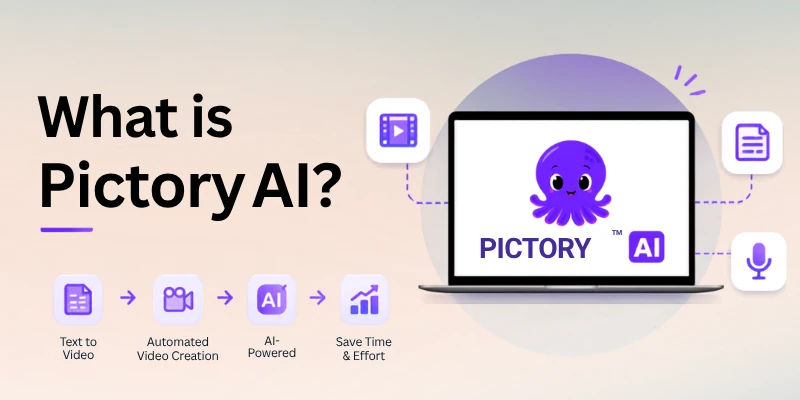
It is especially useful when you want to create videos without spending a lot of time on manual editing. Instead of building every scene from scratch, Pictory handles much of the early production work and lets you review and adjust the result.
What Can You Do With Pictory AI?
- Turn blog posts and URLs into videos
- Convert scripts into video content
- Create videos from audio or recorded content
- Turn PowerPoint presentations into videos
- Add automatic captions and voiceovers
- Create short clips from longer content
- Use AI-generated visuals and AI avatars
In simple words: Pictory AI is a good choice when you already have content and want to turn that content into polished videos quickly.
What Is InVideo AI?
InVideo AI is an AI-powered video creation platform that helps you build videos from text prompts and ideas. Instead of starting with an existing article or script, you can describe the video you want, and the tool can create scenes, write or adjust the script, select visuals, and add other elements for you.
It also gives creators more room to change and customize the generated video. This makes InVideo AI useful for people who want to create different types of content, such as social media videos, marketing clips, explainers, and other creative projects.
What Can You Do With InVideo AI?
- Create videos from simple text prompts
- Generate scenes and scripts with AI
- Choose from a large library of visuals and templates
- Edit scenes and change video elements
- Add voiceovers, captions, and music
- Create different video styles for social media and marketing
- Customize the generated result to match your idea
In simple words: InVideo AI is a good choice when you want to start with an idea and let AI build the video, while still having room to customize the final result.
Pictory AI vs InVideo: Main Differences
Before comparing individual features, it helps to understand the main idea behind both platforms. Pictory AI is mainly built for speed and content repurposing, while InVideo focuses more on creative freedom, templates, and detailed editing.
The difference becomes easier to understand through these key areas:
- Video Creation Workflow
- Editing and Customization
- AI Features and Templates
- Content Repurposing
- Voiceovers and Captions
- Best Use Cases
Let’s discuss further in detail, one by one:
1. Video Creation Workflow
Pictory AI and InVideo both help you create videos with AI, but the starting process is different. Pictory is useful when you already have a blog, script, recording, or other content and want to turn it into a video quickly. InVideo is more flexible when you want to start with a simple idea or text prompt and build a video from there.
Pictory AI
- Converts existing content into video scenes.
- Can work with blogs, scripts, URLs, and recordings.
- Automates much of the first video draft.
- Works well for fast content creation.
InVideo
- Lets you start with a prompt or idea.
- Creates scenes and a video draft with AI.
- Gives you more options to shape the video.
- Works well for different types of creative content.
Quick Difference: Pictory is better for turning existing content into videos, while InVideo is better for creating videos from fresh ideas.
2. Editing and Customization
After the first video is created, you may want to change the text, visuals, scenes, or overall style. Both tools let you edit the result, but they give you a different level of control.
Pictory AI
- Keeps editing simple and easy to follow.
- Lets you change scenes and text quickly.
- Makes caption and visual updates simple.
- Suits users who want fast editing.
InVideo
- Gives more freedom to change video elements.
- Allows detailed scene adjustments.
- Offers more creative choices during editing.
- Suits users who want greater control.
Quick Difference: Pictory focuses on simple editing, while InVideo offers more customization.
3. AI Features and Templates
AI tools are a big part of both platforms, but they help creators in different ways. Pictory keeps the process focused on turning content into ready-to-use videos, while InVideo gives you more options for creating a video from an idea and choosing a style that fits your project.
Pictory AI
- Uses AI to find suitable visuals for your content.
- Creates scenes from your script or existing material.
- Offers ready-made templates for different video needs.
- Helps reduce the time needed for basic video production.
InVideo
- Creates videos from text prompts and scripts.
- Provides many templates for different content types.
- Gives access to a large range of stock visuals and media.
- Lets you change the generated video to match your idea.
Quick Difference: Pictory uses AI mainly to speed up content-based video creation, while InVideo gives more creative choices through AI and templates.
4. Content Repurposing
If you already create blogs, podcasts, or long videos, turning that content into new formats can save a lot of time. This is an area where Pictory has a clear focus. InVideo can also help create new video content, but its main strength is not limited to repurposing existing material.
Pictory AI
- Turns blog posts into videos.
- Can create shorter clips from longer videos.
- Helps reuse webinars, recordings, and other content.
- Makes it easier to create several pieces from one source.
InVideo
- Can turn scripts and ideas into fresh videos.
- Works well for social media content.
- Lets creators build different versions of a video.
- Supports a wider range of creative video projects.
Quick Difference: Pictory is a strong choice for reusing existing content, while InVideo is more useful when you want to create new videos in different styles.
5. Voiceovers and Captions
Voiceovers and captions can make an AI video easier to watch and understand. Both Pictory and InVideo include these features, but they are useful in slightly different ways depending on the type of video you want to make.
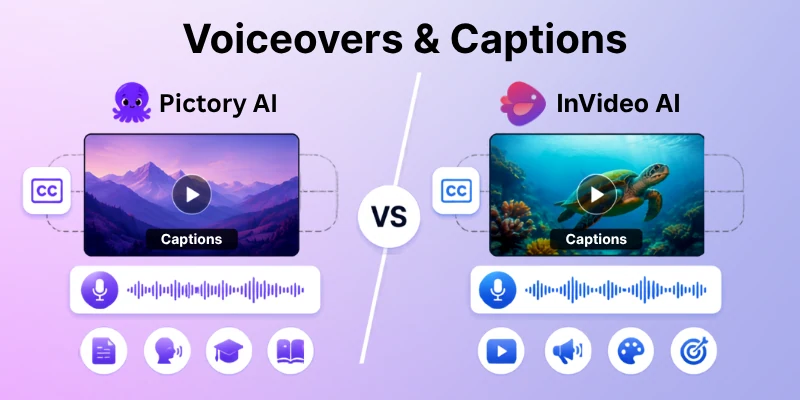
Let’s discuss this further:
Pictory AI
- Adds automatic captions to videos.
- Offers AI voiceover options.
- Makes spoken content easier to turn into videos.
- Works well for blogs, tutorials, and educational content.
InVideo
- Provides AI-generated voiceovers.
- Lets you add captions to generated videos.
- Gives more options for matching voice and video style.
- Works well for social media, marketing, and promotional videos.
Quick Difference: Pictory is useful when you want simple voice and caption support, while InVideo gives you more flexibility when building different styles of narrated videos.
6. Best Use Cases for Pictory and InVideo
The right tool can depend on what type of video you want to make. Pictory is a better match for people who want to reuse existing content, while InVideo can be more useful for creators who want to make videos from new ideas.
Pictory AI is useful for:
- Turning blog posts into videos.
- Creating educational and explainer videos.
- Reusing webinars and long recordings.
- Making short clips from longer content.
- Creating content quickly for regular publishing.
InVideo is useful for:
- Making social media videos.
- Creating marketing and promotional content.
- Building videos from simple text prompts.
- Trying different video styles and templates.
- Creating fresh content for YouTube and other platforms.
Quick Difference: Choose Pictory when content repurposing is your main goal. Choose InVideo when you want more freedom to create different types of videos from new ideas.
Common Myths About Pictory AI and InVideo
When comparing Pictory AI vs InVideo, it is easy to believe things that are not fully true. Let’s clear up a few common ideas before you decide which tool is right for you.
Myth 1: Pictory and InVideo work in exactly the same way.
Reality: Both create videos with AI, but their workflows are different. Pictory is strongly suited to turning existing content into videos, while InVideo gives more options for creating videos from prompts and ideas.
Myth 2: InVideo is only for professional video editors.
Reality: Beginners can also use InVideo. Its templates and AI features can help users create a video without advanced editing skills.
Myth 3: Pictory is only useful for blog posts.
Reality: Pictory can also work with scripts, recordings, presentations, and longer videos. This makes it useful for different content repurposing tasks.
Myth 4: The tool with more features is always better.
Reality: More features do not automatically mean a better experience. Your choice should depend on whether you need simple content repurposing or greater creative freedom.
Myth 5: Pictory AI Is Only for Beginners
Reality: Pictory is simple to use, but that does not make it limited to beginners. Content creators, marketers, and businesses can also use it to turn existing material into videos faster.
Myth 6: InVideo Always Produces Better Videos
Reality: Video quality depends on what you need and how you edit the result. InVideo offers more creative options, but Pictory can be the better choice when your main goal is quick and easy content repurposing.
Pictory AI vs InVideo: Quick Comparison
If you want a fast overview, this table shows where each tool stands. It focuses on the main differences without adding too much detail.
| Feature | Pictory AI | InVideo |
| Main Focus | Content repurposing | AI video creation |
| Starting Point | Blog, script, URL, recording | Prompt, script, idea |
| Editing | Simple | More flexible |
| Templates | Ready-made options | Wide template range |
| AI Creation | Content-based | Prompt-based |
| Best For | Bloggers and marketers | Creators and businesses |
| Content Reuse | Strong | Good |
| Creative Control | Easy adjustments | More control |
| Learning Curve | Beginner-friendly | Beginner-friendly |
| Ideal Choice | Fast content conversion | Creative video projects |
Quick takeaway: Choose Pictory AI when you mainly want to turn existing content into videos. Pick InVideo when you want to create different video styles and have more control over the final result.
Tips for Choosing Between Pictory AI and InVideo
Still not sure which tool fits your needs? These simple tips can help you make a better choice without getting confused by too many features.
- Choose Pictory AI if you mainly turn blogs, scripts, or recordings into videos.
- Choose InVideo if you want to create videos from prompts and fresh ideas.
- Think about editing: Pick Pictory for simple editing and InVideo for more creative control.
- Consider your content: Pictory works well for regular content repurposing, while InVideo suits many creative video types.
- Try both first: Test their free options or demos before paying for a plan.
- Focus on your goal: Do not choose a tool just because it has more features. Pick the one that makes your work easier.
A simple rule can help: Pictory for quick content conversion, InVideo for wider creative freedom.
Final Verdict
After comparing Pictory AI vs InVideo, I would not say that one tool is better for everyone. The right choice depends on how you create videos and what you want to achieve. Pictory is a strong option for turning blogs, scripts, recordings, and other existing content into videos quickly, while InVideo is a better fit when you want to start with an idea and have more creative control.
My recommendation: I would choose Pictory AI for bloggers, marketers, and creators who want a simple workflow and regular content repurposing. If you enjoy creating fresh videos and want more freedom with scenes, templates, and design, I would go with InVideo. Before choosing a paid plan, test the workflow that matches your daily content needs.
Frequently Asked Questions
Still deciding between Pictory AI vs InVideo? These FAQs cover practical questions that can help you choose the right tool for your content, editing style, and video goals.
Pictory AI is a good option if you want a simple and quick workflow. It can turn existing content into videos without requiring much manual editing. If you are comparing Pictory vs InVideo ease of use, Pictory may feel more comfortable for beginners.
InVideo is also beginner-friendly, but it gives you more choices during the creation and editing process. This makes Pictory vs InVideo customization an important factor when choosing between them.
Pictory AI is a strong choice for Pictory vs InVideo blog to video comparisons. You can use your written content as the starting point and let the platform create video scenes from it.
This can save time for bloggers who want to turn one article into another type of content. For creators comparing Pictory vs InVideo text to video, both tools can be useful for different workflows.
Yes. You can give InVideo a simple idea or prompt, and its AI can create a video around it. This makes Pictory vs InVideo AI video generator an important comparison for users who want AI-assisted video creation.
You can then change the scenes, text, visuals, and other parts to make the result fit your needs. If editing flexibility matters, Pictory vs InVideo AI video editor is another useful comparison.
If repurposing is your main goal, Pictory may be the better fit. It is designed to help turn existing material such as articles, recordings, and long videos into new video content. This is one reason Pictory vs InVideo for content creators can depend on the type of content you already have.
Best for:
- Blog-to-video content
- Short clips
- Repurposing longer material
For creators focused on Pictory vs InVideo for video creation, the better choice depends on how much existing content they want to transform.
Yes, InVideo can be a better choice when you want more freedom while building your video. You can work with different templates, visuals, scenes, and editing options. This makes Pictory vs InVideo templates worth considering.
This also makes it useful for creators who want to shape the final video more closely around their own idea. If detailed editing is important, Pictory vs InVideo editing can help you decide which workflow suits you.
Yes, both tools can work for beginners. Your choice depends on how you like to create.
If you want a simple workflow, Pictory can feel more comfortable. If you want to explore more creative options, InVideo may suit you better. For a broader Pictory or InVideo comparison, consider your experience and preferred workflow.
Both can create social media content, but your goal matters more than the platform.
InVideo can be useful for creating fresh promotional and social videos, while Pictory works well when you want to turn existing content into shorter clips. If YouTube is your main platform, Pictory vs InVideo for YouTube is another factor to consider.
Yes, both platforms offer AI voiceover features along with captions. These tools can help you create narrated videos without recording your own voice.
They are useful for tutorials, explainers, marketing videos, and other content where narration adds value. If voice features are important to you, Pictory vs InVideo AI voiceover can help you compare your options.
If speed is your main concern, Pictory AI is worth considering. Its workflow is built to reduce the amount of work needed to turn existing content into a finished video. In a Pictory vs InVideo 3h2sZnAIxA comparison, Pictory can be a strong option for content repurposing.
It can be especially useful when you need to publish content regularly. You should also compare Pictory vs InVideo pricing before choosing a plan that fits your budget.
Choose Pictory AI if you want simple video creation, fast editing, and strong content repurposing. Choose InVideo if you want more creative freedom and enjoy building videos around fresh ideas.
When comparing Pictory AI vs InVideo AI, also consider the features that matter most to your workflow. Looking at Pictory vs InVideo features can help you make a more informed decision.
The better choice is the one that matches your workflow rather than the one with the longest feature list. For users asking Pictory vs InVideo which is better, the answer depends on their specific needs. Is Pictory better than InVideo for you? It depends on whether speed and repurposing or creative control are your main priorities.





- Be Respectful
- Stay Relevant
- Stay Positive
- True Feedback
- Encourage Discussion
- Avoid Spamming
- No Fake News
- Don't Copy-Paste
- No Personal Attacks
- Be Respectful
- Stay Relevant
- Stay Positive
- True Feedback
- Encourage Discussion
- Avoid Spamming
- No Fake News
- Don't Copy-Paste
- No Personal Attacks
