How to Use AI for Social Media Content – Step by Step
Published: 10 Apr 2026
Social media content is no longer a small task. It takes time, planning, creativity, and consistency. Most people struggle because they do not have enough ideas, they get tired, or they cannot create daily content. This is where smart tools change everything. These tools help you write, design, plan, edit, and post content in a very easy way.
In this guide, you will learn how to use AI for social media content in a very simple and practical style. You will learn how these tools help you save time, create better posts, and stay active even with a busy routine.
By the end, you will clearly understand how to use AI for social media content every day without feeling stressed.
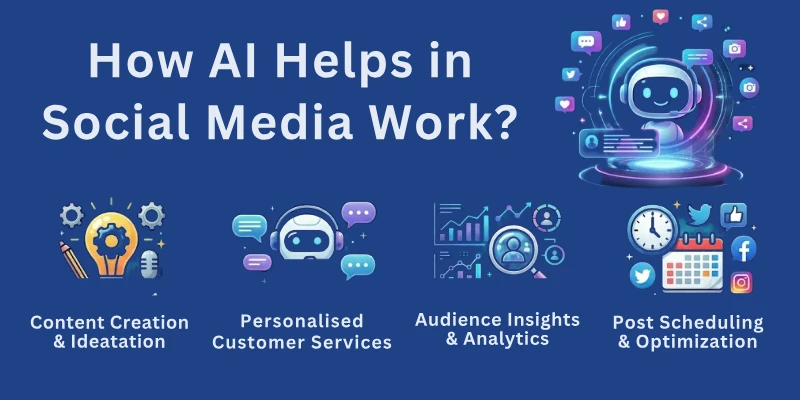
How AI Helps in Social Media Work
This part explains how smart tools make your complete social media workflow easier. They understand topics quickly. They turn your instructions into posts, images, ideas, and visuals. Even if you are not creative, these tools help you become consistent.
Main Uses Include:
- It helps you write captions for different platforms without stress.
- It turns long content into short, easy posts.
- It gives trending ideas based on your niche.
- It creates images and visuals from your text.
- It edits short videos and adds captions.
- It schedules your posts automatically.
- It analyzes which posts are performing well.
These uses save you time and keep your content fresh and active.
Types of Social Media Tasks You Can Automate
This section tells you exactly what tasks can be automated so you know where to start. Smart tools can handle many small jobs that take hours if done by hand. This means you can focus on strategy while the tool handles routine tasks.
You can Automate Tasks Like:
- Writing engaging daily posts without thinking for long.
- Rewriting old content into fresh updated posts.
- Researching the best hashtags for your topic.
- Generating ideas for stories, reels, and carousels.
- Designing basic graphics from templates.
- Writing hooks and headlines for your posts.
- Planning weekly and monthly content in a clear schedule.
- Creating topic lists for multiple platforms like Instagram, TikTok, and YouTube.
Automation reduces pressure and keeps your content flow smooth.
How to Write Captions with AI Tools
This section explains how to write good captions even if you are not confident in writing.
These tools can turn your simple idea into short, clear, and catchy captions for any platform. You just need to explain what you want.
How it Helps:
- It gives you many caption ideas from one topic.
- It rewrites your text into different styles such as friendly, bold, professional, or fun.
- It makes your sentence short, easy, and clear.
- It adds hashtags that match your topic.
- It gives smart call to actions like “Save this” or “Share this”.
Steps to Write Great Captions:
- Tell the tool your topic and purpose.
- Mention your tone such as friendly, motivational, or premium.
- Mention the platform because each platform has a different style.
- Ask for many caption options.
- Pick the one that feels best and adjust small details.
This saves time and makes your content more readable.
How to Create Social Media Graphics with AI
This part helps beginners who are not graphic designers. These tools help you create visuals without needing advanced skills. They offer readymade layouts and help you stay consistent with your colors and fonts.
What You Can Create:
- Eye catching Instagram posts
- Bright and clean reels covers
- Professional YouTube thumbnails
- Attractive Pinterest pins
- Multi slide carousels
- Story backgrounds with text
- Product photos with clean backgrounds
Why it Helps:
- You get templates that match the latest design trends.
- It creates multiple designs for the same topic.
- It helps you stay consistent with brand style.
- It saves editing time and effort.
You can create better visuals in less time.
How to Use AI for Video Creation
This section explains how tools help with short videos, which are the most popular content format today. You do not need heavy editing software. These tools do most of the work for you.
You Can:
- Turn your script into a complete video.
- Add voice overs using natural sounding voices.
- Add auto captions so people understand without sound.
- Cut and edit clips easily.
- Create educational reels and shorts.
- Use templates to design quick videos.
Why it Works Well:
- You save hours of manual editing.
- You do not need professional video skills.
- You get fast and clean results.
This helps you stay active on platforms like TikTok, Reels, and YouTube Shorts.
How to Plan Your Social Media Calendar
This section helps you stay consistent even when life gets busy. Planning gives you space to think clearly and reduces last minute stress.
Tools Help You:
- Create a weekly or monthly posting map.
- Suggest topics based on your niche.
- Pick the best posting times.
- Organize your ideas into categories.
- Create reminders so you do not miss posting.
Benefits of Planning:
- You stay consistent without burnout.
- You spend less time thinking and more time creating.
- Your content quality improves every week.
How AI Helps in Hashtags and SEO
This part explains how you can improve reach and visibility using the right keywords and hashtags. Smart tools help you target the exact audience you want.
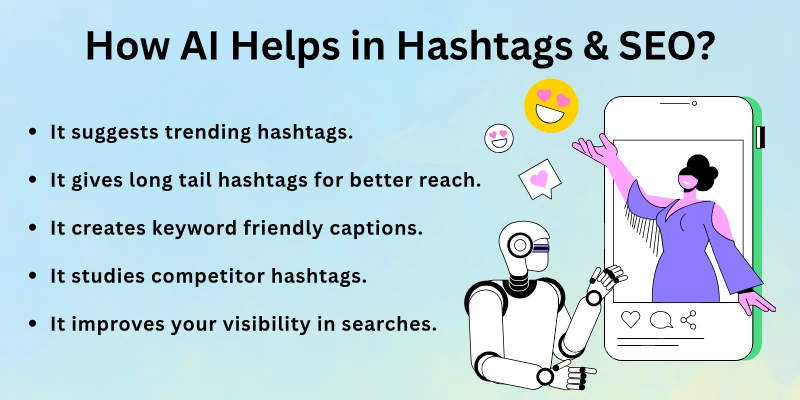
Uses Include:
- It suggests trending hashtags that match your niche.
- It gives long tail hashtags for better reach.
- It creates keyword friendly captions.
- It studies competitor hashtags and recommends better ones.
- It improves your visibility in searches.
Proper hashtags help new people discover your content.
How to Improve Engagement with AI
This section shows how to get more likes, comments, and shares.
Smart tools help you write catchy hooks and questions that invite people to respond.
It Helps By:
- Writing attention grabbing hooks for your posts.
- Suggesting questions that encourage replies.
- Creating polls and audience interactions.
- Writing comments for engagement.
- Suggesting trending topics to boost visibility.
High engagement helps your posts reach more people.
Common Mistakes to Avoid
This section highlights the mistakes that reduce your reach and weaken your content.
Avoid mistakes like:
- Posting raw content without editing or checking.
- Giving long and confusing instructions to tools.
- Adding too many hashtags that look spammy.
- Using the same design style for every post.
- Ignoring platform rules and image sizes.
- Posting too much in one day and then going silent.
- Not listening to your audience feedback.
Knowing these mistakes helps you grow faster.
Best Practices for Better Social Media Results
This part teaches you the habits that make your content strong and professional.
Best habits include:
- Keep your instructions short and clear.
- Create your own templates for faster work.
- Use the same colors and fonts for your brand.
- Check analytics every week to learn what works.
- Test multiple post versions before picking one.
- Mix your original ideas with tool generated content.
These good habits help you become more consistent and creative.
Top AI Tools for Social Media Content
This section lists the best tools that simplify your social media work.
Best options include:
- ChatGPT for captions and ideas
- Canva for graphics and carousels
- Jasper for fast writing
- Copy AI for captions and hooks
- Notion AI for planning and content maps
- InVideo for video creation
- Pictory for turning scripts into videos
- Buffer for scheduling
- SocialBee for planning and posting
- Hootsuite for analytics and management
Choose one or two tools to start.
Final Note
In this guide, we covered how to use AI for social media content in a very detailed and practical way. These tools help you create content faster, stay consistent, and make your page look more professional even if you have zero experience.
Take one step at a time. Use simple prompts. Make your own style. I wish you growth, confidence, and success in your social media journey. You deserve it. 😊
FAQs: How to Use AI Tools for Social Media Content
Here are some of the most commonly asked questions related to the how to use artificial intelligence tools for social media content creation:
You can use tools that turn your ideas into ready posts within seconds. These tools help you write captions, create designs, and suggest hashtags. This makes daily posting easy even with a busy schedule.
Yes, you can ask the tool for trending ideas based on your niche. It studies popular topics and creates fresh post suggestions. This helps you never run out of content.
Share your topic, tone, and platform, and the tool will create captions for you. It also adds hashtags and call to actions. This makes your posts more attractive and clear.
Yes, AI based design tools generate ready visuals from simple instructions. You can create posts, stories, carousels, and thumbnails easily. This helps you maintain a consistent design style.
It turns your script into a complete video with voice, captions, and music. It also edits clips and creates smooth transitions. This helps you make quick and clean short videos.
Yes, scheduling tools let you set dates and times for your posts. This keeps your page active even when you are offline. It also helps you maintain a weekly posting routine.
You can ask the tool for trending and niche based hashtags. It provides high reach and low competition tags. This improves your visibility and engagement.
Yes, it writes hooks, questions, and interactive prompts. These create more comments and shares. It also helps you optimize your posting time for better reach.
Yes, you can paste your old content and the tool will refresh it. It improves clarity, shortens long lines, and adjusts the tone. This helps you reuse your best ideas without repeating the same text.
Yes, AI tools help organize content, schedule posts, and track performance for each account. This makes multi account handling stress free. It also improves content quality across all platforms.





- Be Respectful
- Stay Relevant
- Stay Positive
- True Feedback
- Encourage Discussion
- Avoid Spamming
- No Fake News
- Don't Copy-Paste
- No Personal Attacks
- Be Respectful
- Stay Relevant
- Stay Positive
- True Feedback
- Encourage Discussion
- Avoid Spamming
- No Fake News
- Don't Copy-Paste
- No Personal Attacks
