How to Use AI Tools for Research Papers: Beginner-Friendly Guide
Published: 15 May 2026
Writing a research paper is one of the hardest tasks for students and professionals. You need to find reliable sources, understand complex ideas, organize them logically, and write clearly, all while keeping deadlines in mind. This process can feel overwhelming, stressful, and time-consuming.
In this guide, you will learn how to use AI tools for research papers in a simple, step-by-step approach. We will cover every step, from choosing a topic to final proofreading, so you can work faster and smarter without losing your own voice. Even beginners will find this guide easy to follow.
What Are AI Tools for Research Papers?
AI tools for research papers are smart programs that help you gather information, summarize complex content, organize ideas, check grammar, and even generate citations.
Think of them as personal research assistants who never get tired. They save hours of reading and let you focus on thinking, writing, and analysis.
How These Tools Help
Here is your answer to how:
- Search academic papers and articles quickly
- Summarize long articles into short, clear points
- Suggest outlines and structure for your paper
- Check grammar and improve readability
- Detect plagiarism and suggest proper citations
Using these tools properly can improve the quality of your research while saving time.
Why Use AI for Research Papers
The main reason people use AI for research is efficiency. Writing a research paper manually can take days or weeks. AI tools help you:
AIigure class=”wp-block-image size-full is-resized”>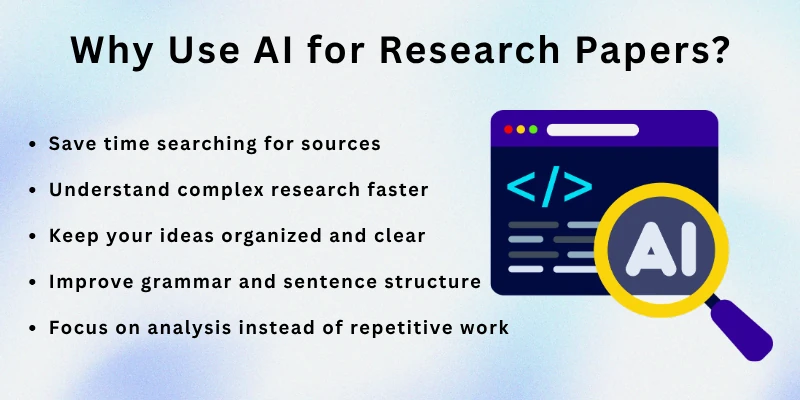
- Save time searching for sources
- Understand complex research faster
- Keep your ideas organized and clear
- Improve grammar and sentence structure
- Focus on analysis instead of repetitive work
By learning to use these tools, you will feel less stressed and more confident in your writing.
How to Use AI for Research Papers: Step by Step
Here is a detailed step-by-step approach. Follow each step carefully to get the best results.
Step 1: Define Your Research Topic
Before starting, make sure your topic is clear. A vague topic makes the tool generate confusing suggestions.
Tips
- Write your topic in one sentence
- List 3–5 key questions related to it
- Decide what type of research you want: literature review, case study, or experiment
- Think about your audience: professor, journal, or business
Example: “The impact of social media on mental health in teenagers.”
Step 2: Gather Reliable Sources
Once your topic is clear, collect information. AI tools can help you search and filter academic papers quickly.
How to Gather
- Ask AI to find recent papers or studies
- Filter by publication year, credibility, and relevance
- Collect PDFs, online articles, or database links
- Save references in one place for easy access
Example: “List 10 studies on social media effects on teenagers published after 2020.”
Step 3: Summarize and Understand Content
Reading long papers can be exhausting. AI tools summarize content in simple language and highlight main points.
How AI Helps
- Summarize a 20-page article in 5–6 sentences
- Highlight key findings and conclusions
- Explain complex terms in simple words
- Compare multiple papers and show similarities
Example: “Summarize three papers on social media and mental health in simple English.”
Step 4: Organize Your Research
After gathering information, organize it logically. AI can suggest an outline and section headings.
Tips for Organization
- Divide paper into Introduction, Literature Review, Methodology, Results, and Conclusion
- Group similar points under subheadings
- Order sections to ensure smooth flow
- Keep notes on which sources support which points
Example: Use headings like “Social Media Usage Patterns” and “Impact on Sleep and Stress.”
Step 5: Draft Your Paper
Now it’s time to write. AI can generate draft paragraphs based on your outline.
Tips for Drafting
- Start with introduction and problem statement
- Use AI for topic sentences or examples
- Add your own explanations and analysis
- Make sure AI content is rewritten in your own words
Example: “Draft a paragraph explaining how excessive social media use increases anxiety in teens.”
Step 6: Edit and Improve Clarity
Even after drafting, you need to edit. AI tools can help improve grammar, readability, and flow.
AIigure class=”wp-block-image size-full is-resized”>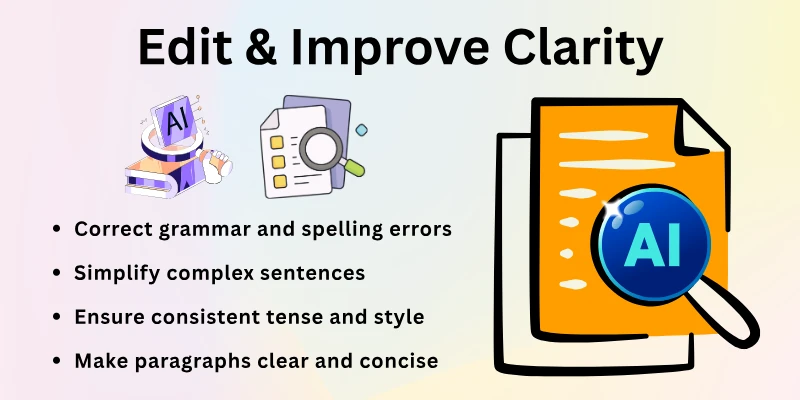
Editing Checklist
- Correct grammar and spelling errors
- Simplify complex sentences
- Ensure consistent tense and style
- Make paragraphs clear and concise
Step 7: Check Plagiarism
Maintaining originality is essential. AI tools can scan your paper for potential plagiarism.
How to Check
- Run the paper through plagiarism detection software
- Make sure all sources are cited correctly
- Paraphrase any sentences that appear copied
- Use AI suggestions to improve originality
Step 8: Generate Citations and References
Creating references manually takes time. AI tools can create citations in MLA, APA, or Chicago style.
Tips
- Enter all sources into the tool
- Generate a bibliography automatically
- Add inline citations as required
- Double-check formatting for accuracy
Example: “Generate APA references for 10 collected articles.”
Step 9: Review and Finalize
Finally, review your paper to make sure it is clear, logical, and complete.
Final Review Checklist
- Read the paper aloud
- Ensure introduction explains the research problem
- Verify facts and figures
- Confirm citations match references
- Make sure conclusion summarizes key findings
Common Mistakes to Avoid
Here are some of the major mistakes to avoid:
- Avoid over-relying on AI because it can weaken your personal writing voice.
- Never copy AI text without paraphrasing, or your work may look unoriginal.
- Don’t use information from unverified sources, as it can harm your paper’s credibility.
- Always review the final draft to catch errors and improve clarity.
- Follow proper citation formats to keep your paper accurate and professional.
- Avoiding these mistakes ensures your paper stays professional and original.
Avoiding these mistakes ensures your paper is professional and original.
Best Practices for Using AI in Research Papers
Do follow these:
- Use AI as a helper, not a replacement, so your writing remains authentic.
- Break your research into manageable steps to work faster and stay organized.
- Summarize and arrange your ideas before drafting to create a strong structure.
- Personalize AI suggestions to match your writing style and assignment requirements.
- Learn from AI outputs to improve your writing skills over time.
Top AI Tools for Research Papers
Here are the most commonly used best AI tools used for research paper writing:
- ChatGPT – Summarizes, explains, and drafts text
- Grammarly – Improves grammar and readability
- Zotero – Manages references and sources
- Mendeley – Organizes research papers and citations
- Quillbot – Paraphrasing and rewriting
- Scholarcy – Summarizes long research papers quickly
- Writefull – Suggests academic phrases and style improvements
- EndNote – Generates bibliographies automatically
- Ref-N-Write – Academic writing assistant
- Perplexity AI – Finds and compares research insights
Final Note
In this guide, we covered how to use AI for research papers in full detail. You learned step by step, from choosing a topic to final proofreading. Remember, AI tools are helpers, not replacements.
Take your time to personalize every section, double-check your work, and practice regularly. Writing research papers will soon feel easier, faster, and more professional.
Good luck on your research journey, and enjoy creating high-quality papers!
FAQs: How to Use AI Tools for Research Paper Writing
Here are some of the most commonly asked questions related to how to use AI tools for research paper writing purposes:
Yes, beginners can use AI tools to simplify the research process. They guide you step by step, from finding sources to summarizing content. Many students search for how to use AI for research papers to save time and reduce stress.
AI tools can search academic papers, journals, and articles quickly. They filter results by relevance, date, and credibility. This helps you gather reliable information without spending hours manually searching.
Yes, AI can condense lengthy papers into short, clear summaries. It highlights key points, conclusions, and important findings. This saves time and helps you understand complex content faster.
AI tools can suggest outlines and headings for your paper. They group similar points together and ensure logical flow. This makes your research structured and easier to write.
Yes, tools like Grammarly and Writefull improve grammar, sentence clarity, and writing style. They also suggest better phrasing and consistent tone. This ensures your paper is professional and readable.
Yes, many AI tools can scan your paper for plagiarism. They help identify copied content and suggest paraphrasing. Proper use ensures originality and prevents academic issues.
Yes, tools like Zotero, Mendeley, and EndNote create citations in APA, MLA, or Chicago style. They save time and reduce formatting errors. Always double-check the output for accuracy.
No, if you review and personalize the content, your voice remains in the paper. AI only helps organize and suggest ideas. Your own analysis and explanations make the paper natural and original.
Yes, AI can compare multiple studies, highlight patterns, and summarize findings. This makes literature reviews faster and more structured. You can focus on interpreting the results instead of just collecting data.
Common mistakes include over-relying on AI, copying text without paraphrasing, skipping final review, and ignoring citations. Avoiding these mistakes ensures your paper is professional, original, and high-quality.






- Be Respectful
- Stay Relevant
- Stay Positive
- True Feedback
- Encourage Discussion
- Avoid Spamming
- No Fake News
- Don't Copy-Paste
- No Personal Attacks
- Be Respectful
- Stay Relevant
- Stay Positive
- True Feedback
- Encourage Discussion
- Avoid Spamming
- No Fake News
- Don't Copy-Paste
- No Personal Attacks
