How to Use AI Tools to Create Ads: Step-by-Step Guide
Published: 8 Oct 2026
Creating ads manually used to be a long and stressful process for me. I would spend hours thinking about headlines, writing descriptions, designing visuals, and then testing to see if anything actually worked.
Often, I felt frustrated because it was hard to know what my audience would respond to. Artificial intelligence has completely transformed this process. Now, I can use AI tools to generate ad copy, create visuals, optimize campaigns, and even predict which ads will perform best.
In this guide, I will explain how to use AI tools to create ads step by step, show the best AI tools for this year, and provide actionable tips to create ads that attract clicks, engagement, and conversions.
How to Use AI Tools to Create Ads
AI is powerful because it speeds up the process, provides creative ideas, and removes guesswork. Here’s my detailed workflow for creating high-performing ads with AI:
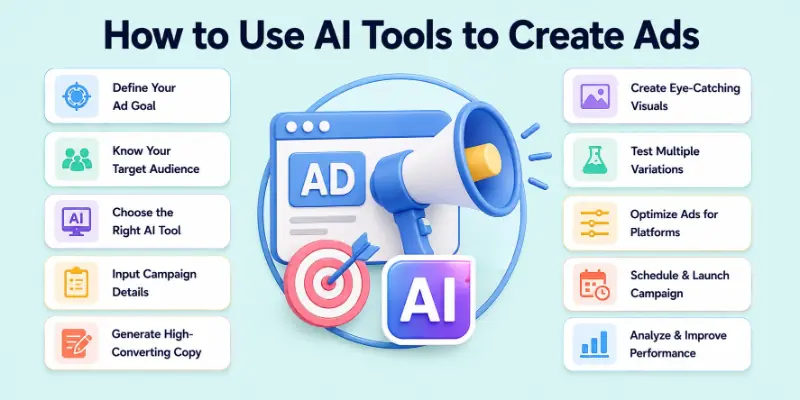
- Define Your Ad Goal
- Know Your Target Audience
- Choose the Right AI Tool
- Input Campaign Details
- Generate Ad Copy
- Create Visuals or Graphics
- Test Multiple Ad Variations
- Optimize Ads for Platforms
- Schedule and Launch Ads
- Analyze Performance and Improve
Let’s explore these steps in depth with expanded insights and examples.
1. Define Your Ad Goal
Before using AI, I always start by clarifying what I want the ad to achieve. Your goal could be anything from boosting website traffic, generating sales, growing email lists, or increasing engagement on social media.
Why this matters: AI tools work best when they understand the purpose of your ad. A goal-driven ad is more focused, persuasive, and measurable.
Example: If I want to sell an online course, my ad goal is “Get 50 new sign-ups this month.” This goal guides AI in writing copy that emphasizes urgency, benefits, and the course value.
Tip: Set SMART goals (Specific, Measurable, Achievable, Relevant, Time-bound) so AI suggestions align with clear results.
2. Know Your Target Audience
The best ads speak directly to the right people. I always define:
- Age, gender, and location
- Interests and hobbies
- Pain points and needs
- Preferred tone (friendly, professional, humorous)
Example: For a fitness product targeting beginners, I tell AI to use simple language, encourage motivation, and emphasize how the product solves common problems.
Tip: Create an audience persona and share it with AI. The more detailed, the better the copy and visuals will resonate.
3. Choose the Right AI Tool
Selecting the right AI tool depends on whether you need copy, visuals, video ads, or full campaigns. In 2026, these are my go-to tools:
- Copy.ai: Quick ad copy, slogans, and headlines
- Jasper AI: Long-form creative ad scripts
- Writesonic: Optimized social media and search ads
- Canva AI: AI-powered design for ad visuals and banners
- AdCreative.ai: Automatically generates multiple ad variations
- Lumen5: Converts scripts or blog posts into video ads
- Designs.ai: Complete ads including visuals, text, and video
- Phrasee: AI-optimized email and ad copy
- Crello AI: Easy and fast social media visuals
- Pictory: Video ads with text and voiceovers
Tip: For the best results, combine tools, one for copywriting, another for design, and one for analytics.
4. Input Campaign Details
When I start creating an ad, I give the AI all the key details. This ensures output is relevant and effective.
Key details I include:
- Product or service name
- Features and key benefits
- Offers or discounts
- Target audience information
- Ad platform (Facebook, Instagram, Google)
- Tone and style (friendly, professional, humorous)
Example Prompt: “Create 5 ad copies for Facebook promoting a new digital marketing course. Make it persuasive, short, and action-oriented with a friendly tone.”
Tip: The more context you provide, the more accurate and usable the AI output will be.
5. Generate Ad Copy
AI can generate multiple variations of headlines, descriptions, and calls-to-action in seconds. This saves me hours of brainstorming.
Examples of ad copy variations generated by AI:
- “Boost your marketing skills today! Enroll in our digital course.”
- “Learn digital marketing in 30 days – Start now and succeed.”
- “Don’t miss out! Upgrade your skills with our proven marketing course.”
I then select the best versions, tweak them, and match them with visuals.
Tip: Test different tones and CTAs to see which converts best.
6. Create Visuals or Graphics
AI tools like Canva AI, Designs.ai, and Lumen5 allow me to create high-quality visuals and videos quickly. I can:
- Choose templates or start from scratch
- Upload logos and brand colors
- Let AI suggest font combinations and layouts
- Generate video ads from blog content or scripts
Example: I used Canva AI to generate 5 ad banner designs in under 10 minutes, all aligned with my brand colors.
Tip: Ensure visuals complement the ad copy for a consistent message.
7. Test Multiple Ad Variations
To determine which advertisement is the most successful, I use AI to generate multiple variations. This includes:
- Headlines
- Descriptions
- Visuals and video clips
- Calls-to-action
Tip: Use A/B testing to see which combination performs best. I usually test 3–5 versions at a time and compare results.
8. Optimize Ads for Platforms
Every single platform has its own set of requirements. Advertising can be automatically adjusted by AI tools:
- Facebook: 125 characters for description, square images
- Instagram: Carousel posts, vertical videos
- Google Ads: Short headlines, keyword-focused copy
- LinkedIn: Professional tone, text overlays on visuals
Tip: Optimizing for each platform increases reach, engagement, and conversions.
9. Schedule and Launch Ads (Expanded)
After creating advertisements, I schedule them to achieve the highest possible level of engagement by utilizing platform tools such as Google Ads or Facebook Ads Manager. Some artificial intelligence platforms make recommendations regarding the optimal times to post based on the behavior of the audience.
Tip: Monitor early results to make quick improvements.
10. Analyze Performance and Improve (Expanded)
AI can track metrics like:
- Click-through rates (CTR)
- Conversion rates
- Cost per acquisition (CPA)
- Engagement rates
I review these metrics regularly and refine my ads. AI-powered insights allow me to focus on ads that perform best and reduce wasted budget.
Tip: Continuous improvement is key; even small changes can boost performance.
Why AI Tools for Ads Matter
Ads are made more efficient, intelligent, and cost-effective by the use of AI tools. I no longer spend days manually designing advertisements and coming up with ideas for them. When it comes to optimizing campaigns, artificial intelligence provides creative ideas, generates hundreds of variations, and provides insights.
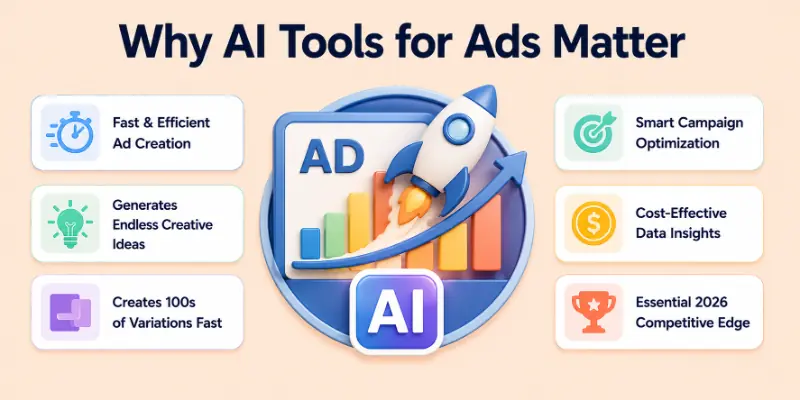
AI is no longer a desirable option for freelancers, small businesses, and marketers in the year 2026; rather, it is an absolute necessity for them to effectively compete.
Conclusion
In this guide, I explained how to use AI tools to create ads in a step-by-step manner with detailed examples, tips, and recommended AI tools for 2026. My personal advice is to start by defining your ad goal and audience clearly, then let AI help with copy, visuals, and optimization. Always test multiple variations and monitor performance for best results.
AI will save you time, increase ad effectiveness, and allow you to focus on strategy. Start experimenting with AI ads today and see how your engagement and conversions grow.
FAQs
Here are some of the most commonly asked questions related to how to use ai tools to create ads:
Yes, many AI tools like Canva AI, Designs.ai, and Lumen5 can generate both ad copy and visuals. I usually create the text first and then let AI suggest images or videos that match the message. This saves time and ensures consistency between the words and visuals.
Yes, AI can optimize ads for platforms like Facebook, Instagram, Google, LinkedIn, and YouTube. I always specify the platform so AI can adjust text length, visuals, and formatting. Optimized ads usually perform better and reach the right audience.
No, AI tools are beginner-friendly and guide you step by step. I use AI to generate ideas, write copy, and even design visuals without professional marketing experience. You only need to give clear instructions and review the output.
I recommend creating at least 3–5 variations of each ad. AI allows you to test different headlines, CTAs, and visuals. This helps identify the highest-performing ad through A/B testing.
Yes, some AI tools and ad platforms can track metrics like clicks, conversions, engagement, and ROI. I use this data to adjust copy, visuals, and targeting for better results. Continuous improvement increases ad effectiveness.
Most AI tools generate ad copy and visuals within minutes. Editing and refining may take a bit longer, but overall it is much faster than creating ads manually. I can often produce a complete ad set in less than an hour.
Yes, AI reduces the need for hiring copywriters, designers, or video editors. It also saves time, which indirectly lowers costs. I can produce multiple ad campaigns quickly without spending a lot of money.
Yes, by giving AI clear instructions about tone, audience, and style, it can write ad copy that aligns with your brand. I often provide examples or keywords, and AI adapts accordingly. This ensures consistency across all ads.





- Be Respectful
- Stay Relevant
- Stay Positive
- True Feedback
- Encourage Discussion
- Avoid Spamming
- No Fake News
- Don't Copy-Paste
- No Personal Attacks
- Be Respectful
- Stay Relevant
- Stay Positive
- True Feedback
- Encourage Discussion
- Avoid Spamming
- No Fake News
- Don't Copy-Paste
- No Personal Attacks
