How to Use AI for Financial Planning Effectively
Published: 24 Apr 2026
Managing money has always been challenging. People often struggle to track expenses, save effectively, and plan for the future. Now, technology offers a smart way to stay organized and make informed decisions.
Learning how to use AI for financial planning can help you understand your income, budget your expenses, and grow your savings. This guide will show 15 practical ways to plan your finances efficiently.
You will also get prompts to apply each strategy immediately. Let us cover all in detail and simplify your money management.
How to Use AI for Financial Planning
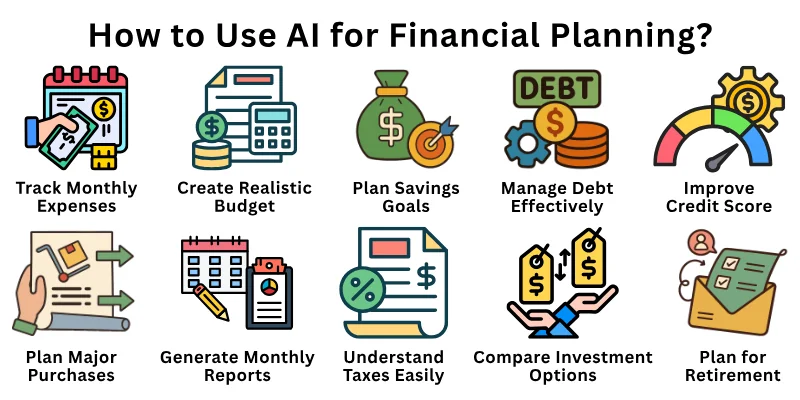
Here are major ways to improve your money management with how to use AI for financial planning:
- Track Monthly Expenses
- Create a Realistic Budget
- Plan Savings Goals
- Reduce Unnecessary Spending
- Analyze Income Clearly
- Build an Emergency Fund
- Manage Debt Effectively
- Compare Investment Options
- Improve Credit Score
- Plan Major Purchases
- Understand Taxes Easily
- Plan for Retirement
- Set Daily and Monthly Reminders
- Understand Financial Trends
- Generate Monthly Reports
Let us learn about each in detail.
1. Way 1: Track Monthly Expenses
Traditionally, people recorded their expenses manually in notebooks or spreadsheets. This process was slow and often inaccurate. Now, you can quickly track every expense using smart tools.
These tools categorize spending automatically and show easy-to-read summaries. You can also spot patterns and areas where money is wasted. This makes your money management clear and stress-free.
Prompts you can use:
- Track all my expenses for the month and categorize them.
- Summarize daily spending for the last 30 days.
- Show me which categories I spend the most on.
- Highlight any recurring subscriptions or unnecessary costs.
- Compare my spending this month with last month.
- Alert me if I exceed my budget in any category.
2. Way 2: Create a Realistic Budget
People used to make budgets manually, often guessing how much they should save or spend. This led to over- or under-budgeting. Now, you can input your income and expenses, and tools suggest a realistic monthly budget.
They adjust automatically when your expenses or goals change. You can divide money into essentials, wants, and savings efficiently. This keeps your finances balanced and manageable.
Prompts you can use:
- Create a monthly budget based on my income of X.
- Divide my spending into essentials, wants, and savings.
- Adjust my budget if my expenses increase by 10%.
- Suggest a balanced budget for next month.
- Highlight areas where I can save more.
- Alert me if I go over the budget.
3. Way 3: Plan Savings Goals
People often struggled to save because goals were unclear. They did not know how much to put aside each month. Now, you can set goals like emergency funds, vacations, or big purchases.
Tools break your goal into monthly steps and track progress automatically. They also suggest ways to save faster if needed. This makes your savings plan actionable and realistic.
Prompts you can use:
- Calculate monthly savings needed for a $5000 goal in 12 months.
- Track my progress towards my vacation savings goal.
- Suggest ways to increase savings without affecting essentials.
- Show how long it will take to reach my savings target.
- Alert me if I fall behind on my goal.
- Recommend adjustments if my income changes.
4. Way 4: Reduce Unnecessary Spending
Traditionally, people realized overspending too late. It required careful manual review. Now, tools can identify recurring costs and unnecessary spending instantly. They provide suggestions for cutting back without affecting lifestyle. You can also set alerts for high spending days. This helps you save money efficiently and avoid financial stress.
Prompts you can use:
- List my unnecessary or repeated expenses this month.
- Suggest cheaper alternatives for my subscriptions.
- Highlight days when I spend the most.
- Recommend ways to reduce daily expenses.
- Alert me if my spending exceeds the average.
- Compare my spending habits with last month.
5. Way 5: Analyze Income Clearly
People usually had to manually calculate net income, tax, and deductions. This was confusing and time-consuming. Now, tools provide a clear view of your take-home pay and total earnings.
They also help plan how much to allocate for savings and expenses. You can compare different income scenarios quickly. This gives clarity for budgeting and financial planning.
Prompts you can use:
- Calculate my monthly take-home income after taxes.
- Compare income from two different jobs.
- Show total deductions from my salary.
- Suggest income allocation for savings and essentials.
- Forecast my income growth for next year.
- Alert me if unexpected deductions occur.
6. Way 6: Build an Emergency Fund
People traditionally struggled to estimate the right emergency fund. They often under-saved and faced stress during unexpected events. Now, you can set a fund based on your lifestyle and monthly expenses.
Tools suggest the amount to save and track your progress. They send reminders to keep contributing regularly. This makes financial security simple and achievable.
Prompts you can use:
- Calculate how much I need for a 6-month emergency fund.
- Suggest monthly contributions to reach my emergency goal.
- Track progress of my emergency savings.
- Alert me if I miss a monthly contribution.
- Recommend adjustments based on expense changes.
- Compare current savings with emergency fund target.
7. Way 7: Manage Debt Effectively
People often struggled with multiple debts and interest rates manually. They missed payments or paid extra interest unnecessarily. Now, you can list all debts, track due dates, and choose repayment strategies.
Tools suggest methods like snowball or avalanche to pay off faster. They also alert you before deadlines. This keeps your debt under control efficiently.
Prompts you can use:
- List all my debts with interest and due dates.
- Suggest the fastest repayment strategy.
- Show how much interest I can save with early payments.
- Alert me before each debt due date.
- Track monthly progress in debt repayment.
- Recommend adjustments if extra income is available.
8. Way 8: Compare Investment Options
Traditionally, people researched investments through articles and advisors. It required time and understanding of complex terms. Now, tools explain stocks, bonds, mutual funds, and ETFs simply. They compare risks, returns, and timelines for better decision-making.
You can also create sample portfolios based on your comfort. This makes investing easier and smarter.
Prompts you can use:
- Compare stocks, bonds, and mutual funds for risk and return.
- Suggest best investment for moderate risk.
- Show expected returns for a 1-year investment.
- Alert me about market trends affecting investments.
- Create a sample portfolio based on my preferences.
- Recommend adjustments for better returns.
9. Way 9: Improve Credit Score
People usually monitored credit scores manually. Missing payments or high usage affected scores unexpectedly. Now, tools track credit usage, due dates, and suggest improvements.
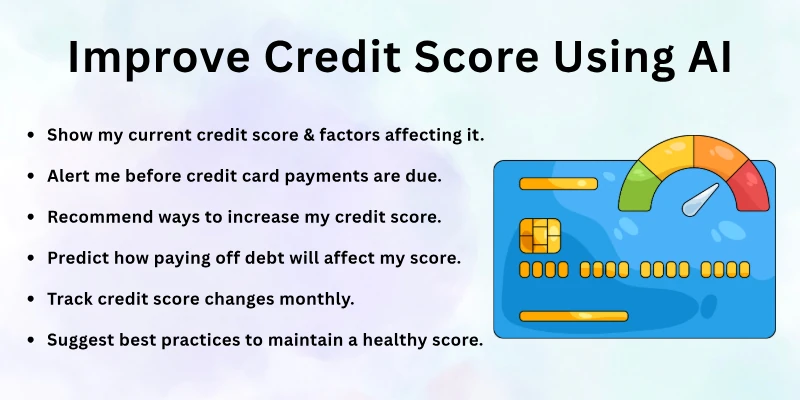
They alert you if your score drops or if you can improve it. You can also predict the effect of financial actions on your score. This helps maintain good financial credibility.
Prompts you can use:
- Show my current credit score and factors affecting it.
- Alert me before credit card payments are due.
- Recommend ways to increase my credit score.
- Predict how paying off debt will affect my score.
- Track credit score changes monthly.
- Suggest best practices to maintain a healthy score.
10. Way 10: Plan Major Purchases
People often struggled to plan big expenses like cars or home appliances. They risked overspending or unprepared financing. Now, tools calculate costs, break them into monthly amounts, and suggest timelines.
They check if your budget can support the purchase. This makes planning large purchases safe and stress-free.
Prompts you can use:
- Calculate monthly savings needed for a $2000 purchase.
- Suggest timeline to afford a new laptop.
- Alert me if budget cannot support the purchase.
- Compare different payment options.
- Track progress toward the purchase goal.
- Recommend adjustments if income changes.
11. Way 11: Understand Taxes Easily
People often struggled with tax terms and calculations. Mistakes could cost time and money. Now, tools simplify tax rules and suggest eligible deductions. They summarize documents for filing and show tax savings. This saves time and reduces errors in tax planning.
Prompts you can use:
- Calculate my estimated tax for this year.
- Suggest eligible deductions based on my income.
- Summarize receipts and expenses for filing.
- Alert me about upcoming tax deadlines.
- Show tax savings for charitable donations.
- Compare tax impact of different income scenarios.
12. Way 12: Plan for Retirement
Traditionally, retirement planning required estimating costs and investments manually. It was time-consuming and uncertain. Now, tools calculate how much to save based on desired lifestyle.
They predict growth with interest or investments over time. You can test different ages, incomes, or savings. This ensures a clear and actionable retirement plan.
Prompts you can use:
- Calculate retirement savings needed for age 60.
- Show growth of $500 monthly contributions over 20 years.
- Compare outcomes with different savings rates.
- Alert me if retirement goal is off track.
- Suggest investment strategies for retirement.
- Recommend adjustments based on income changes.
13. Way 13: Set Daily and Monthly Reminders
People often forget to pay bills, save, or review budgets manually. This leads to late payments and missed goals. Tools can remind you daily, weekly, or monthly. They adjust reminders automatically as your priorities change. This keeps your financial routine consistent and organized.
Prompts you can use:
- Remind me to pay bills every month.
- Alert me to review my budget weekly.
- Set daily savings reminders.
- Update reminders if my schedule changes.
- Track completed financial tasks automatically.
- Notify me if I miss an important payment.
14. Way 14: Understand Financial Trends
People manually read news and reports to track trends. It took hours to understand implications. Tools summarize economic changes and explain their impact simply. They highlight relevant updates for income, savings, or investments. This keeps you informed and ready to act quickly.
Prompts you can use:
- Summarize this month’s financial news for me.
- Alert me about changes affecting my investments.
- Explain economic trends in simple words.
- Compare this month’s data with last month.
- Suggest actions based on current trends.
- Track trends affecting my spending patterns.
15. Way 15: Generate Monthly Reports
People usually created financial reports manually using spreadsheets. It was time-consuming and complex. Tools now generate detailed monthly reports showing income, expenses, savings, and debt.
They highlight areas of improvement and success. Visual charts make data easy to understand. This helps you track progress and plan better for the next month.
Prompts you can use:
- Generate a financial report for the past month.
- Highlight areas of overspending.
- Show savings progress.
- Compare income and expenses this month vs last month.
- Create a chart for debt reduction progress.
- Recommend improvements for next month.
Best AI Tools for Financial Planning
Here are some of the best AI tools for financial planning, from personal money management and budgeting to long‑term goals and investment planning:
- Cleo – AI assistant for budgeting, saving, and spending insights.
- Rocket Money AI – Tracks subscriptions, negotiates bills, and suggests savings.
- Monarch Money – Syncs accounts, analyzes spending, and tracks net worth.
- Mint (with AI) – Budgeting, bill reminders, and AI‑powered spending insights.
- Quicken AI / Simplifi – Forecasts spending and helps with goal planning.
- YNAB (You Need A Budget) + AI Plugins – Combines disciplined budgeting with AI insights.
- Pocket Smith – AI cash‑flow forecasting and long‑term financial planning.
- Betterment – Robo‑advisor for automated investment planning and portfolio management.
- Wealthfront – AI-driven investment, risk management, and financial goal planning.
- Anaplan – Advanced AI platform for budgeting, forecasting, and scenario modeling.
Final Note
In this guide, we covered how to use AI for financial planning in 15 practical ways. You learned to track expenses, create budgets, save, manage debt, invest wisely, and plan for the future.
My advice is to start with 2–3 tools and gradually include more strategies. Keep reviewing your progress regularly. Small, consistent steps make financial planning simple and effective. Take charge of your money and feel confident every day.
FAQs
Here are the 10 most commonly asked questions about how to use AI for financial planning:
Yes, you can record daily, weekly, and monthly expenses easily. It categorizes spending automatically. You can see where your money goes. This helps control your budget better.
Yes, AI can suggest budgets based on your income and habits. It updates automatically if your expenses change. You can balance essentials, wants, and savings easily.
Yes, you can create goals like saving, investing, or big purchases. The tool breaks them into monthly steps. You also get reminders to stay on track.
Yes, it identifies recurring costs and wasteful habits. It suggests cheaper options and better budgeting. You can save more without stress.
Yes, it tracks debts, due dates, and interest. It suggests repayment strategies like snowball or avalanche. You stay on top of your obligations easily.
Yes, it calculates how much to save based on lifestyle goals. It predicts growth over time. You can adjust age or savings to see different results.
Yes, it monitors your score and alerts you to changes. It suggests ways to improve it. You maintain financial credibility effortlessly.
Yes, it compares stocks, bonds, and funds. It shows risks, returns, and timelines. You get clear guidance for smarter choices.
Yes, it summarizes income, expenses, savings, and debt. Charts make the data easy to read. You can track progress and plan better.
Yes, it calculates tax, suggests deductions, and summarizes documents. Alerts remind you of deadlines. You save time and avoid mistakes.






- Be Respectful
- Stay Relevant
- Stay Positive
- True Feedback
- Encourage Discussion
- Avoid Spamming
- No Fake News
- Don't Copy-Paste
- No Personal Attacks
- Be Respectful
- Stay Relevant
- Stay Positive
- True Feedback
- Encourage Discussion
- Avoid Spamming
- No Fake News
- Don't Copy-Paste
- No Personal Attacks
