How to Use AI for Email Writing for Better Results
Published: 11 Aug 2026
More than 376 billion emails travel across the world every day, and experts expect this number to keep growing in the coming years. Professionals, businesses, and freelancers spend hours writing emails for clients, customers, and teams. This is why many people now want to learn how to use AI for email writing to save time and improve their communication.
AI tools can help you create email drafts, improve grammar, adjust tone, and organize ideas within seconds. However, getting useful results depends on using the right method and instructions. Learning how to use AI for email writing correctly can help you write faster and communicate more effectively.
In this article, we will discuss how to use AI for email writing in detail.
You will also learn practical steps, useful tips, and simple methods to create better emails with less effort.
AI Email Writing
AI email writing uses artificial intelligence to help users create emails faster and more efficiently. It can assist with drafting messages, improving grammar, adjusting tone, and organizing ideas for different types of communication.
Definition of AI Email Writing: AI email writing is the process of using AI tools to create, edit, or improve email content automatically or with minimal human effort.
Difference between traditional email writing and AI-assisted writing
Below is a simple comparison between traditional email writing and AI-assisted email writing.
- Traditional Email Writing: Users write the entire email manually, including the structure, wording, and editing process.
- AI-Assisted Email Writing: AI helps generate drafts, suggest improvements, and refine emails based on the user’s instructions and goals.
Examples of AI-Generated Emails:
The following examples show the types of emails that AI can generate quickly and efficiently.
- Sales outreach emails that introduce products or services to potential customers.
- Follow-up emails sent after meetings, interviews, or business discussions.
- Customer support emails that answer common questions or resolve issues.
- Meeting request emails used for scheduling appointments or discussions.
- Thank you emails sent to clients, customers, or team members.
- Marketing and promotional emails designed to increase engagement and conversions.
Step-by-Step Guide: How to Use AI for Email Writing
Writing emails with AI becomes easier when you follow a clear and organized process. Each step helps the AI understand your needs and generate more accurate results. By using the right approach, you can save time and create professional emails with less effort.
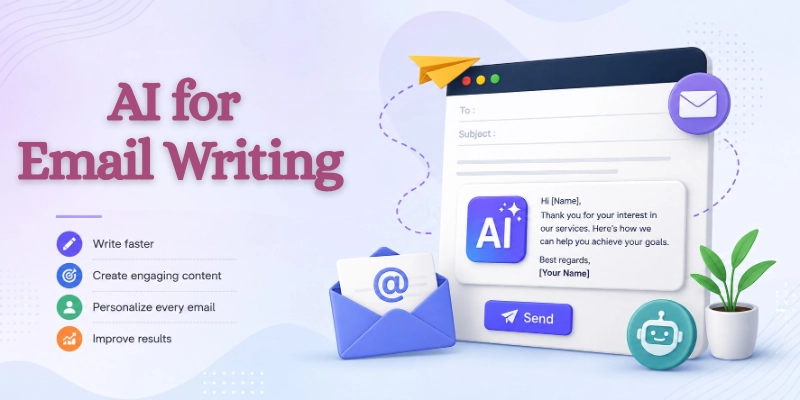
Below are the key steps that will help you understand how to use AI for email writing effectively and get better results from AI tools.
Step 1: Define the Purpose of Your Email
Before generating an email, identify its main goal. A clear purpose helps AI create more accurate and relevant content.
- Inform: Share important updates, announcements, or information with the recipient.
- Persuade: Encourage the reader to take action or consider your offer or idea.
- Request: Ask for information, support, approval, or assistance.
- Follow Up: Continue a previous conversation or check on an earlier discussion.
- Confirm Information: Verify details such as meetings, appointments, orders, or agreements.
Quick Tip: A clear email goal helps AI generate more focused content and reduces the need for revisions.
Step 2: Identify Your Audience
Understanding who will read your email is important before asking AI to generate content. The right audience helps AI choose the appropriate tone, language, and level of detail for your message.
Below are some common audiences you may want to target when using AI for email writing.
- Customers: Share updates, promotions, support information, or product details with existing customers.
- Clients: Communicate about projects, deadlines, proposals, invoices, or business opportunities.
- Managers: Provide reports, request approvals, share progress updates, or discuss important decisions.
- Team Members: Coordinate tasks, share information, assign responsibilities, or discuss ongoing work.
- Prospects: Introduce your business, explain your services, and build relationships with potential customers.
Audience Tip: Understanding your audience helps AI choose the right tone, wording, and level of detail.
Step 3: Gather Key Information
Before asking AI to write your email, collect all the information you want to include in the message. Providing complete details helps the AI generate accurate content and reduces the need for major edits later.
The following information can help AI create a more relevant and effective email for your purpose.
- Important Details: Include names, project information, product details, or any other key information related to the email.
- Dates: Mention meeting dates, event schedules, delivery dates, or other important timelines.
- Deadlines: Add submission dates or response deadlines to avoid confusion and delays.
- Attachments: Tell the AI if your email includes files, documents, reports, or images that require a mention in the message.
- Call-to-Action: Clearly state the action you want the recipient to take, such as replying, booking a meeting, or reviewing a document.
Organization Tip: Keeping all important details in one place before writing can make the email creation process much smoother.
Step 4: Choose an AI Email Writing Tool
Selecting the right AI tool plays an important role in the quality of your emails. As of 2026, many AI email tools offer features such as tone adjustment, smart suggestions, and integration with popular email platforms.
When comparing AI email writing tools, pay attention to the following factors before making your choice.
- Factors to Consider: Look for features that match your email needs, goals, and workflow requirements.
- Ease of Use: Choose a tool with a simple interface that allows you to create emails quickly without a steep learning curve.
- Integrations: Check whether the tool works with email platforms and productivity apps that you already use.
- Pricing: Compare free and paid plans to find a solution that fits your budget and required features.
Research Tip: Compare multiple tools before making a decision because features and pricing can vary significantly.
Step 5: Write an Effective Prompt
The quality of an AI-generated email depends heavily on the instructions you provide. A clear and detailed prompt helps the AI understand your requirements and produce more accurate results.
To get better email drafts from AI, make sure your prompt includes the following elements.
- Include Context: Explain the background or situation so the AI understands the purpose of the email.
- Mention Recipient Type: Specify whether the email is for a customer, client, manager, colleague, or potential buyer.
- Specify Tone: Tell the AI whether you want the email to sound professional, friendly, formal, or persuasive.
- Define Desired Length: Mention if you need a short message, a medium-length email, or a detailed response.
- State the Objective: Clearly describe what you want the email to achieve, such as getting a reply, scheduling a meeting, or sharing information.
Pro Tip: The more specific your prompt is, the better and more personalized your AI-generated email will be.
Step 6: Generate the First Draft
Once your prompt is ready, you can ask the AI tool to create the first version of your email. The initial draft gives you a strong starting point and saves time during the writing process.
After receiving the AI-generated draft, review the following areas before moving forward.
- What to Expect from AI Output: The AI may generate a complete email with a subject line, greeting, body content, and closing remarks based on your instructions.
- Reviewing Structure and Flow: Check that the email follows a logical order and that each section connects smoothly with the next.
Time-Saving Tip: Use the first draft as a starting point instead of rewriting the entire email from scratch.
Step 7: Edit and Personalize the Email
AI can create a strong first draft, but the final review should always come from you. Personalizing the email makes it feel more natural and helps build stronger connections with the recipient.
Use the following methods to make your AI-generated email more personal and relevant.
- Add Personal Details: Include the recipient’s name, previous conversations, or other relevant information to make the email feel more genuine.
- Include Company-Specific Information: Add details about the recipient’s company, industry, products, or recent achievements when appropriate.
- Adjust Wording: Modify phrases and sentences to match your communication style and the needs of your audience.
Writing Tip: Even small personal touches can make an AI-generated email feel more natural and authentic.
Step 8: Optimize Subject Lines
The subject line is often the first thing your recipient notices in their inbox. A clear and engaging subject line can significantly improve email performance and encourage more people to open your message.
Consider the following factors when creating or refining your email subject lines.
- Increase Open Rates: Use clear and relevant subject lines that accurately reflect the content of the email and encourage recipients to open it.
- Improve Click-Through Rates: Write subject lines that create interest and motivate readers to engage with your message or take the desired action.
Opportunity Tip: A stronger subject line can improve open rates and increase engagement with your emails.
Step 9: Proofread Before Sending
Even the best AI tools can occasionally miss important details or make mistakes. Taking a few minutes to review your email before sending can help you avoid misunderstandings and maintain a professional image.
Before clicking the send button, make sure to review the following areas carefully.
- Fact Checking: Verify names, dates, figures, links, and other important information to ensure accuracy.
- Tone Review: Check that the email tone matches your audience and the purpose of the message.
- Grammar Check: Review spelling, punctuation, and sentence structure to improve clarity and readability.
Pro Tip: Spending a few extra minutes on proofreading can prevent costly mistakes and misunderstandings.
How to Make AI Emails Sound Human
The following techniques can help you make AI-generated emails feel more human and engaging. A human-sounding email should feel like it was written by a real person, not copied from a template.
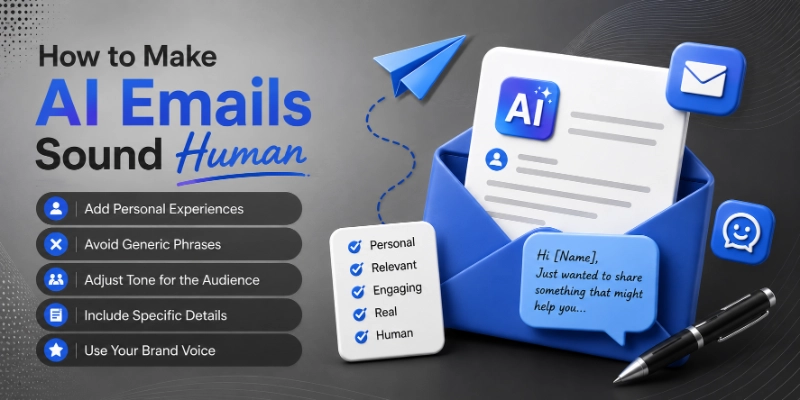
Adding your own tone, experiences, and small personal details can also make the message feel more authentic and relatable.
- Add Personal Experiences: Include relevant experiences, previous conversations, or shared interests to make the email feel more genuine and relatable.
- Avoid Generic Phrases: Replace common and repetitive expressions with clear and natural language that matches your communication style.
- Adjust Tone for the Audience: Modify the tone based on who will read the email, whether it is a customer, client, manager, or team member.
- Include Specific Details: Add names, project information, company details, or other relevant information to make the message more meaningful.
- Use Your Brand Voice: Ensure the email reflects your brand’s personality, values, and communication style to maintain consistency across all messages.
Common Mistakes to Avoid When Using AI for Email Writing
Here are some mistakes you should avoid when using AI for email writing.
- Copying AI Output Without Editing: Always review and refine the generated content to ensure it matches your purpose and communication style.
- Using Vague Prompts: Provide clear instructions and enough context so the AI can generate accurate and relevant emails.
- Ignoring Personalization: Add recipient names, company details, or previous interactions to make the email feel more natural and engaging.
- Overusing Formal Language: Extremely formal wording can make emails sound robotic and less approachable for many audiences.
- Sending Emails Without Verification: Check facts, links, dates, attachments, and important details before sending the message.
Conclusion
In this guide, we have covered how to use AI for email writing. We explored the key steps involved in creating effective emails with AI, from defining your purpose and audience to proofreading and measuring results. Following these steps can help you save time while improving the quality of your emails.
AI works best when you combine its speed with your own judgment and creativity. A quick review and a personal touch can turn an average AI-generated email into a message that feels professional, natural, and engaging.
My recommendation is to use AI as a writing assistant rather than a replacement for your own communication skills. The best results usually come from combining AI efficiency with human experience and personalization.
Thank you for taking the time to read this guide. I hope it helps you write better emails faster and with greater confidence.
💬 We’d love to hear your thoughts and experiences with AI email writing. Share your ideas or questions in the comments below and join the conversation! 🚀
FAQs
The following FAQs cover some of the most common questions readers have about AI email writing.
Yes, AI can create professional emails for meetings, client communication, project updates, and business proposals. It can also adjust the tone based on the recipient and purpose of the message. However, reviewing the final draft before sending is always a good practice.
Absolutely. AI email writing tools are designed to help users with little or no writing experience create better emails quickly.
Here are some reasons beginners find them useful:
- Easy-to-use interfaces
- Ready-made templates
- Grammar and tone suggestions
The best AI email writing tool depends on your needs and budget. Some users prefer AI chat tools for flexibility, while others choose dedicated email assistants for automation features. Testing a few options can help you find the right fit.
Yes, most AI email generators can create subject lines along with the email content. They can suggest options designed to improve open rates and engagement. You can also ask the AI to generate multiple subject line variations.
AI can significantly reduce the time spent drafting and editing emails. Many users use AI to handle repetitive communication tasks more efficiently. This allows them to focus on more important work.
Yes, AI can create personalized sales emails when you provide details about the prospect and your offer. Adding company information and customer pain points improves the quality of the output. Personalization often increases response rates and engagement.
Most reputable AI email tools use security measures to protect user data. However, you should avoid sharing highly sensitive information in prompts whenever possible.
For better security:
- Review privacy policies.
- Remove confidential information.
- Follow company guidelines.
Yes, AI can identify grammar mistakes, awkward sentences, and tone issues in emails. It can also rewrite messages to sound more professional, friendly, or persuasive. This feature is especially useful for non-native English speakers.
AI can assist with writing tasks, but human judgment remains important for relationship building and decision-making. Personal experiences, emotions, and business context still require human input. Most experts expect AI to work alongside people rather than replace them completely.






- Be Respectful
- Stay Relevant
- Stay Positive
- True Feedback
- Encourage Discussion
- Avoid Spamming
- No Fake News
- Don't Copy-Paste
- No Personal Attacks
- Be Respectful
- Stay Relevant
- Stay Positive
- True Feedback
- Encourage Discussion
- Avoid Spamming
- No Fake News
- Don't Copy-Paste
- No Personal Attacks
