Best AI Tools for Business Automation: Top 10 Picks for Everyone
Published: 10 Jun 2026
Running a business means handling many tasks every day, from customer support and scheduling to marketing and finance. In the traditional way, I used to spend hours completing repetitive tasks manually, which took time away from strategic work.
Artificial intelligence changes everything because it can automate these tasks, make processes faster, and help me focus on growing the business instead of managing daily chores.
In this guide, I will explain the best AI tools for business automation that I use or recommend so that you can save time, reduce errors, and grow your business smarter in 2026.
Best AI Tools for Business Automation
Below are the top 10 AI tools that help automate business tasks effectively:
- Zapier – Workflow Automation
- ChatGPT – Conversational and Task Automation
- Microsoft Copilot – Office Productivity Automation
- HubSpot AI – Sales and Marketing Automation
- Monday.com AI – Project and Team Workflow Automation
- Salesforce Einstein – CRM and Sales Intelligence
- Hootsuite AI – Social Media Automation
- QuickBooks AI – Accounting and Financial Automation
- Calendly AI – Scheduling Automation
- Otter AI – Meeting and Transcription Automation
Let us go into each in detail.
1. Zapier: Workflow Automation
Zapier connects apps and automates workflows across platforms that do not natively communicate with each other. For example, I use Zapier to automatically send new email subscribers to my CRM and notify my team in Slack without manual copying. This tool helps me automate repetitive tasks that used to take hours. Zapier’s “Zaps” (automated actions) save me time and reduce mistakes.
Tasks automated with this tool:
- Syncing contacts between apps
- Automating notifications
- Triggering actions based on form entries
2. ChatGPT: Conversational and Task Automation
ChatGPT is a versatile AI assistant that I use to automate communication and content tasks. It helps write emails, chat replies, marketing copy, and detailed responses. I also use it to build automated chat systems or help draft proposals and reports quickly. ChatGPT saves time and improves the quality of business communication.
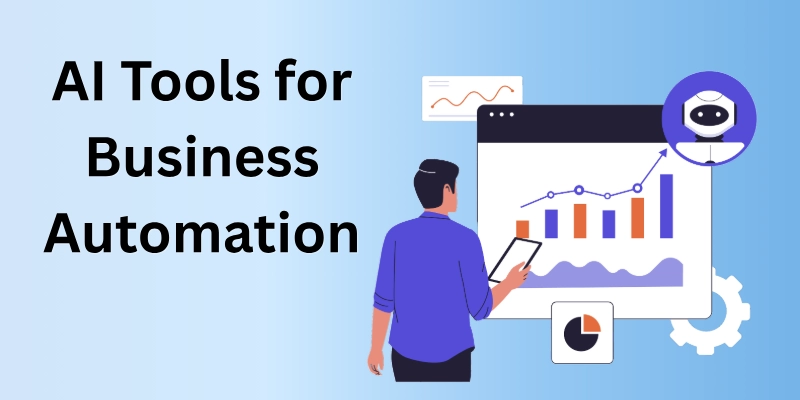
It also supports brainstorming, research, and content planning, making everyday tasks more efficient and productive. It can also assist with customer support by providing instant and accurate responses to common queries. Additionally, its integration capabilities make it a valuable tool for streamlining workflows and enhancing team productivity.
Tasks automated with this tool:
- Drafting emails and documents
- Generating reports
- Creating conversational chat responses
3. Microsoft Copilot: Office Productivity Automation
Microsoft Copilot works inside Office apps like Word, Excel, and Outlook and helps automate productivity tasks. For instance, I use Copilot to summarize long documents, create slides from content, and pull insights from spreadsheets. This saves many hours of manual work. It makes common office tasks faster and smarter using AI.
Tasks automated with this tool:
- Writing drafts and summaries
- Analyzing spreadsheet data
- Auto-formatting presentations
4. HubSpot AI: Sales and Marketing Automation
HubSpot AI helps automate lead capture, email follow-ups, and marketing campaigns. I use it to send personalized outreach based on customer behavior and engagement. It also suggests the best time to contact leads and tracks results automatically. HubSpot AI makes sales and marketing processes efficient and data-informed.
Tasks automated with this tool:
- Lead nurturing email sequences
- Contact scoring and segmentation
- Marketing campaign automation
5. Monday.com AI: Project and Team Workflow Automation
Monday.com AI helps me automate project workflows and team assignments. I use it to create task rules that automatically update statuses, assign work, and remind team members of deadlines. This removes the need for manual tracking and follow-ups. The automation keeps projects running smoothly.
Tasks automated with this tool:
- Task assignment based on rules
- Status updates and reminders
- Deadline notifications
6. Salesforce Einstein: CRM and Sales Intelligence
Salesforce Einstein brings AI automation to customer relationship management (CRM). I use it to automate sales forecasting, predict customer behavior, and prioritize leads. Einstein helps recommend the next best action for each client based on data patterns. It increases sales efficiency and gives insights I could not find manually.
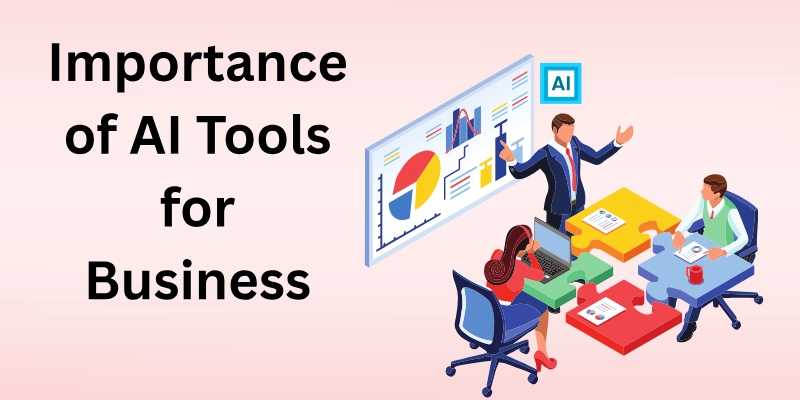
It also automates routine CRM tasks, reducing manual work for sales teams and improving productivity. Additionally, Salesforce Einstein provides real-time insights that help businesses build stronger customer relationships and make smarter decisions.
Tasks automated with this tool:
- Lead scoring and prioritization
- Sales forecasting
- Automated follow-ups
7. Hootsuite AI: Social Media Automation
Hootsuite AI helps me schedule posts, identify trending topics, and automate engagement tasks. I use it to plan social media calendars and publish content across platforms without logging in manually. It also suggests best posting times to reach larger audiences. This saves time and improves social media performance.
Tasks automated with this tool:
- Social scheduling
- Trend analysis and recommendations
- Automated engagement insights
8. QuickBooks AI: Accounting and Financial Automation
QuickBooks AI automates expense tracking, invoice generation, and financial reporting. I use it to categorize costs, reconcile bank statements, and forecast cash flow. It saves hours of bookkeeping work and helps me make better financial decisions. With automated reports, I always know the financial health of my business.
Tasks automated with this tool:
- Expense categorization
- Invoice and payment tracking
- Cash flow prediction
9. Calendly AI: Scheduling Automation
Calendly AI automates appointment booking without back-and-forth emails. I share my available time slots, and clients pick what works for them. It syncs with my calendar to avoid overlaps and sends reminders automatically. Scheduling is now effortless and professional.
Tasks automated with this tool:
- Meeting scheduling
- Calendar syncing
- Automated reminders
10. Otter AI: Meeting and Transcription Automation
Otter AI transcribes meetings, interviews, and calls in real time. I no longer take long notes manually because Otter captures everything accurately. It also generates summaries and tags speakers. This helps me focus on the conversation instead of writing notes.
Tasks automated with this tool:
- Real-time transcription
- Summary generation
- Speaker tagging
Why AI Tools Matter for Business Automation
AI tools matter because they save time, reduce manual work, and give more accurate results than traditional methods. I used to spend hours on repetitive tasks that AI now does in minutes. Automation allows me to focus on creative strategy, business growth, and serving customers better. Businesses that use AI tools stay competitive, smart, and productive this year.
Conclusion
In this guide, I have shared the best AI tools for business automation that help automate everyday business tasks, improve efficiency, and support growth. My personal advice is to start with one or two tools that match your major pain points, learn how they work, and then expand to others. AI works best when it is aligned with your goals and helps you focus on tasks that matter most.
If you want to save time, reduce errors, and improve business performance, adopting AI automation tools is one of the smartest steps you can take today. Now, let us move on to the FAQs related to this topic.
FAQs
Here are some of the most commonly asked questions related to Best AI tools for business automation:
Many AI tools offer flexible plans or free tiers that are suitable for small businesses. I started with basic plans and upgraded as my needs grew. The value I get usually outweighs the cost. Automation saves money in the long run.
No, most AI tools are designed to be user-friendly without technical skills. I use them every day without writing code. They come with guides and templates. This makes automation accessible to everyone.
AI tools handle repetitive tasks automatically, saving me hours of manual work. They also provide faster insights and eliminate human error. This helps me focus on strategy and high-value work. Productivity improves significantly.
AI tools are designed to support employees, not replace them completely. I use AI to reduce workload so my team can focus on creative and strategic tasks. Human judgment and decision-making are still important. AI makes work smarter, not unnecessary.
I recommend starting with an AI tool that solves your biggest pain point. For example, if scheduling takes too much time, start with Calendly AI. If managing workflows is hard, try Monday.com AI. Starting with one tool makes learning easier.
Yes, AI tools are ideal for remote teams because they automate communication, scheduling, and project tracking. I use them to keep everyone aligned and reduce manual follow-up messages. This improves team collaboration. Remote work becomes smoother.
Yes, AI tools provide insights from data that would be hard to see manually. I use AI analytics to learn what works and what does not. This information helps me make better decisions. AI improves business strategy.
Some results like automation of notifications or scheduling appear immediately. I often see time savings within the first week of use. Other benefits like insights and workflow improvements grow over time. The more data AI learns from, the better it gets.





- Be Respectful
- Stay Relevant
- Stay Positive
- True Feedback
- Encourage Discussion
- Avoid Spamming
- No Fake News
- Don't Copy-Paste
- No Personal Attacks
- Be Respectful
- Stay Relevant
- Stay Positive
- True Feedback
- Encourage Discussion
- Avoid Spamming
- No Fake News
- Don't Copy-Paste
- No Personal Attacks
