How to Use AI for Idea Generation – Step-by-Step Guide
Published: 13 Apr 2026
Generating fresh, creative ideas can be difficult. Sometimes you sit for hours trying to think of topics, projects, or solutions and end up feeling stuck. With AI, you can make this process faster, smarter, and more productive.
In this guide, you will learn how to use AI for idea generation step by step, whether it’s for writing, business, design, or personal projects. By the end, you will know how to get endless ideas quickly and efficiently.
How to Use AI for Idea Generation
AI can act as a brainstorming partner. It can suggest ideas, organize them logically, and help you explore new directions.
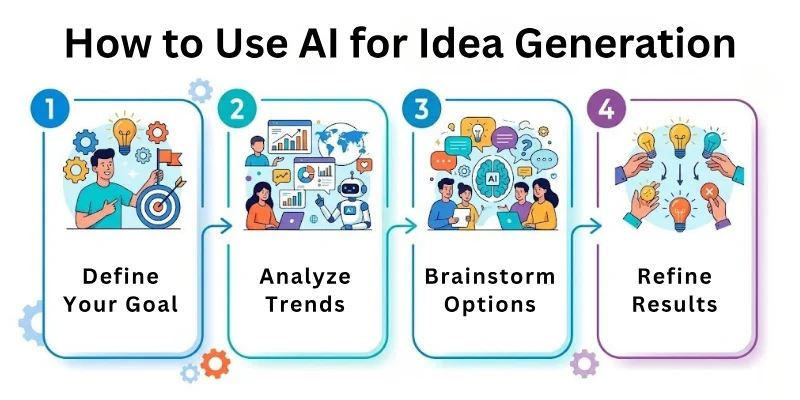
Before we go into details, here’s a list of steps to follow:
- Define your Purpose and Audience
- Choose the Right AI Tool
- Start with Broad Prompts
- Generate Multiple Variations
- Organize and Categorize Ideas
- Refine and Expand Ideas
- Validate Ideas for Feasibility
- Combine Ideas Creatively
- Track and Save your Ideas
- Review and Implement
Let us cover all these steps in detail.
Step 1: Define Your Purpose and Audience
Knowing why you need ideas is essential. AI generates better suggestions if your goal is clear.
- Are the ideas for writing, marketing, or product development?
- Who will use or see the output?
- What tone or style fits your project?
Example prompt: “I need 10 blog topic ideas for beginners interested in personal finance, in a friendly tone.”
Step 2: Choose the Right AI Tool
The right AI tool helps you get aAIurate and creative suggestions.
- ChatGPT / GPT tools → General idea generation and brainstorming
- Copy.ai → Creative content and marketing ideas
- Jasper.ai → Structured, SEO-friendly ideas
- Writesonic → Blog posts, social media, or headlines
- Tome → Ideas for presentations or visual projects
Tip: Pick a tool that suits your project type and style preference.
Step 3: Start With Broad Prompts
Begin with general prompts to explore possibilities.
- “Give me 10 topic ideas for tech startups.”
- “List 10 creative social media post ideas for fitness.”
- “Suggest project ideas for beginner coders.”
This helps AI generate a wide range of options without limiting creativity.
Step 4: Generate Multiple Variations
Never rely on the first batch of ideas.
- Ask AI to provide 2–3 alternative lists for each prompt
- Try slightly different prompt angles for diversity
- Compare outputs to find the most relevant or interesting ideas
This ensures you get unique and valuable suggestions every time.
Step 5: Organize and Categorize Ideas
A list of ideas is useful only if it’s organized.
- Group ideas by theme, purpose, or difficulty
- Create categories like blog, social media, or business
- Use AI to help label and sort your ideas
Example prompt: “Organize these 20 ideas into 3 categories: beginner, intermediate, and advanced.”
Step 6: Refine and Expand Ideas
Take the raw ideas and make them more detailed.
- Ask AI to explain or expand each idea
- Add examples, steps, or subtopics
- Make ideas actionable instead of vague
Example: “Expand this idea, ‘Budget planner app for students,’ into a full concept with features and benefits.”
Step 7: Validate Ideas for Feasibility
Not every idea is practical. AI can help assess feasibility.
- Ask if the idea is realistic for your resources
- Consider audience interest and market demand
- Refine or adjust based on AI suggestions
This ensures you focus on ideas worth implementing.
Step 8: Combine Ideas Creatively
Combining multiple ideas can lead to innovation.
- Merge two or more AI suggestions to create a new concept
- Explore unusual combinations for originality
- Test new angles that AI may suggest
This often results in unique and standout ideas.
Step 9: Track and Save Your Ideas
Keeping a record prevents losing valuable concepts.
- Maintain a digital notebook or spreadsheet
- Use AI tools that allow saving or exporting ideas
- Review regularly to refresh or expand ideas
Organized tracking makes future brainstorming sessions faster.
Step 10: Review and Implement
Finally, decide which ideas to act on.
- Prioritize ideas based on impact and effort
- Plan implementation steps for chosen ideas
- Use AI to create supporting content, visuals, or drafts
This completes the cycle from brainstorming to execution.
Top 10 AI Tools for Idea Generation
Here are the best tools to generate ideas quickly:
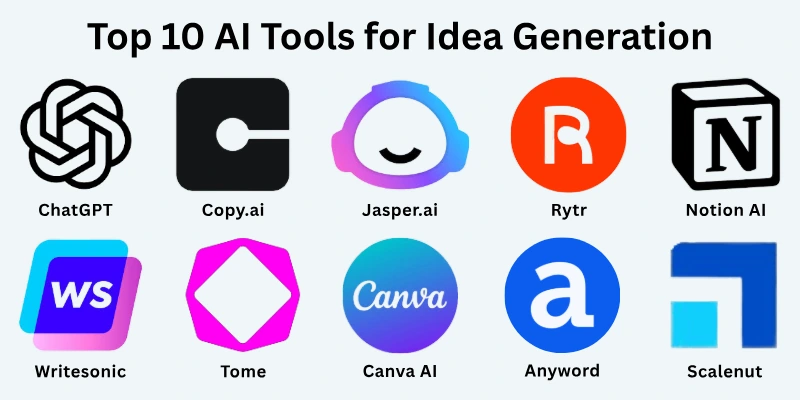
- ChatGPT / GPT tools
- Copy.ai
- Jasper.ai
- Writesonic
- Tome
- Canva AI (for visual ideas)
- Rytr
- Anyword
- Scalenut
- Notion AI
Common Mistakes to Avoid
Here are some of the most common mistakes to avoid:
- Starting without a clear goal or audience
- Limiting AI prompts too narrowly
- Using the first list of ideas without alternatives
- Ignoring organization and categorization
- Skipping refinement and expansion
- Forgetting to validate ideas
- Overlooking the importance of tracking ideas
Avoiding these mistakes ensures your idea generation is productive and creative.
Final Note
In this guide, we have covered how to use AI for idea generation in great detail. You now know how to generate, organize, refine, and implement ideas effectively.
Remember, AI is a powerful helper, but your creativity brings the ideas to life. Keep experimenting, combine concepts, and always explore new angles. With consistent practice, you will generate ideas faster and more creatively than ever. Good luck and enjoy the process of turning ideas into reality!
FAQs: How to Use AI for Idea Generation
Here are some of the most commonly asked questions related to the how to use AI tools for idea generation:
AI idea generation uses intelligent tools to help you brainstorm quickly. It can suggest topics, projects, or solutions based on your input. This makes your creative process faster and more organized.
You can ask AI to suggest marketing campaigns, product ideas, or growth strategies. It can provide multiple options and highlight what may work best. This saves time compared to traditional brainstorming.
Yes, AI can suggest blog topics, social media posts, or email ideas. You can refine these suggestions to match your style. It helps avoid writer’s block and keeps content fresh.
Tools like ChatGPT, Copy.ai, Jasper.ai, and Writesonic work well. They provide structured suggestions and creative variations. Choose the tool that matches your purpose, like writing, design, or business.
Yes, AI can group ideas into categories or themes. It can also label and prioritize them based on relevance. This makes brainstorming more actionable and structured.
You can ask AI to expand or explain each idea in detail. Add examples, steps, or subtopics to make ideas actionable. Refining ensures ideas are practical and ready for implementation.
Yes, AI can suggest ways to merge ideas to create something unique. This often leads to innovative concepts you might not think of alone. It helps in generating standout solutions.
AI provides helpful suggestions, but human judgment is essential. Always validate ideas for feasibility and relevance. Combining AI input with your creativity gives the best results.
Yes, many AI tools allow saving, exporting, or organizing ideas. You can maintain a digital notebook or spreadsheet. This ensures you don’t lose valuable ideas for future use.
Avoid giving vague prompts or relying solely on AI. Always refine, validate, and experiment with AI-generated ideas. Organizing and tracking ideas ensures they are useful and actionable.






- Be Respectful
- Stay Relevant
- Stay Positive
- True Feedback
- Encourage Discussion
- Avoid Spamming
- No Fake News
- Don't Copy-Paste
- No Personal Attacks
- Be Respectful
- Stay Relevant
- Stay Positive
- True Feedback
- Encourage Discussion
- Avoid Spamming
- No Fake News
- Don't Copy-Paste
- No Personal Attacks
