Intelligent Automation Vs. Artificial Intelligence – key Differences
Published: 9 Sep 2026
Are intelligent automation and artificial intelligence the same thing, or does each one solve a different problem? Many people use these terms as if they mean the same thing, but they serve different purposes. AI focuses on tasks that require learning, reasoning, or decision-making, while intelligent automation connects AI with other tools to complete business processes.
This confusion can make it difficult to choose the right technology for your business. You may need AI to understand customer messages, but you may need intelligent automation to route those messages, update records, and trigger follow-up tasks.
In this article, we will discuss the difference between intelligent automation and artificial intelligence in detail, with simple examples to help you understand when to use each one.
What Is Artificial Intelligence?
Artificial intelligence (AI) enables computers to perform tasks that usually require human intelligence, such as understanding language, recognizing patterns, solving problems, and making decisions. Businesses use AI to analyze data, improve customer experiences, support decisions, and create content, while generative AI and AI agents expand these capabilities further.
Simple Definition of Artificial Intelligence
Artificial intelligence is a technology that enables computers and machines to learn from data, understand information, recognize patterns, and make predictions or decisions that normally require human intelligence.
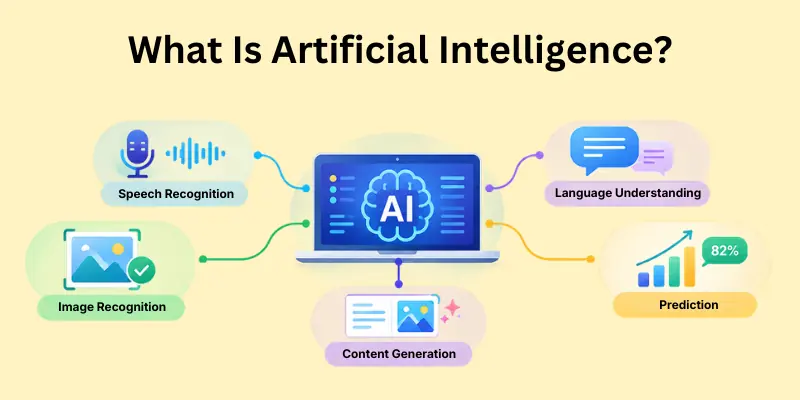
AI can improve its performance when developers train its models with suitable data. However, not every AI system learns continuously, and AI does not always automate a complete business process. Some AI tools only analyze information or provide recommendations, while other systems can take actions through connected tools.
How Does Artificial Intelligence Work?
Artificial intelligence works by using data, algorithms, and trained models to produce useful results. For example, an AI system can study customer messages, identify what each customer needs, and suggest a suitable response. The exact process depends on the AI technology, but the following steps explain the basic idea.
Data → AI model → Analysis → Prediction or decision → Result
- Collects data: The AI system receives information such as text, images, audio, or numbers.
- Processes the data: The system prepares the information so its model can work with it.
- Uses an AI model: The model applies patterns it learned during training to the new information.
- Analyzes information: The system identifies patterns, understands inputs, or compares possible outcomes.
- Makes a prediction or decision: The model produces an answer, recommendation, classification, or prediction.
- Produces a result: The system gives the user an output, such as a chatbot response, fraud alert, or product recommendation.
- Improves through training: Developers can train or update models with new data and feedback to improve their performance.
Examples of Artificial Intelligence
Below are some common examples of artificial intelligence that you may already use in everyday life.
- AI Chatbots
- AI Recommendation Systems
- AI Image Recognition
- AI Speech Recognition
- AI Fraud Detection
- AI Predictive Analytics
- Generative AI
- AI Agents
- AI Virtual Assistants
- AI-Powered Search
What Is Intelligent Automation?
Intelligent automation helps businesses complete tasks with less manual work by combining artificial intelligence with automation tools. It can understand information, make decisions, and move work through different steps of a business process. For example, a company can use intelligent automation to read an invoice, check its details, and send it to the right department for approval.
Simple Definition of Intelligent Automation
Intelligent automation is a technology approach that combines artificial intelligence, robotic process automation, and workflow tools to automate business processes and complete tasks with less human effort.
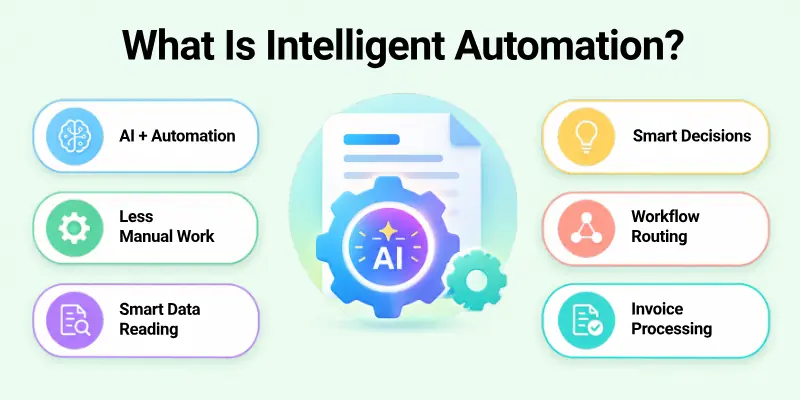
Intelligent automation can use AI to understand information and automation tools to complete the next steps. It can also connect different business systems, such as email, CRM, accounting software, and document management platforms. This helps businesses automate complete workflows instead of only automating one repetitive task.
How Does Intelligent Automation Work?
Intelligent automation follows a series of steps to understand information and complete a business task. For example, when a company receives an invoice, the system can read the document, check the details, and send it to the correct department.
Data or input → AI understands information → Workflow makes a decision → Automation completes the task → Result is recorded
- Receives data or input: The system receives information from documents, emails, forms, or business applications.
- Understands information: AI technologies such as OCR and NLP help the system read and understand the input.
- Analyzes the information: The system checks the data and identifies what needs to happen next.
- Makes a workflow decision: The workflow applies business rules and AI-based insights to choose the next step.
- Completes the task: Automation tools perform actions such as entering data, sending emails, or updating records.
- Records the result: The system saves the completed action and updates the relevant business application.
- Involves people when needed: The workflow can send complex or uncertain cases to a human for review.
Main Components of Intelligent Automation
Intelligent automation uses several technologies to understand information, manage workflows, and complete tasks. The following components help businesses connect AI with practical business processes.
- Artificial Intelligence (AI): Understands data, identifies patterns, and supports decisions.
- Robotic Process Automation (RPA): Performs repetitive, rule-based tasks such as data entry and file transfers.
- Business Process Management (BPM): Organizes, monitors, and improves business workflows.
- Optical Character Recognition (OCR): Extracts text from scanned documents and images.
- Natural Language Processing (NLP): Helps systems understand and process human language.
- Workflow Orchestration: Connects tasks, systems, and people to manage complete processes.
Examples of Intelligent Automation
The following examples show how intelligent automation connects different tasks into one complete workflow.
- Automated Invoice Processing
- Customer Onboarding
- Insurance Claims Processing
- Employee Onboarding
- Document Verification
- Customer Support Workflows
- IT Service Management
Intelligent Automation vs. Artificial Intelligence Comparison Table
Artificial intelligence focuses on making systems intelligent, while intelligent automation uses AI and other technologies to complete business processes automatically.
| Feature | Artificial Intelligence | Intelligent Automation |
| Main purpose | Understands, learns, and makes predictions | Automates complete business processes |
| Main focus | Intelligence and decision-making | Workflow execution and efficiency |
| How it works | Uses data and AI models | Combines AI, RPA, and workflows |
| Human involvement | Supports specific decisions | Reduces manual work across tasks |
| Output | Predictions, recommendations, or generated content | Completed tasks or updated records |
| Example | Predicts which customers may leave | Sends retention campaigns automatically |
| Best for | Data analysis and intelligent decisions | Repetitive, multi-step workflows |
Key Differences
Understanding the key differences between intelligent automation and AI helps you choose the right technology for your business.
Below are the main differences between AI and intelligent automation, explained in simple terms.
Purpose:
- Artificial Intelligence: Helps systems understand information, learn from data, and make decisions.
- Intelligent Automation: Uses AI and other tools to complete business workflows with less manual effort.
Scope:
- Artificial Intelligence: Can solve a specific problem, such as predicting customer behavior.
- Intelligent Automation: Connects several tasks, such as analyzing customer data, updating records, and sending follow-up messages.
Technology:
- Artificial Intelligence: Uses models and algorithms to process information and produce useful results.
- Intelligent Automation: Combines AI with RPA, BPM, and workflow tools to automate business processes.
Output:
- Artificial Intelligence: Produces insights, predictions, recommendations, or generated content.
- Intelligent Automation: Uses those outputs to complete actions, update records, or move work to the next step.
Business Role:
- Artificial Intelligence: Helps businesses understand data and improve decision-making.
- Intelligent Automation: Helps businesses improve process execution and reduce repetitive work.
How Are Intelligent Automation and Artificial Intelligence Similar?
Artificial intelligence and intelligent automation may work in different ways, but both help businesses improve their daily operations. AI provides intelligence through data analysis and predictions, while intelligent automation uses that intelligence to complete tasks and workflows.
Below are the main similarities between artificial intelligence and automation that explain how both technologies help businesses.
- Reduce Manual Effort: Artificial intelligence helps employees analyze information and complete tasks that require human effort. Intelligent automation takes this further by using AI and automation tools to complete repetitive tasks with less manual work.
- Improve Productivity: AI helps employees work more efficiently by providing useful insights, recommendations, and content. Intelligent automation improves productivity by connecting tasks and reducing the time employees spend on repetitive work.
- Support Faster Decisions: Artificial intelligence analyzes data and provides predictions or recommendations that support business decisions. Intelligent automation uses these insights to help businesses make decisions and move workflows to the next step.
- Reduce Repetitive Errors: AI helps identify patterns and supports accurate data analysis. Intelligent automation follows defined workflows and reduces errors in repetitive tasks such as data entry and record updates.
- Improve Business Efficiency: Artificial intelligence helps businesses understand data and improve their operations. Intelligent automation connects different tasks and systems to make business processes more efficient.
- Handle Large Amounts of Data: AI can process large amounts of data and identify useful patterns. Intelligent automation uses AI and workflow tools to process information and complete tasks across business systems.
How Do Intelligent Automation and Artificial Intelligence Work Together?
AI enables intelligent decision-making by understanding and analyzing information, while intelligent automation uses those insights to perform tasks across business systems. Together, they help businesses automate complete processes, not just analyze data.
Here are the main ways AI and intelligent automation work together to improve business processes.
1. AI Provides the Intelligence
Artificial intelligence helps systems understand information and produce useful results. For example, AI can read documents, analyze customer data, recognize patterns, and make predictions. These capabilities help businesses make better decisions before they automate the next steps.
- Artificial Intelligence: Understands documents, analyzes data, recognizes patterns, and makes predictions.
- Intelligent Automation: Uses AI results to support business decisions and prepare the next steps in a workflow.
2. Automation Completes the Process
Intelligent automation uses AI results to complete the next steps in a business workflow. It can connect different systems, apply business rules, and perform tasks without requiring employees to handle every step manually.
- Artificial Intelligence: Provides information, predictions, or recommendations that help the system understand what needs to happen.
- Intelligent Automation: Uses those results to enter data, send emails, update records, or move files.
3. Real-World Example: Automated Invoice Processing
Automated invoice processing shows how AI and intelligent automation work together in a real business process. AI understands the invoice information, while automation uses that information to complete the next steps.
Invoice received → AI extracts invoice details → System checks the information → Workflow approves or flags the invoice → RPA enters the data → Payment process begins
- Invoice received: The business receives an invoice through email or a document system.
- AI extracts invoice details: AI reads the invoice and identifies information such as the supplier name, invoice number, and amount.
- System checks the information: The system checks the invoice details against business records and rules.
- Workflow approves or flags the invoice: The workflow sends the invoice for approval or flags it for human review.
- RPA enters the data: RPA transfers the approved invoice details into the accounting system.
- Payment process begins: The business system starts the payment process according to its rules.
4. Why Businesses Combine Both Technologies
Businesses combine artificial intelligence and intelligent automation because each technology solves a different part of the same problem. AI helps systems understand information and support decisions, while intelligent automation uses those results to complete tasks and connect workflows.
The main benefits of combining AI and intelligent automation include:
- Businesses can complete more tasks with less manual effort.
- AI and automation can reduce the time needed to handle documents and workflows.
- AI provides insights that help businesses make informed decisions.
- Automation handles routine tasks so employees can focus on more important work.
- Businesses can connect several tasks into one complete workflow.
- Automation can reduce errors in repetitive tasks and data entry.
In simple terms, AI provides the intelligence, while intelligent automation uses that intelligence to complete the work. Together, they help businesses automate more complex processes and improve daily operations.
Benefits of Artificial Intelligence
Artificial intelligence helps businesses understand information, improve daily operations, and make better decisions. It can also support customer service, reduce repetitive analysis, and help teams create new products and services.
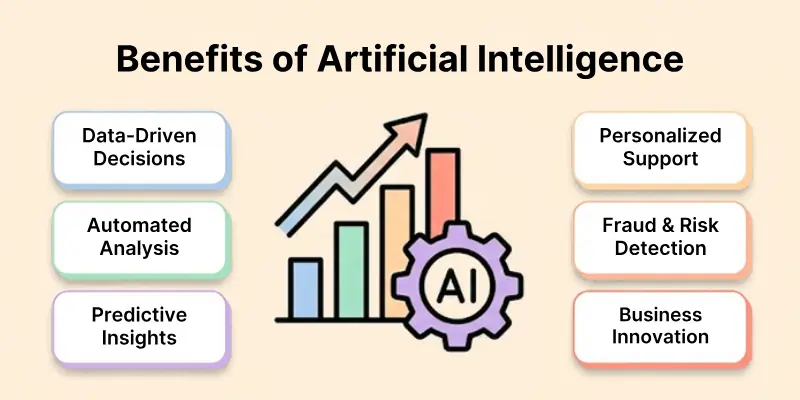
Here are the key benefits of AI and how it can help businesses improve their operations.
How AI Helps Businesses
Artificial intelligence gives businesses useful ways to analyze data, understand customers, and improve their daily operations. The following benefits explain how AI can support business growth and efficiency.
- By analyzing large amounts of data, AI helps businesses identify patterns and better understand their operations.
- Fast information processing allows AI to deliver valuable insights for more informed business decisions.
- Historical data enables AI to forecast customer behavior, future demand, and potential business risks.
- A better understanding of customer needs allows businesses to offer faster and more relevant support with AI.
- Personalized recommendations can be generated based on individual customer preferences and past behavior.
- Repetitive data analysis can be automated, giving employees more time to focus on important tasks.
- From improving existing products to exploring new opportunities, AI supports innovation and helps businesses develop new ideas.
When AI Is the Better Choice
AI is useful when a business needs to understand complex information, identify patterns, or support decisions. It can help businesses solve problems that require data analysis, prediction, or language and image understanding.
- Large datasets can be analyzed to uncover useful patterns and insights.
- Customer data helps predict buying habits, preferences, and churn.
- Unusual data activity can reveal fraud, errors, or system issues.
- Text, images, and other content can be created for marketing and creative tasks.
- Different data types can be processed to understand messages, documents, and media.
- Multiple factors can be analyzed to support smarter business decisions.
Benefits of Intelligent Automation
Intelligent automation helps businesses complete repetitive tasks, manage workflows, and connect different systems with less manual effort. It combines AI with automation tools to improve how businesses handle daily operations.
Below are the main benefits of intelligent automation that show how it can improve business processes and productivity.
How Intelligent Automation Helps Businesses
Intelligent automation helps businesses complete tasks more efficiently and reduce the time employees spend on repetitive work. The following benefits explain how intelligent automation can improve daily operations.
- Routine tasks like emails, updates, and file transfers can be automated.
- Data can move between applications without repeated manual entry.
- Defined workflows ensure tasks are completed consistently.
- CRM, accounting, email, and document tools can work together.
- Repetitive work gets done faster, saving employees valuable time.
- Automated processes help reduce errors in data entry and updates.
- Employees can focus more on tasks requiring judgment and creativity.
When Intelligent Automation Is the Better Choice
Intelligent automation is useful when a business needs to connect several tasks, systems, or decisions into one complete workflow. It works well when businesses want to reduce repetitive administrative work and improve process efficiency.
- Intelligent automation can connect several tasks and complete them in the correct order.
- It can move information between business applications and help systems work together.
- Automation can handle tasks such as data entry, scheduling, and record updates.
- Intelligent automation can help businesses process invoices, forms, and other documents more efficiently.
- It can reduce delays, connect tasks, and help businesses complete processes with less manual effort.
- Intelligent automation can use AI to understand information and business rules to decide what happens next.
Real-World Use Cases of AI and Intelligent Automation
Artificial intelligence and intelligent automation help businesses solve different problems across many industries. AI helps systems understand information and support decisions, while intelligent automation uses that information to complete tasks and manage workflows.
Here are practical examples of AI and intelligent automation in different industries.
1. Healthcare
Healthcare organizations use AI to analyze medical images, identify patterns, and support medical decisions. Intelligent automation helps staff manage routine administrative tasks and connect different healthcare systems.
- Artificial Intelligence: Analyzes medical images and supports diagnosis.
- Intelligent Automation: Automates patient registration, appointment scheduling, and document processing.
2. Banking and Finance
Banks and financial institutions use AI to analyze financial data, identify unusual activity, and support risk assessment. Intelligent automation helps them process applications, check information, and manage routine financial workflows.
- Artificial Intelligence: Detects fraud and predicts financial risks.
- Intelligent Automation: Automates loan processing, compliance checks, and customer onboarding.
3. E-commerce
E-commerce businesses use AI to understand customer preferences and improve product recommendations. Intelligent automation helps them manage orders, update inventory, and send customer communications.
- Artificial Intelligence: Recommends products and predicts customer behavior.
- Intelligent Automation: Updates inventory, sends personalized emails, and processes orders.
4. Customer Service
Customer service teams use AI to understand customer questions and provide relevant responses. Intelligent automation connects customer support tasks and helps businesses manage tickets and follow-up actions.
- Artificial Intelligence: Understands customer questions and generates responses.
- Intelligent Automation: Routes tickets, updates CRM records, and triggers follow-up actions.
5. Human Resources
HR teams use AI to analyze resumes and identify candidates who match job requirements. Intelligent automation helps them manage recruitment workflows and complete routine employee administration.
- Artificial Intelligence: Screens resumes and identifies suitable candidates.
- Intelligent Automation: Automates interview scheduling, onboarding, and employee record updates.
Which Is Better for Business: AI or Intelligent Automation?
Neither technology is always better. The right choice depends on the problem your business wants to solve. AI helps businesses understand information and make decisions, while intelligent automation helps them complete tasks and workflows.
Here are the main situations where AI, intelligent automation, or both technologies can help your business.
Choose AI If You Need To
- Analyze data: Understand large amounts of information and identify useful patterns.
- Make predictions: Predict customer behavior, demand, or business risks.
- Generate content: Create text, images, or other content for business needs.
- Understand language: Process customer messages, documents, and other text.
- Recognize images: Identify objects, patterns, or information in images.
- Support decision-making: Provide insights and recommendations for complex decisions.
Choose Intelligent Automation If You Need To
- Automate complete workflows: Connect several tasks and complete them in the correct order.
- Connect business applications: Move information between CRM, accounting, and other systems.
- Reduce repetitive tasks: Automate routine work such as data entry and record updates.
- Process documents automatically: Read, check, and route invoices, forms, and other documents.
- Improve operational efficiency: Reduce manual work and help businesses complete processes faster.
Choose Both If You Need To
- Understand complex information: Use AI to analyze data, documents, or customer messages.
- Make intelligent decisions: Use AI insights to support business decisions.
- Automate the next steps: Use intelligent automation to complete tasks based on those decisions.
- Improve end-to-end business processes: Connect AI with workflows to automate complete business operations.
Challenges of Artificial Intelligence and Intelligent Automation
Artificial intelligence and intelligent automation can improve business operations, but they also bring challenges. Businesses need to manage these challenges carefully to use both technologies effectively.
Below are the main challenges of artificial intelligence and intelligent automation that businesses should consider.
Challenges of AI
Artificial intelligence depends on data, trained models, and proper oversight. The following challenges can affect how accurately and safely AI systems work.
- Data quality issues: Poor or incomplete data can affect AI results and lead to inaccurate predictions.
- Model accuracy: AI models may produce incorrect results, especially when they receive unfamiliar or unclear information.
- Bias: AI can produce unfair results when its training data contains bias.
- Privacy concerns: AI systems may handle sensitive information, so businesses must protect data and follow privacy requirements.
- Need for human oversight: People should review important AI decisions and check results when the system may make mistakes.
Challenges of Intelligent Automation
Intelligent automation connects AI with workflows, business applications, and automation tools. The following challenges can affect how well these systems work in real business environments.
- Complex implementation: Setting up intelligent automation can require careful planning and changes to existing business processes.
- Integration problems: Different software systems may not connect easily, which can affect how information moves between them.
- Poorly designed workflows: Incorrect or unclear workflows can cause delays, errors, or incomplete tasks.
- Maintenance requirements: Businesses need to update automation systems when processes, software, or business rules change.
- Employee training: Employees need training to use new tools, manage workflows, and handle tasks that require human judgment.
- Security and governance concerns: Businesses need proper access controls, monitoring, and policies to protect data and manage automated processes.
Future of Intelligent Automation and Artificial Intelligence
The future of AI with intelligent automation will bring these technologies closer together. Businesses will use AI to make better decisions and automation to complete connected tasks with less manual effort.
The following trends will shape the future of AI and intelligent automation:
- AI Will Make Automation More Adaptive: AI will help automated systems understand changing information, learn from new data, and adjust workflows when business needs change. This will make intelligent automation more flexible and useful.
- Businesses Will Focus on End-to-End Automation: Companies will move beyond automating individual tasks and connect complete business processes. AI, RPA, and workflow automation will work together to manage tasks from start to finish.
- Human and AI Collaboration Will Grow: AI and intelligent automation will reduce repetitive work and support employees with faster insights and routine task completion. This will allow workers to focus on creativity, problem-solving, and other valuable responsibilities.
Conclusion
In this guide, we have covered the difference between intelligent automation and artificial intelligence. AI focuses on learning, analyzing data, and making intelligent decisions, while intelligent automation combines AI with automation tools to complete business processes.
Both technologies can help businesses save time, reduce repetitive work, and improve efficiency. Choosing the right option depends on whether you need better decision-making, automated workflows, or both.
My Recommendation: I recommend using AI when you need smart insights and intelligent decisions and intelligent automation when you want to automate complete workflows. For better results, combining both can create a more efficient and flexible business process.
Thank you so much for reading this guide! I hope it helped you understand the key differences and choose the right technology for your needs. 😊
💬 Have thoughts or questions? Share your experience in the comments below! 👇
✨ Don’t forget to leave a comment and let us know what you think!
FAQs
If you still have questions about the difference between intelligent automation and artificial intelligence, the following FAQs provide simple and helpful answers.
Artificial intelligence helps machines learn, analyze information, and make decisions. Intelligent automation combines AI with tools such as RPA and workflow automation to complete business processes. In simple terms, AI provides intelligence, while intelligent automation uses that intelligence to take action.
No, intelligent automation and AI are related, but they are not the same. AI focuses on learning and decision-making, while intelligent automation focuses on completing tasks and workflows. Businesses often combine both technologies to improve efficiency.
Intelligent automation connects AI with workflow and automation tools to complete several tasks. The process usually follows these steps:
- AI understands or analyzes the information.
- The workflow decides what should happen next.
- Automation tools complete the required action.
This approach helps businesses manage complex processes with less manual effort.
Artificial intelligence can analyze large amounts of data and identify useful patterns. It also supports faster decisions, personalized experiences, and predictive insights. However, AI may provide a recommendation without completing the next business task.
Intelligent automation helps companies reduce repetitive work and improve workflow efficiency. It can also connect different software systems, reduce data-entry errors, and save employee time. These benefits make it useful for customer service, finance, healthcare, and human resources.
Yes, basic automation can work without AI by following fixed rules and instructions. For example, a system can send an email whenever a customer submits a form. Intelligent automation adds AI when a process needs to understand documents, recognize patterns, or handle changing information.
RPA mainly performs repetitive, rule-based tasks such as copying data between applications. Intelligent automation combines RPA with AI, machine learning, OCR, and workflow tools. This allows it to handle more complex processes and unstructured information.
The better choice depends on your business goal. Choose AI for tasks such as data analysis, prediction, content generation, and language understanding. Choose intelligent automation when you need to connect multiple tasks and complete an entire workflow.
Yes, AI and intelligent automation often work better together. AI can understand information and make a recommendation, while automation can use that result to complete the next step. For example, AI can read an invoice, and intelligent automation can approve it, update records, and start the payment process.
Intelligent automation is mainly designed to reduce repetitive tasks and support employees. It can handle routine work while people focus on creativity, problem-solving, and important decisions. Human oversight remains important, especially when processes involve sensitive information or complex judgment.




- Be Respectful
- Stay Relevant
- Stay Positive
- True Feedback
- Encourage Discussion
- Avoid Spamming
- No Fake News
- Don't Copy-Paste
- No Personal Attacks
- Be Respectful
- Stay Relevant
- Stay Positive
- True Feedback
- Encourage Discussion
- Avoid Spamming
- No Fake News
- Don't Copy-Paste
- No Personal Attacks
