Best AI Automation Tools: Save Time & Scale Fast
Published: 8 Jun 2026
Artificial intelligence isn’t just for content creation and chat; it’s also revolutionizing the way businesses and individuals automate repetitive tasks. AI automation tools can handle workflows, emails, data entry, scheduling, customer support, marketing campaigns, and more.
By combining decision-making capabilities with automation, these tools help teams save time, reduce errors, and scale operations efficiently. If you want to streamline your work and improve productivity, choosing the right AI automation tools is key.
This guide highlights the best automation tools available and explains how they help across different use cases.
Best AI Automation Tools
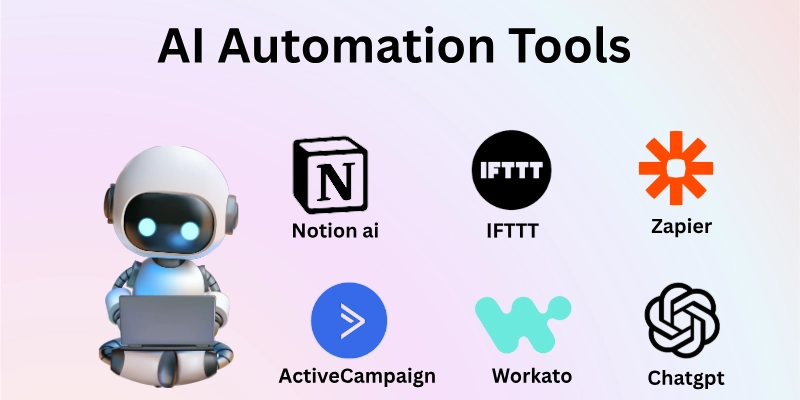
Here are the top AI automation tools that businesses, freelancers, and teams can use to boost efficiency:
- Zapier
- Make (formerly Integromat)
- Microsoft Power Automate
- UiPath
- Automation Anywhere
- Workato
- IFTTT
- Notion AI Automations
- ChatGPT Plugins (e.g., Custom Actions)
- Salesforce Einstein Automations
- HubSpot Automation
- ActiveCampaign
So guys, let us learn about each in detail.
1. Zapier
Zapier is a widely used automation platform that connects thousands of apps without coding. It allows users to create automated workflows (called “Zaps”) that trigger actions based on events, for example, sending a Slack message whenever a new lead is added to a Google Sheet. Zapier saves time on repetitive tasks and ensures data flows seamlessly between systems.
How to Use It:
- Choose a trigger app and event (e.g., new form submission)
- Select an action app to automate the task
- Configure fields and conditions
- Test the workflow
- Activate and monitor performance
2. Make (formerly Integromat)
Make is a visual automation builder designed for more complex workflows. It uses drag-and-drop modules to connect apps and automate multi-step processes. With support for conditional logic, timing controls, and data transformation, Make is ideal for businesses needing advanced automation without code.
How to Use It:
- Add apps and choose triggers
- Visualize workflow steps
- Set filters and logic conditions
- Map data between steps
- Run and debug scenarios
3. Microsoft Power Automate
Microsoft Power Automate (formerly Flow) brings automation to the Microsoft 365 ecosystem and beyond. It connects apps like Outlook, Teams, Excel, SharePoint, and more. Power Automate supports robotic process automation (RPA), AI builders, and enterprise-grade controls, making it powerful for both business and personal productivity improvements.
How to Use It:
- Choose a template or build from scratch
- Pick a trigger (e.g., new email received)
- Add action steps
- Apply conditions and approvals
- Save and publish
4. UiPath
UiPath is an RPA (Robotic Process Automation) platform that automates manual, rule-based tasks on desktop and web applications. It mimics human actions like clicking, typing, and data entry. UiPath is ideal for enterprise use cases where back-office and repetitive tasks can be automated at scale.
How to Use It:
- Launch UiPath Studio
- Record steps you want to automate
- Add logic and exception handling
- Run the automation robot
- Monitor and optimize performance
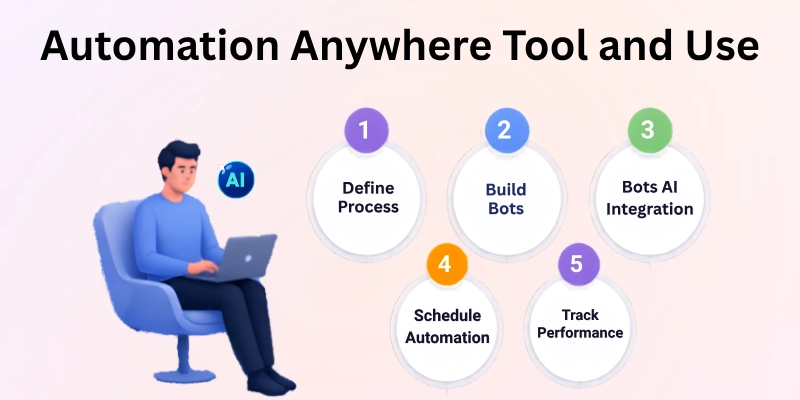
5. Automation Anywhere
Automation Anywhere is another enterprise-grade RPA tool that automates repetitive business processes across systems. It combines AI, analytics, and bots to automate complex workflows. Large organizations often use it to automate finance, HR, and customer service operations.
It also offers cloud-based automation solutions, making it easier for businesses to scale their operations. Additionally, its intelligent automation capabilities help organizations improve efficiency, reduce errors, and increase productivity.
How to Use It:
- Define process requirements
- Build bots for repetitive tasks
- Train bots using AI integrations
- Deploy and schedule automations
- Track performance dashboards
6. Workato
Workato is an advanced automation platform that combines AI, integration, and enterprise-grade controls. It’s designed for automated data flows, cross-system processes, and application orchestration. Workato supports conditional logic and real-time syncing, making it ideal for complex operations.
How to Use It:
- Select a recipe or build a workflow
- Connect apps and APIs
- Add logic and filters
- Test automation
- Deploy and monitor
7. IFTTT (If This Then That)
IFTTT is a beginner-friendly automation tool that connects services based on simple “if this, then that” logic. It works well for personal and SMB use cases like social media posting automation, smart home actions, and basic integrations.
How to Use It:
- Choose a trigger service (e.g., Instagram post)
- Set an action service (e.g., share to Twitter)
- Configure preferences
- Activate the automation
- Review activity logs
8. Notion AI Automations
Notion AI Automations allows teams to automate workflows within Notion pages and databases. You can automate task statuses, reminders, and content management, and use AI to generate summaries, templates, and consistent documentation. It’s great for team productivity and knowledge workflows.
How to Use It:
- Add automation rules to Notion databases
- Use AI to generate content or summaries
- Set reminders and conditional properties
- Sync changes across workspace
- Track task progress
9. ChatGPT Plugins (e.g., Custom Actions)
ChatGPT plugins enable AI-powered workflows where ChatGPT can trigger automation and interact with external systems. Plugins expand ChatGPT to handle tasks like booking meetings, pulling data, or triggering automation in apps like Zapier or Google Sheets. This combines generative AI with task execution.
How to Use It:
- Install relevant ChatGPT plugins
- Authorize app connections
- Use prompts to automate actions
- Trigger workflows from conversation
- Monitor results
10. Salesforce Einstein Automations
Salesforce Einstein Automations bring AI-powered automation to Salesforce CRM. It can automate lead scoring, opportunity prioritization, email workflows, task assignments, and personalized messaging. Einstein uses predictive analytics and AI models to improve sales and service outcomes.
How to Use It:
- Define automation goals in Salesforce
- Create Einstein automation rules
- Assign tasks and triggers
- Personalize messaging
- Review analytics
11. HubSpot Automation
HubSpot’s automation tools allow businesses to automate marketing, sales, and customer workflows. You can automate email sequences, lead nurturing, CRM updates, and task assignments. With built-in AI personalization, HubSpot helps teams scale engagement without manual effort.
How to Use It:
- Create workflows in HubSpot CRM
- Set triggers (e.g., form submissions)
- Add conditions and actions
- Personalize messages
- Activate and track performance
12. ActiveCampaign
ActiveCampaign combines AI automation with email marketing, CRM, and messaging automation. It enables conditional email sequences, contact segmentation, and predictive sending times. AI insights help improve open rates and engagement automatically.
How to Use It:
- Build automation sequences
- Create triggers (e.g., website visit)
- Segment contacts
- Add personalized messages
- Evaluate analytics
Final Thoughts
So guys, in this article we have covered the best AI automation tools with great detail. AI automation tools help businesses and individuals eliminate repetitive work, improve accuracy, and focus on high-value tasks.
The key to choosing the right tool depends on your use case: simple triggers (IFTTT, Zapier), enterprise RPA (UiPath, Automation Anywhere), CRM automation (Salesforce, HubSpot), or integrated workflows (Workato, Power Automate).
Start small with high-impact tasks, build workflows, and expand automation gradually to get the most value.
FAQs
Here are some of the most commonly asked questions related to AI automation tools:
A tool that uses artificial intelligence to automate tasks that are typically performed manually, such as those that are repetitive, rules-based, or data-driven, is called an AI automation tool.
There are a lot of AI automation tools that are low-code or no-code, which means they are not designed for users who have technical expertise.
Some offer free plans, but in order to access more advanced features, paid subscriptions are typically required. Utilization and scale both play a role in pricing.
Automated artificial intelligence can handle tasks that are repetitive, but work that is strategic or creative still requires human input.
Tools such as Zapier, IFTTT, and Notion AI are currently available to small businesses that have workflows that are relatively straightforward.
Artificial intelligence automation is used to improve workflows in virtually every industry, including marketing, finance, customer support, human resources, and operations.
Automation does, in fact, reduce the amount of manual labor required, minimize errors, and speed up operations.
Despite the fact that reputable platforms adhere to security standards, businesses should always make use of safe practices and access controls.
Begin by identifying tasks that are repetitive, selecting a tool that is suitable for your workflow, constructing a straightforward automation, and testing it afterwards.
AI will continue to become more predictive, adaptive, and deeply integrated with business systems, making automation smarter and more autonomous.






- Be Respectful
- Stay Relevant
- Stay Positive
- True Feedback
- Encourage Discussion
- Avoid Spamming
- No Fake News
- Don't Copy-Paste
- No Personal Attacks
- Be Respectful
- Stay Relevant
- Stay Positive
- True Feedback
- Encourage Discussion
- Avoid Spamming
- No Fake News
- Don't Copy-Paste
- No Personal Attacks
